
andyd90226341
Participant
December 10, 2017
Answered

Refine Edge - Photoshop CC2014

  • December 10, 2017
  • 3 replies
  • 1636 views

hey guys,

I was a huge fan of the refine edge tool in photoshop and to my dismay after an auto update it was gone.

I have tried the whole holding shift, option command to get refine edge back in CC 2017 but it doesnt give the same results

so then I heard you can install older versions of photoshop, I went back to 2014 and thought brilliant, but I am still getting the same results as select and mask, is there a fix or do i have a setting wrong?

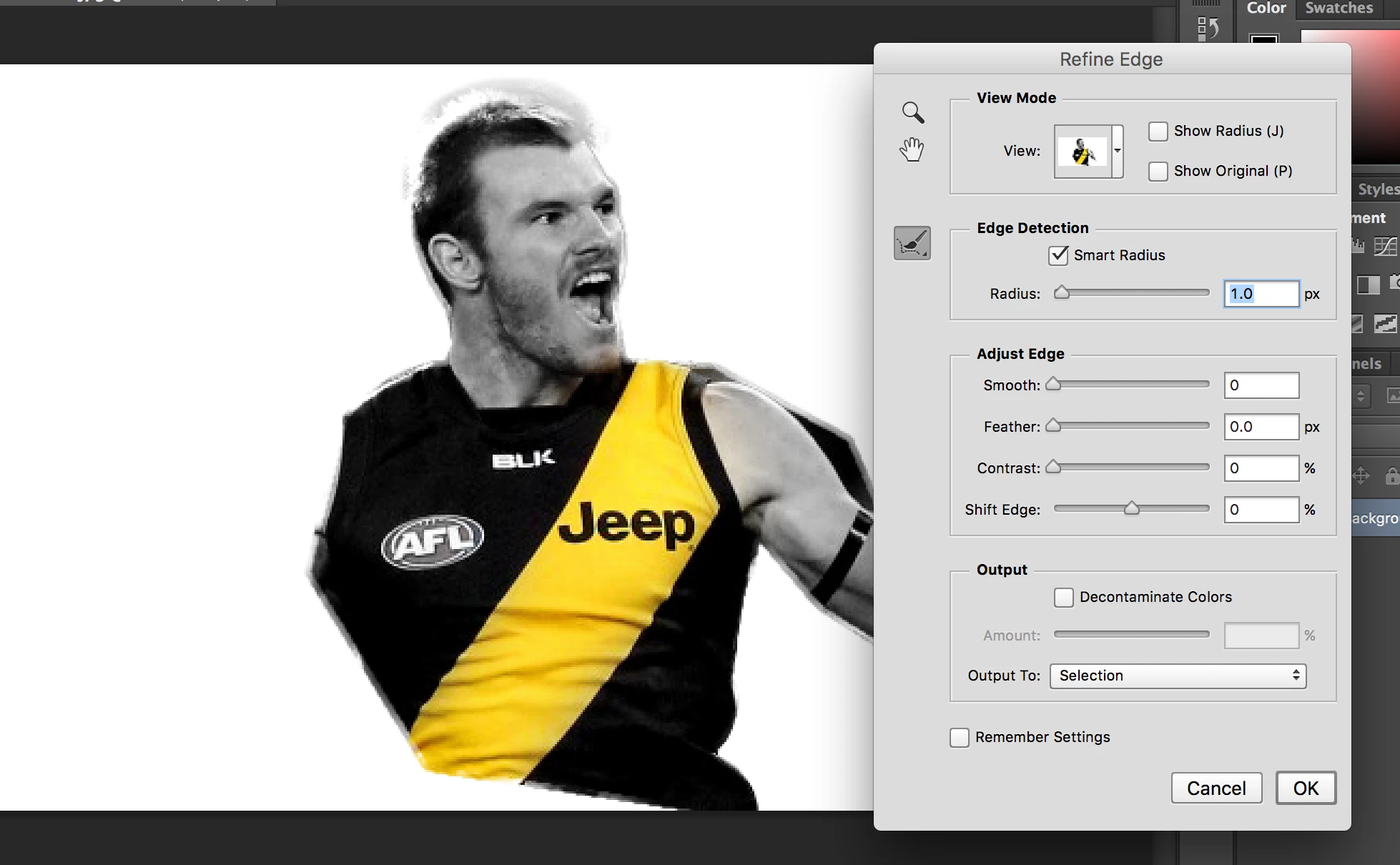
here is a screen shot, just a rough image of trying to get all the hair and what it is doing ignore the shoddy selection of the person and focus more on the head

as you can see the background is coming through and not actually selecting anything properly, should I try an older version, could 2017 version be interfering or something else

cheers
This topic has been closed for replies.
Correct answer Simmer1

Hi,

Hair can be very tricky.

I would say first of all the tighter your original selection the better the Select and Mask/Refine Edges will perform.

Every image is different so its all about tweaking the settings until you get the best result.

Also you could use the Select and Mask/Refine Edges to mask the hair a best you can, then Output the mask onto a new layer and then use a brush to improve the mask further.

Here is a good tutorial and examples: How to Cut Out Hair with the Brush Tool in Photoshop - YouTube 

Hope this helps.

3 replies

andyd90226341
Participant
December 10, 2017

davescm
Community Expert
Community Expert
December 10, 2017

Hi

The image is not very resolution. Make sure you have permission to use it and get a higher res version to mask.

For demo onlyI used CC2018 select and mask.

1. A quick selection (top brush)

2. Selected all hair and a bit of background with the brush (3rd tool)

3. Set the refine edge brush to 6 pixels, 100% hardness 1% spacing, radius 0 and smart radius off and brushed between the white hair and the background, then separately between the black hair at the back of the head and the background

Dave

Simmer1
Community Expert
Simmer1Community ExpertCorrect answer
Community Expert
December 10, 2017

Hi,

Hair can be very tricky.

I would say first of all the tighter your original selection the better the Select and Mask/Refine Edges will perform.

Every image is different so its all about tweaking the settings until you get the best result.

Also you could use the Select and Mask/Refine Edges to mask the hair a best you can, then Output the mask onto a new layer and then use a brush to improve the mask further.

Here is a good tutorial and examples: How to Cut Out Hair with the Brush Tool in Photoshop - YouTube 

Hope this helps.

davescm
Community Expert
Community Expert
December 10, 2017

Hi

The old refine edge has not changed. Select and mask has moved on between versions.

Why not post a full resolution unmasked image of the head so we can better advise on masking it.

Dave

andyd90226341
Participant
December 10, 2017

This email address is no longer in use.

davescm
Community Expert
Community Expert
December 10, 2017

andyd90226341  wrote

This email address is no longer in use.

We are not responding by email, we are responding on the Photoshop forum. You need to go to the Photoshop forum and change the email details in your profile

Dave