Answered
The animation timeline won't show up right in Photoshop CS6

The timeline looks like this, but i'm sure it's supposed to look like this: 
What do I do?

The timeline looks like this, but i'm sure it's supposed to look like this:
What do I do?
Hi
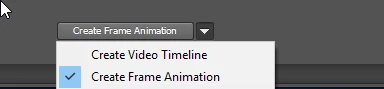
When you first open a timeline there is a drop down to create frame animation or video timeline
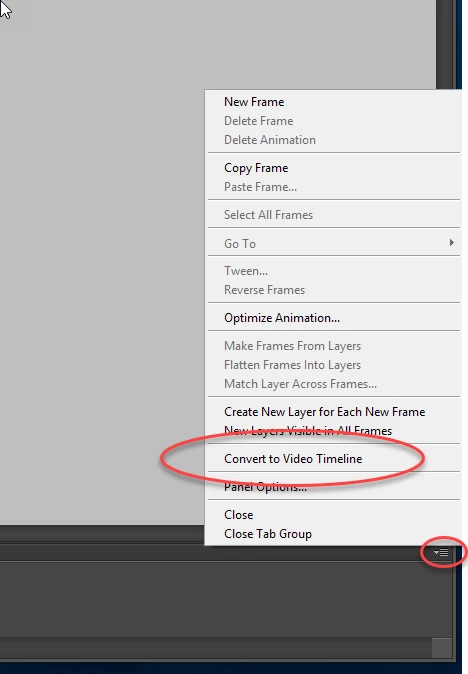
If you have inadvertently opened a frame animation, you can switch by going to the top right of the timeline and clicking to get the timeline menu
Dave
Already have an account? Login
Enter your E-mail address. We'll send you an e-mail with instructions to reset your password.
 AdChoices