Copy link to clipboard
Copied
I just noticed that if I save an image with multiple layers and alpha channels as a tiff file the thumbnail in Windows Explorer will show one of the layers and not the final image. I have never noticed this before although I don't save alpha channels that much. I am using PS CC 2019 latest updates and Windows 10 latest updates. With some experimentation, I have confirmed this only happens when you have Alpha channels and you have the alpha channels checked when saving the tiff. Is this a bug or is there a setting to fix this?
The thumbnail is correct in Bridge but not other programs that display thumbnails.
I see this as an issue not showing the correct thumbnail in Windows Explorer. Makes it hard to find the right file.
Copy link to clipboard
Copied
You would need to raise this with Microsoft who make Windows Explorer.
As you said, Adobe's Bridge displays correctly.
Dave
Copy link to clipboard
Copied
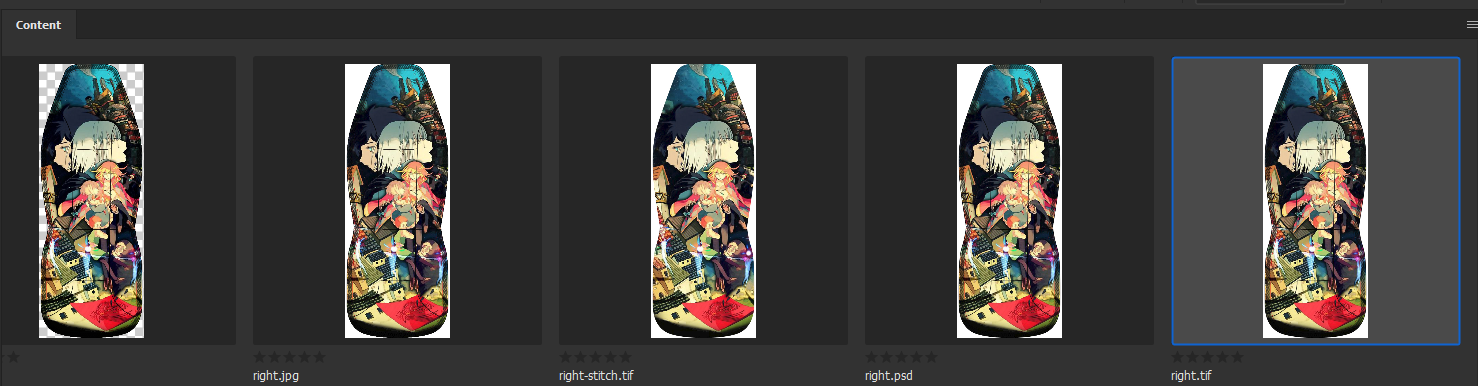
Not all Image application support Layered tiff files or transparency saved in tiff files. So I do not know how Windows File explorer would handle a layered tiff file or a tiff file with transparency. The layer tiff thumbnails I see in File explorer seem right to me the composite look correct and there may be transparency. However, I can not tell if the white I seen in the thumbnail is transparency or a white background added. If I have a Layered Photoshop document that has transparency, Alpha channels and Paths. If I save a Layered Tiff, A PNG and a JPG. Then open The Tiff, PNG and JPG I see different Photoshop Documents. The Tiff file opened Document looks exactly like the original layered document. The document has transparency, has the same layers, Alpha Channels, and Paths. The JPG file opens as Flat document with Photoshop Background Layer no transparency , it has no Alpha channels, but has all the original document Paths. The PNG File Opens as a single normal layer 1 document with Transparency but does not have any Alpha Channels or Paths.
In the Bridge the only thumbnail that I see that has transparency is the png, the PSD, Tif, and JPG have white Backgrounds
Copy link to clipboard
Copied
Thank you for these answers. I was always under the impression that the thumbnail was embedded in the image file. I know that is how raw files can display thumbnails. So I assumed Photoshop was creating the thumbnail and embedded it in the image file that was then displayed by other programs such as Windows Explorer. I have several other applications that show thumbnails not made by Microsoft that they are showing the wrong thumbnail as well. If that is true then this is not a Microsoft issue but Photoshop is embedding the wrong image as a thumbnail.
I may be wrong.
Get ready! An upgraded Adobe Community experience is coming in January.
Learn more


