
Known Participant
May 17, 2019
Question

Toolbar left floating after images closed and workspaces inconsistent

  • May 17, 2019
  • 3 replies
  • 2471 views

Hi,

Just wondering if someone can tell me how to fix this. After I close and save an image I return to the home screen but my toolbar is left floating:as shown at the right side of the home screen here:
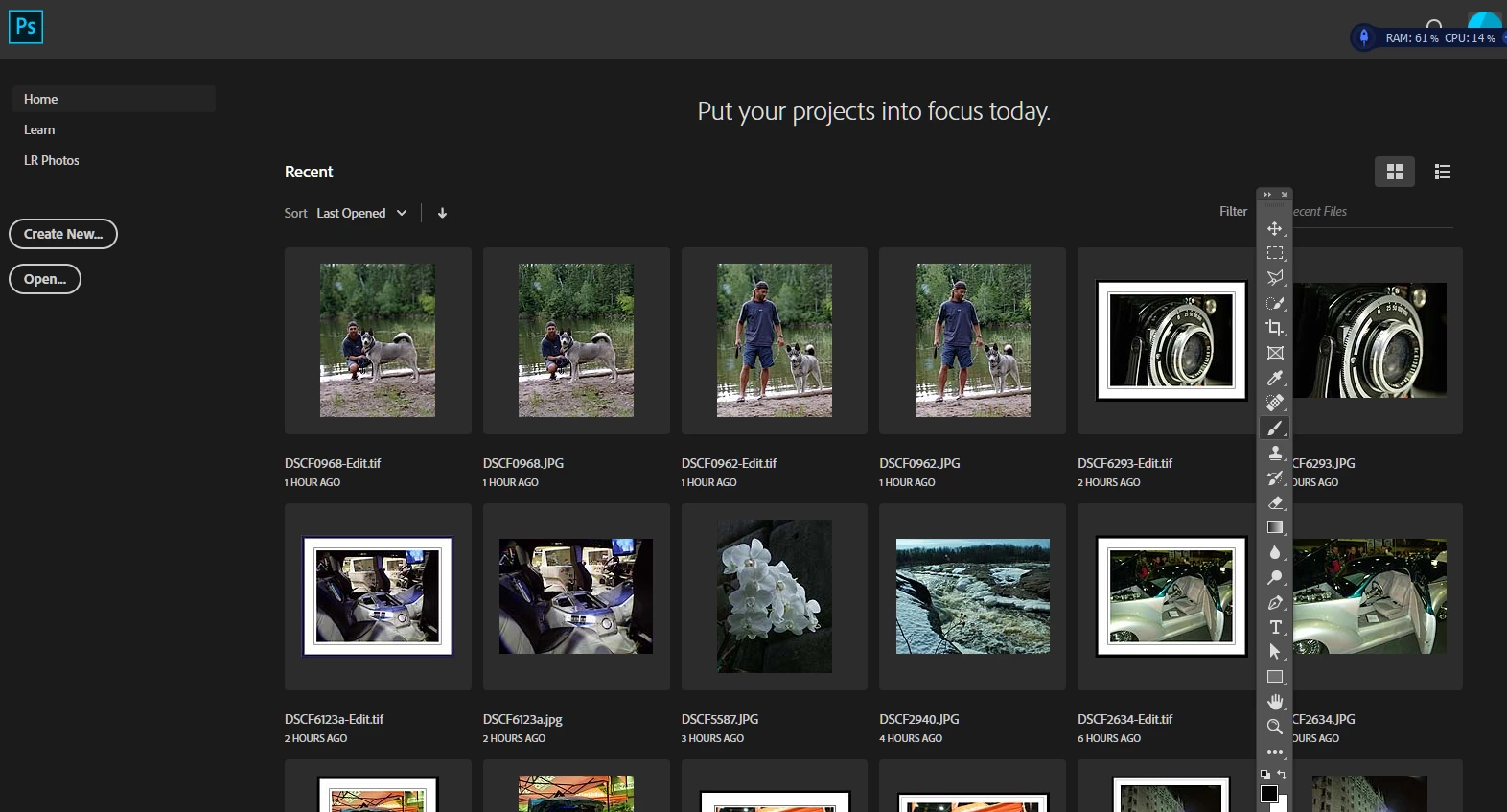
I had moved it from it's initially docked position to the right because I like to have everything on the right hand side. In earlier versions of PS I had no problem doing that and I could save my workspaces with no problem. Now I open the default workspace, customize it the way I want and then save that as a new workspace but often elements I positioned in it are lost or in a different place when I open that workspace. I'm on Photoshop CC 20.0.4 but this has been happening for the last 2 or 3 updates.

Ideas appreciated.

Thanks,

This topic has been closed for replies.

3 replies

Diane in Ohio
Inspiring
February 4, 2022

How did you get this fixed?  I not only have the floating Toolbar on the PS home page, but the Properties panel as well.  Thank you.

Diane in Ohio
Inspiring
February 4, 2022

NOTE:  This is on the 2022 version of Photohop.

Omar.Fathy
Community Expert
Community Expert
May 17, 2019

You need just to dock it in it's place again after open or create new document.
You can also use Window> Workspace  to reset your workspace and the tools panel.

jjayladAuthor
Known Participant
May 17, 2019

As mentioned, saving the workspace (repeatedly) does not solve the problem. It still floats on its own after closing files.

Until 2 or 3 updates ago this never happened.

I agree with Ged and have posted it as a bug to Photoshop Feedback Forum

Thanks

jjayladAuthor
Known Participant
May 17, 2019

By the way ...that floating toolbar is there when I open PS again now too.

May 17, 2019

Hi

I never use the Home Screen but just tested it and can verify the same issue, might be worth reporting it as a bug on the Photoshop Feedback Forum