
Answered
how to draw a straight line make it thicker and then change the color in photoshop CC 2018
Photoshop CC 2018
MacBook Pro
Hi everybody!
I know I am making things more difficult than they should be (as usual) 
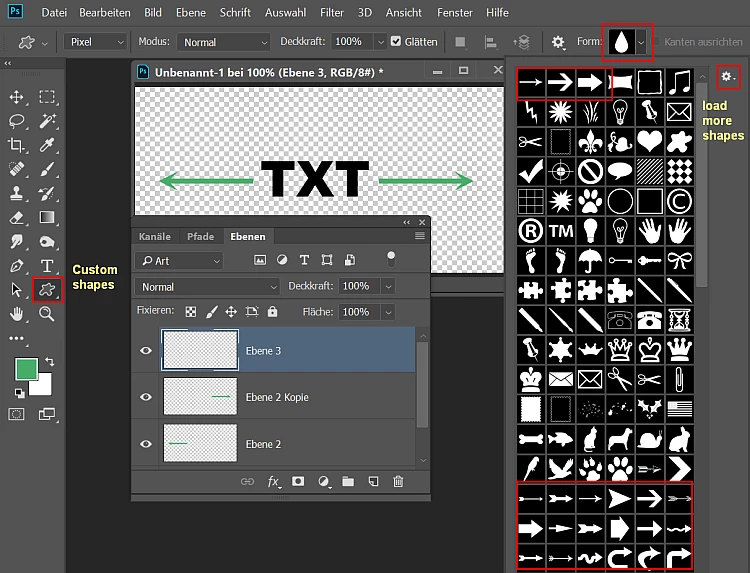
How can I add a straight line to a line of type in Photoshop CC 2018 and then change its position width and color. Its fine to be on another layer other than the Type
-----------------------So I would have a line of text with an added line on each side of it, maybe even with an arrow tip-----------------------
Like above but not a dotted line but a nice solid thick line that I can adjust the color and width so it's just right.
Thank you for any and all help!!!!!
Garry

 AdChoices