
Inspiring
February 15, 2025
Answered

2.2 MB for one page of text !

  • February 15, 2025
  • 2 replies
  • 1251 views

Hello,

I have done this :

1) I have created a A4 blank page in Acrobat Pro.

2) on another PDF I select a part of a text and click on "copy the image", so it copy the selected text. 

3) In the created blank page, in edit mode I paste this "copied image" (made of text).


I do the same with another text (I copy it and paste it inside the created blank page).


So I have this result in the created blank page (it is like a collage between two parts of text) :
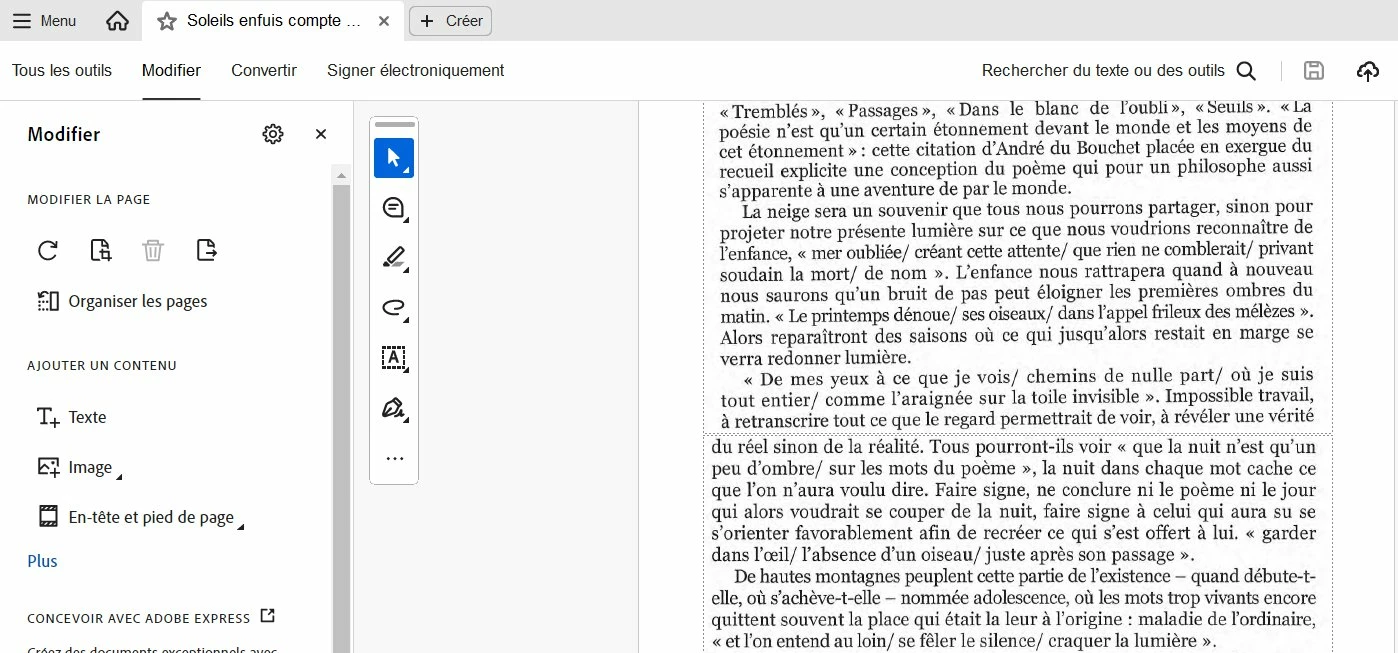


Problem : this one page created blank page made of text only has 2.2 MB file size.

I have done "compress PDF", but I have always 1.7 MB for a single page of text.


Here are my settings :
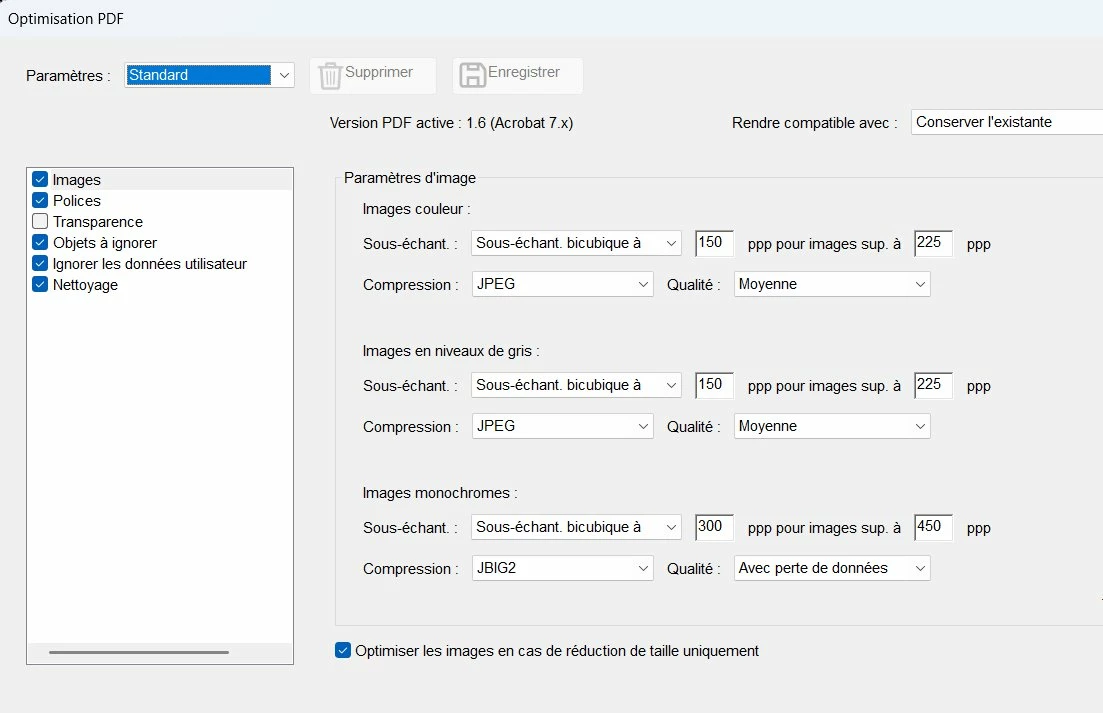
I understand that this collage of 2 images of text makes this file being big (2.2 MB or 1.7 MB).

But my goal is to have something like 150 KB or 200 KB file size for one page of text (collage), while keeping good quality results. How to do this ?


Correct answer JR Boulay

Bonjour


La mise en page originelle du texte est une image, c'est ça qui pèse lourd.

Si vous ne copiez que le texte vous perdez forcément son formattage et sa présentation, mais ça ne pèse pas grand-chose.


Utiliser Distiller pour réduire le poids d'un PDF est une mauvaise pratique, peu efficace dans le cas qui nous intéresse.


Si vous voulez conservez l'image (et donc la mise en page d'origine) et réduire le poids du fichier utilisez plutôt, directement après avoir scanné, les outils "Scan & OCR" :


2 replies

JR Boulay
Community Expert
JR BoulayCommunity ExpertCorrect answer
Community Expert
February 16, 2025

Bonjour


La mise en page originelle du texte est une image, c'est ça qui pèse lourd.

Si vous ne copiez que le texte vous perdez forcément son formattage et sa présentation, mais ça ne pèse pas grand-chose.


Utiliser Distiller pour réduire le poids d'un PDF est une mauvaise pratique, peu efficace dans le cas qui nous intéresse.


Si vous voulez conservez l'image (et donc la mise en page d'origine) et réduire le poids du fichier utilisez plutôt, directement après avoir scanné, les outils "Scan & OCR" :


Acrobate du PDF, InDesigner et Photoshopographe
Inspiring
February 16, 2025

Hi JR,

I have tried to use Scan OCR Tool like this, but in the settings, I cannot modify the compression settings (it is greyed). Why ?


Inspiring
February 16, 2025

Ok, I have understood why the compression setting was greyed : it was because I had set the OCR on "editable text and image". So, by choosing "indexable image" I succeeded to access to the compression settings.


I have tried 2 different things :

1) in "Scan and OCR" tool / "improve the file" / settings, I change the compression settings, like in the advice of JR. I succeeded to lower the PDF file size while keeping the image of the text.

2) in "Scan and OCR" / OCR, I run an OCR on the text. I succeeded to lower PDF file size also while keeping the "presentation" of the text.

try67
Community Expert
Community Expert
February 15, 2025

Run OCR (Text Recognition), then copy the text as text, not as an image, to a new file, and use a standard font.

Inspiring
February 16, 2025

I have run OCR, then I have copied the text as text to a new file, but in the result I see I have lost the original presentation :


How to have a small PDF file size while keeping the original presentation ?

try67
Community Expert
Community Expert
February 16, 2025

What do you mean by "presentation"?