
Inspiring
October 18, 2021
Question

2021.007.20099 - can't delete multiple pages after update OS X

  • October 18, 2021
  • 1 reply
  • 1536 views

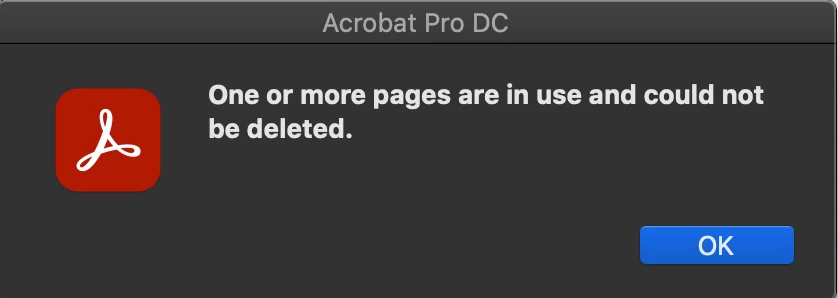
After selecting multiple pages, I get this error message when I try to delete them at once. I now have to manually delete each page, one at a time. This is a new bug with the latest update.
This topic has been closed for replies.

1 reply

Amal.
Community Manager
Community Manager
October 18, 2021

Hi ScotW


Hope you are doing well and sorry to hear that. As described you are unable to delete many pages at once and get the above error message.


What are the steps you are doing to delete the pages? I have tried to reproduce the issue on my end and its working fine. Please try to reboot the computer once and see if that helps.


- Is this a behavior with a partiular PDF file or with all the PDFs? Please try with a different PDF file and check. If the file is stored on a shared network/drive, please download it to your computer first and then try again.


You may also try to create a new test user with full admin rights in Windows or enable the root  account in Mac and try using the application there and check.


Regards

Amal


Inspiring
October 21, 2021

Thanks for the reply.


Nothing works. Rebooting the computer, making sure the PDF is on the local drive. I do have admin rights. It was literally working fine the same day, but after the update, it's now giving me this error. All PDFs do this. If there are multiple pages selected, even two pages, and I delete, I get the error message.

Thank yoU!

Amal.
Community Manager
Community Manager
October 22, 2021

Hi there


We are sorry to hear that.


Are you on Mac or Windows machine and what is the version of the OS?


Also please share a small video recording of the issue.


Please collect the Adobe CC logs as described here - https://helpx.adobe.com/creative-cloud/kb/cc-log-collector.html and the Procmon logs (Win Only) as described here - https://www.adobe.com/devnet-docs/acrobatetk/tools/Labs/acromonitor.html and share the log file with us via Document Cloud as described here https://helpx.adobe.com/document-cloud/help/sharing-pdfs.html so that we can isolate the issue and get it fixed.


Regards

Amal