
Participant
November 27, 2023
Question

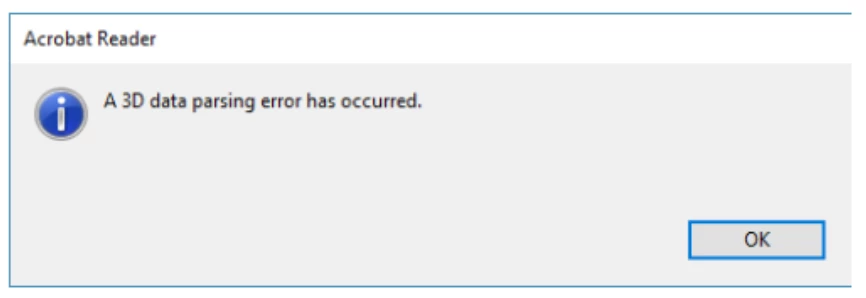
3D parsing error while opening 3d pdf file

  • November 27, 2023
  • 1 reply
  • 4756 views

We are having an issue while opening the 3dPdf file.
please refer to the screenshot.
This error is observed randomly on different machines.
We tried the solution of deleting the DC folder but it got fixed temporarily.
We wanted to know the cause of the issue. Please guide us through the permanent solution to this
Looking forward to hearing from you. 
This topic has been closed for replies.

1 reply

Amal.
Community Manager
Community Manager
November 27, 2023

Hi @ShridharPTS 


Hope you are doing well and thanks for reaching out.


The most likely cause of this error is an incorrect or damaged set of Adobe® configuration files.

To resolve this issue:

1. Close Adobe Acrobat Pro \ Adobe Reader
2. Rename the folder ‘C:\Users\[UserName]\AppData\Local\Adobe\Acrobat\DC’ to ‘C:\Users\[UserName]\AppData\Local\Adobe\Acrobat\DC_OLD’.
3. If it exists, rename the folder ‘C:\Users\[UserName]\AppData\Local\Adobe\Acrobat\2015’ to ‘C:\Users\[UserName]\AppData\Local\Adobe\Acrobat\2015_OLD’
4. Reopen the Adobe Acrobat Pro or Adobe Reader application and try again to open the 3D PDF file and check.


What is the version of the Acrobat/Reader you are using? To check the version go to Help > About Acrobat and make sure you have the recent version 23.06.20380 installed. Go to Help > Check for updates and reboot the computer once.

Also try to repair the installation from the help menu (Win Only) and see if that works.


If it still doesn't work, please remove the application using the Acrobat cleaner tool https://www.adobe.com/devnet-docs/acrobatetk/tools/Labs/cleaner.html  , reboot the computer once and reinstall the application using the direct link below:
https://helpx.adobe.com/acrobat/kb/acrobat-dc-downloads.html

https://get.adobe.com/reader/enterprise/


~Amal