
Participant
April 18, 2019
Answered

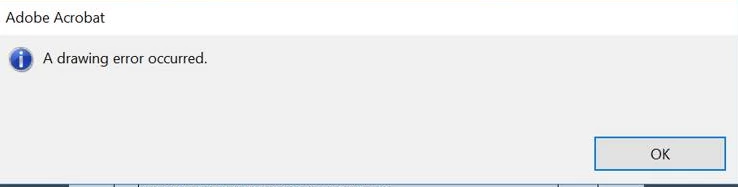
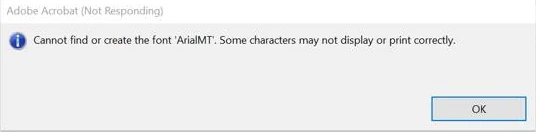
A drawing error occurred. & Cannot find or create the font ‘ArialMT’. Some characters may not display or print correctly.

  • April 18, 2019
  • 1 reply
  • 14612 views

Hi,

Need your help on this.

User is opening a PDF file from a site and he encounters some issues:

1. "A drawing error occurred."

     If you click the ok here file able to open but there are missing content.

               I have the following:

                    1.  Delete the Acrobat preferences folder "%APPDATA%\Adobe\Acrobat\"
2. "Cannot find or create the font ‘ArialMT’. Some characters may not display or print correctly."

I have tried the following:

1. Edit - Preferences - Page Display - UNCHECK "Use local fonts".

2. Edit -> Preferences ;> Internet Uncheck "Display in Read Mode by Default"
Have anyone encounter the same and fix this kind of issue?

This topic has been closed for replies.
Correct answer Amal.

Hi Elgwap,

Apologies for the delay in response, I hope this would be fixed by now

If the problem still persists, you may refer to a similar discussion on the forum thread - "A drawing error occurred" Error

You may also refer to the help article in the link - Error "A drawing error has occurred" | Adobe Acrobat, Reader

Let us know if you need more information.

Regards,

Amal

1 reply

Amal.
Community Manager
Amal.Community ManagerCorrect answer
Community Manager
July 31, 2019

Hi Elgwap,

Apologies for the delay in response, I hope this would be fixed by now

If the problem still persists, you may refer to a similar discussion on the forum thread - "A drawing error occurred" Error

You may also refer to the help article in the link - Error "A drawing error has occurred" | Adobe Acrobat, Reader

Let us know if you need more information.

Regards,

Amal

Participant
February 9, 2020

Thanks for the articles.

The second link gave me the idea to print the PDF document using Adobe PDF as the selected printer.

It worked perfectly, both errors gone! It worked with the other PDF printer as well 😉

Thanks again Amal, this has popped up for years and it's finally solved!

Amal.
Community Manager
Community Manager
February 26, 2020

Hi there, 


We are glad to hear that the issue got fixed.


Feel free to contact us for any assistance required in the future.


Regards

Amal