New Participant
May 17, 2021
Answered

A way to remove bleed and crop marks from a PDF?

  • May 17, 2021
  • 2 replies
  • 74277 views

Hello!

Just as the subject says, I'd like to remove the bleed and crop marks from a PDF.

I could just re-export each individual InDesign file without the bleed and crop marks, but I'm working with almost 200 individual files so I'd much rather learn about any kind of faster option in Acrobat, if possible. There are a few other reasons I want to do it in Acrobat as opposed to InDesign, but that's irrelevant to the question. I don't want to just crop the PDF file either, as that seems too unruly.

Thanks for any help!
Correct answer Mike Bro

Hello,

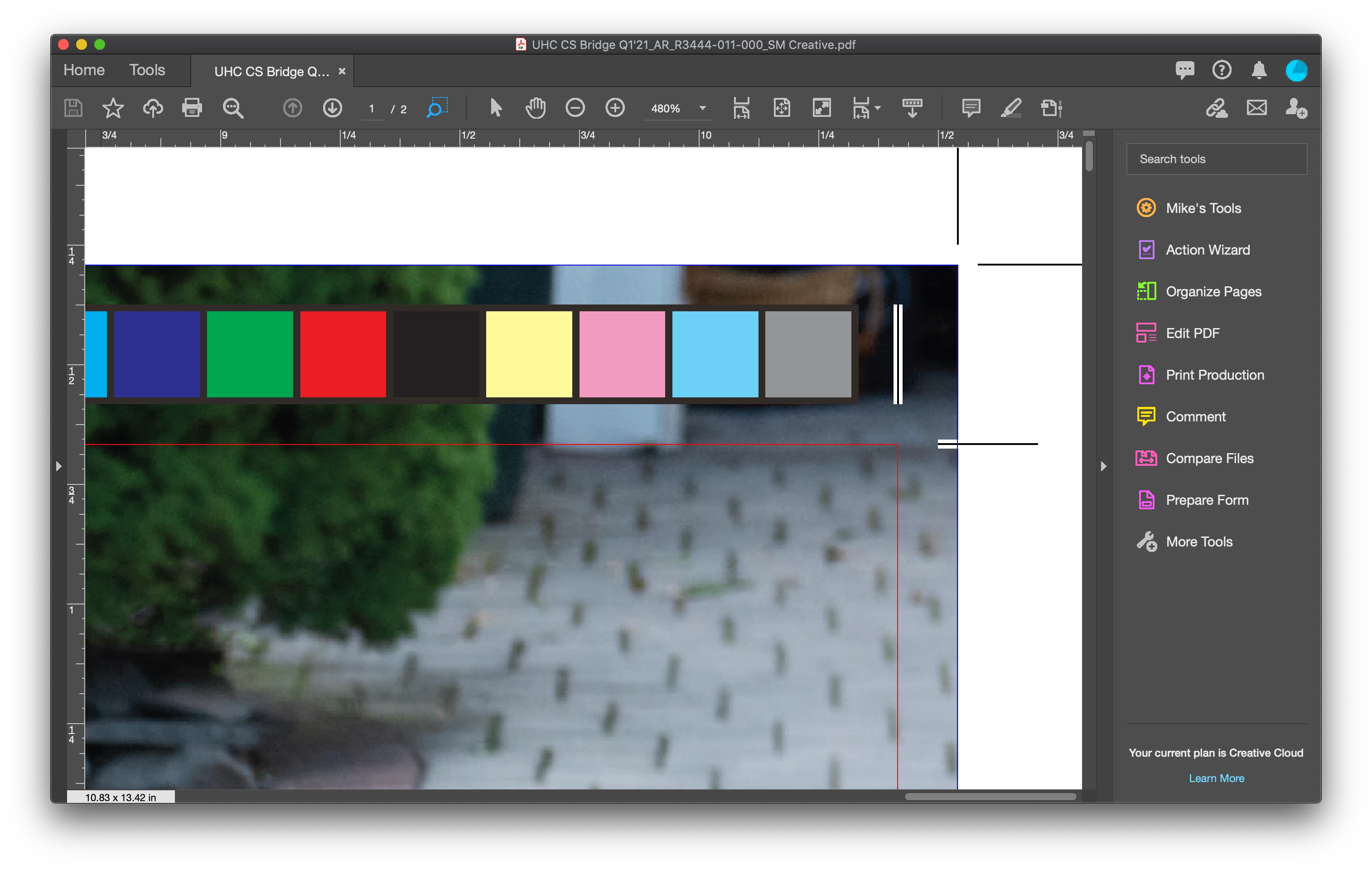
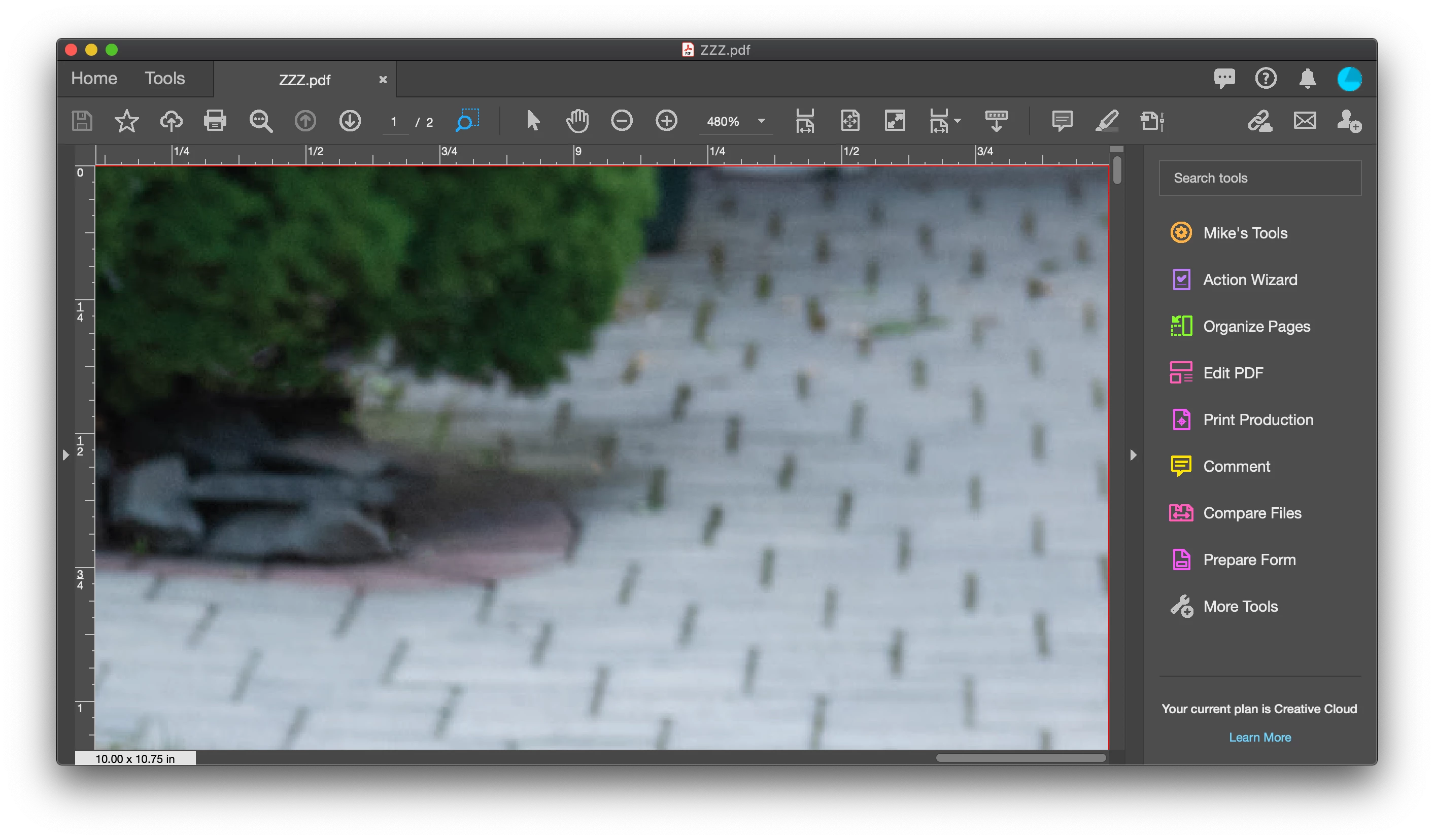
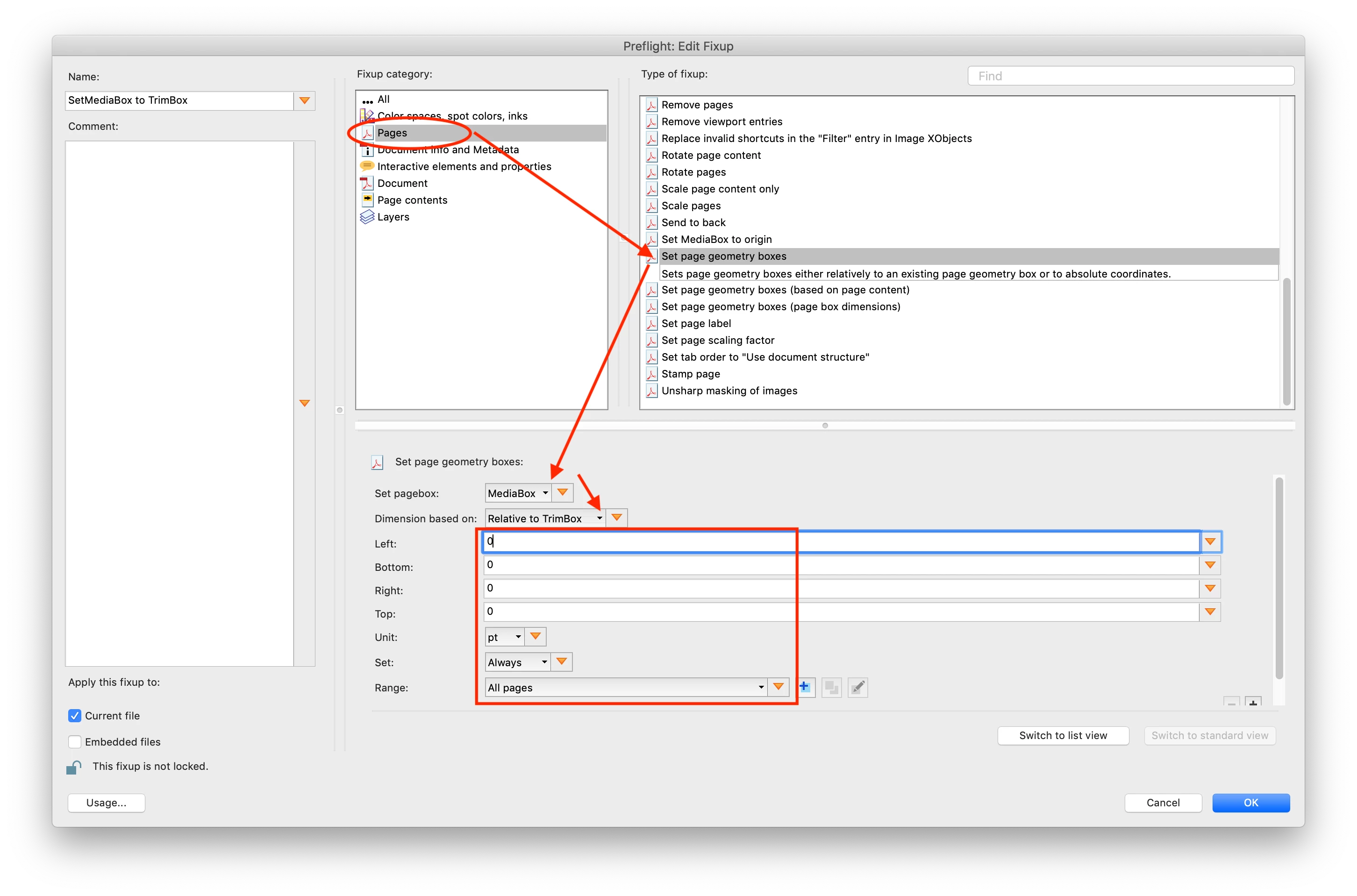
Unfortunately you can't remove the bleed content alone.  I'm not sure if this is what you're after, but you can create a custom fixup to set page geometry boxes.

You would want to set the Media box relative to the Trim box. Again you can apply\assign that Preflight profile to run in a Action Wizard action to allow you do a batch of files in one go.

Before;

After;

Regards,

Mike


2 replies

Luke Jennings3
Community Expert
May 18, 2021

There is an existing preflight fixup that will do this-

Tools> Print Production> Preflight> Fixups (blue wrench icon), type "remove" in the search field.

You can edit an existing preflight profile (as already mentioned) but you must first duplicate it using the small "options" fly out menu, to allow editing.

New Participant
May 18, 2021

Thank you!

That got rid of the crop marks just as asked!

Now, is there a way to remove the actual bleed content? My original post was worded strangely and I didn't get across that I needed to remove the bleed entirely. I'm looking through these Preflight options but I'm not seeing anything relating to trimming the excess .125" on each side, and the Crop tool only lets me click-and-drag instead of entering in exact amounts.

Mike BroCorrect answer
Brainiac
May 19, 2021

Hello,

Unfortunately you can't remove the bleed content alone.  I'm not sure if this is what you're after, but you can create a custom fixup to set page geometry boxes.

You would want to set the Media box relative to the Trim box. Again you can apply\assign that Preflight profile to run in a Action Wizard action to allow you do a batch of files in one go.

Before;

After;

Regards,

Mike


Brainiac
May 17, 2021

Hello,


you can create a custom Preflight profile with a Custom fixup to remove the printer marks. You can then apply\assign that Preflight profile to run in a Action Wizard action to allow you do a batch of files in one go.


Regards,

Mike