
Exit
  • Global community
    • Language:
      • Deutsch
      • English
      • Español
      • Français
      • Português
  • 日本語コミュニティ
  • 한국 커뮤니티
1

Acrobat batch save PDFs to different folder

New Here ,
May 16, 2023 May 16, 2023

I created an action with Acrobat to add a watermark and resave with adjusted file name but output options only allow me to save in the same folder. Is there a way to save the new PDFs in a different folder?
TOPICS
PDF
1.3K
Translate
Report
Community guidelines
Be kind and respectful, give credit to the original source of content, and search for duplicates before posting. Learn more
community guidelines
1 ACCEPTED SOLUTION
Community Expert ,
May 17, 2023 May 17, 2023

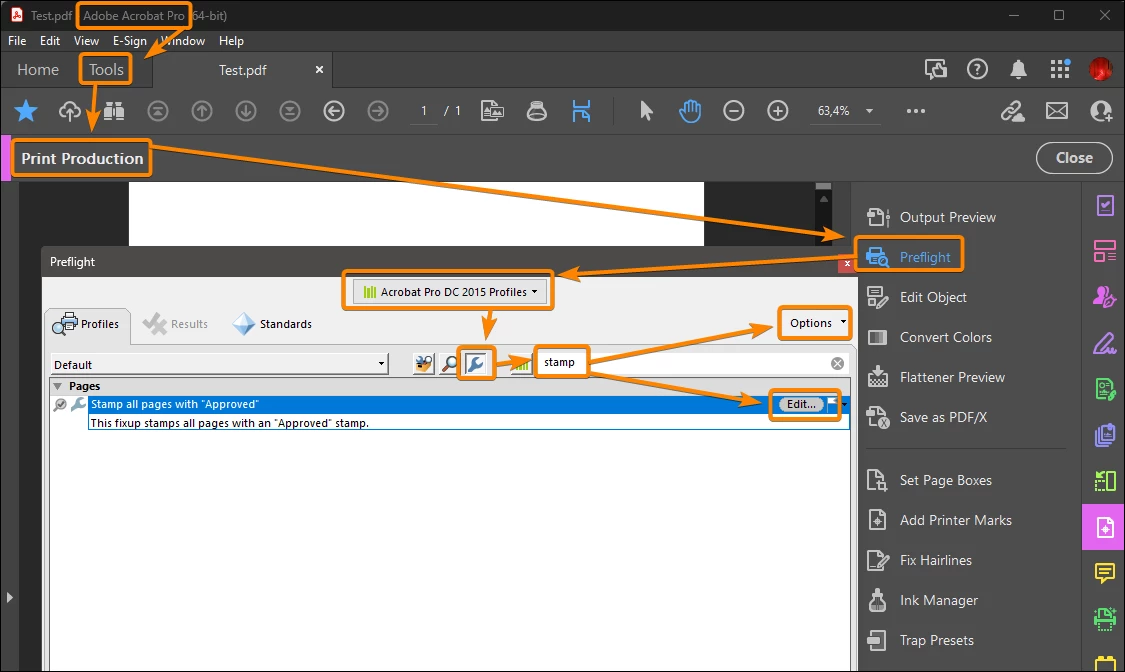
- Edit or duplicate the "Stamp all pages with Approved" profile in the Preflight fixups.

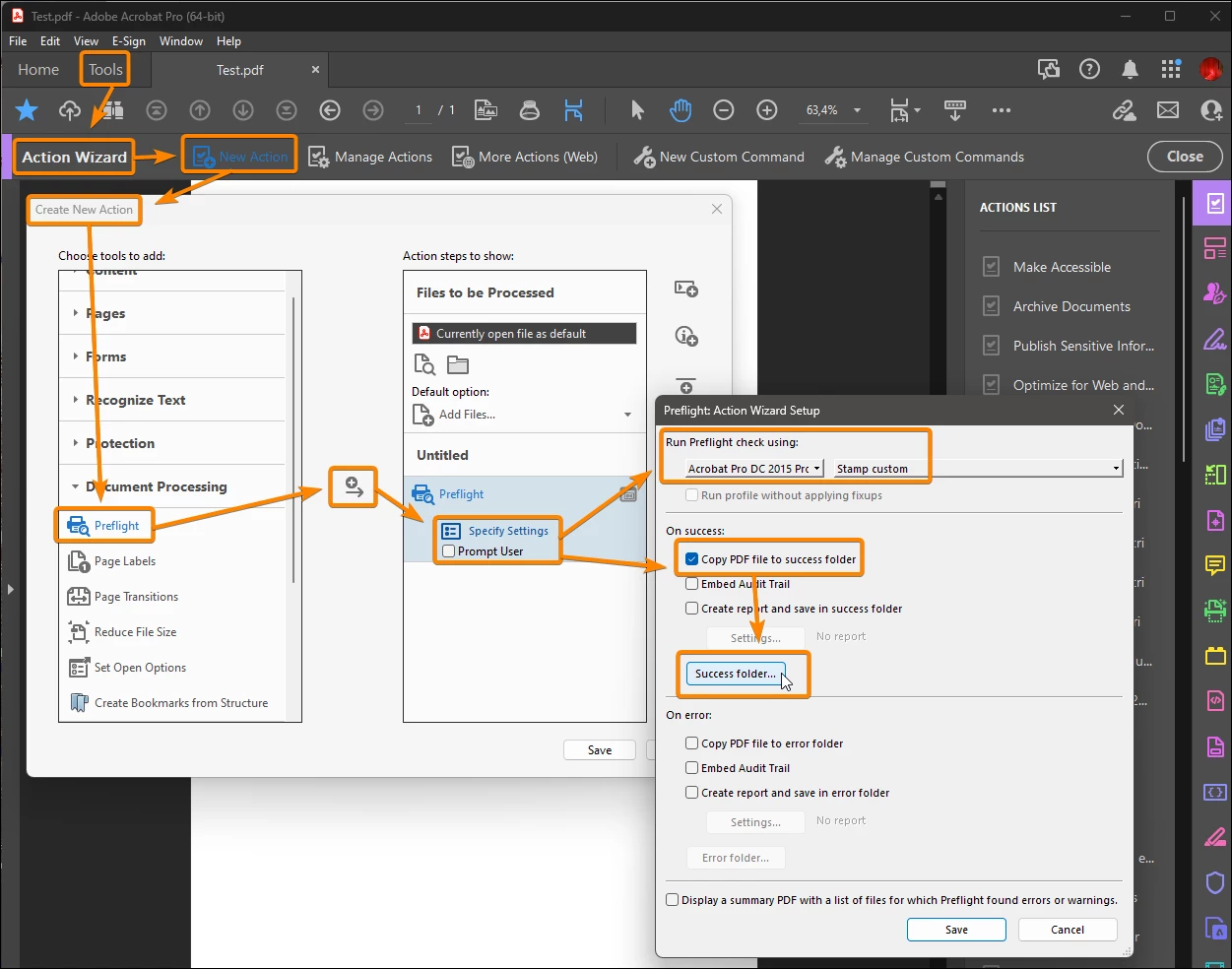
- Create a new preflight profile using the new fixup.

- Use the new profile in a "Preflight" action, that let you choose the destination folders.


Capture_2305171419.png


Capture_2305171431.png


Acrobate du PDF, InDesigner et Photoshopographe

View solution in original post

Translate
Report
Community guidelines
Be kind and respectful, give credit to the original source of content, and search for duplicates before posting. Learn more
community guidelines
Community Expert ,
May 17, 2023 May 17, 2023

You can use the Javascript method saveAs in an action step.

Translate
Report
Community guidelines
Be kind and respectful, give credit to the original source of content, and search for duplicates before posting. Learn more
community guidelines
Community Expert ,
May 17, 2023 May 17, 2023

- Edit or duplicate the "Stamp all pages with Approved" profile in the Preflight fixups.

- Create a new preflight profile using the new fixup.

- Use the new profile in a "Preflight" action, that let you choose the destination folders.


Capture_2305171419.png


Capture_2305171431.png


Acrobate du PDF, InDesigner et Photoshopographe
Translate
Report
Community guidelines
Be kind and respectful, give credit to the original source of content, and search for duplicates before posting. Learn more
community guidelines
New Here ,
May 17, 2023 May 17, 2023
LATEST

Thanks a lot, took me a bit to understand but finally got it working. Thanks a lot, now I don't have to struggle with Javascript.

Translate
Report
Community guidelines
Be kind and respectful, give credit to the original source of content, and search for duplicates before posting. Learn more
community guidelines