
Participant
March 9, 2021
Question

Acrobat changing sizes of images in PDF

  • March 9, 2021
  • 4 replies
  • 9273 views

When I compile my images into a PDF in Acrobat, it keeps resizing the images, so some are way larger than others.  Here is an example:
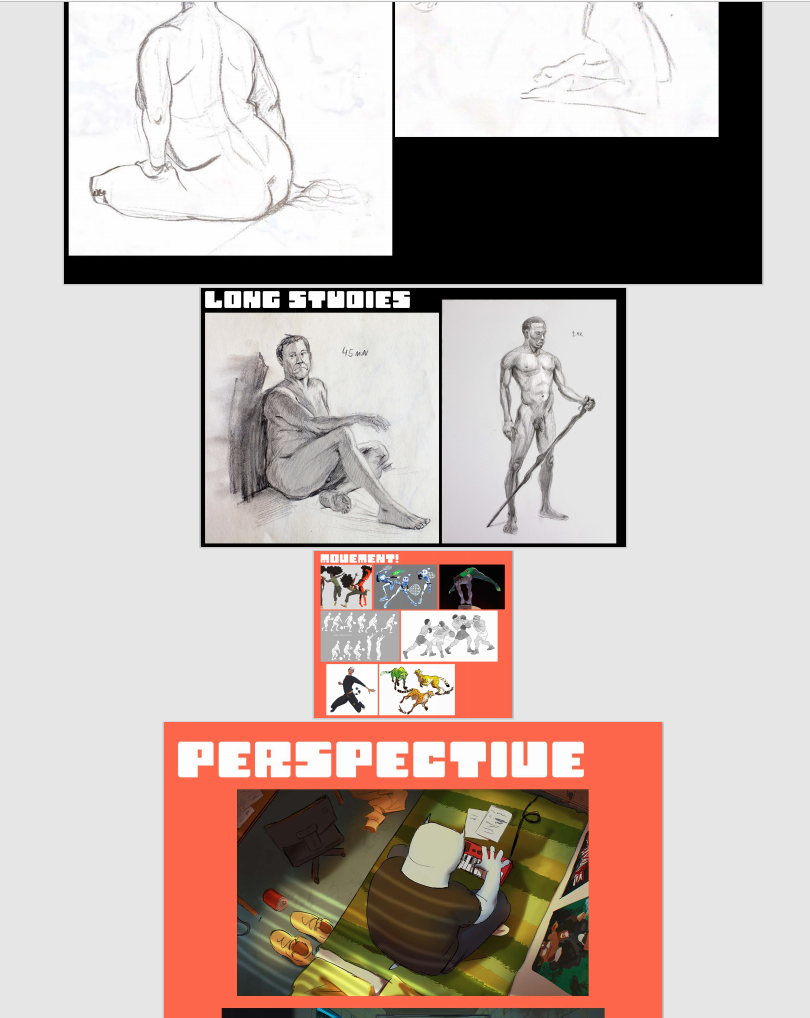
 

The images it insists on making smaller are a higher resolution than the images it makes large. The larger images are between 1500-2000px wide, but the smaller ones are between 2500-5000px wide, so it's not that the images aren't high res enough.

Can I adjust the sizes somewhere?

This topic has been closed for replies.

4 replies

JR Boulay
Community Expert
Community Expert
March 9, 2021

It's not a size issue, it's a resolution issue.

Unlike many softwares Acrobat Pro takes care of the "Resolution" metadata embeded in images.

So images with the same size in pixels may not have the same size in cm/inches in a PDF.


Before compiling you should (batch) open all your images with Photoshop and set their resolution to "72 dpi", or any value you like but the same value for all.


See the same image imported using different resolution value ("PPP" means "DPI)":


You will find more info in this article (Google Translate is your friend):

https://www.abracadabrapdf.net/ressources-et-tutos/creation/en-finir-avec-la-resolution-des-images/

Acrobate du PDF, InDesigner et Photoshopographe
Legend
March 9, 2021

PDFs do not have a size in pixels. When you import an image, the size does not use pixels. You need to work with sizes in mm or inches, and match the size in the PDF. Yes, it's a strange way of working, but only raster apps like Photoshop really size in pixels. Photoshop ignores size in inches.


How do convert pixels to inches? Use the ppi value. For example if the width is 3000 pixels, and ppi (pixels per inch) is 300, then the width in inches is 3000 / 300 = 10 inches.

Participant
March 9, 2021
Thank you.

Necmi KARAOĞLU
Bernd Alheit
Community Expert
Community Expert
March 9, 2021

How does you convert the images to PDF?

Participant
March 9, 2021

I create a PDF from Multiple files and then Combine Files, through which I select and import my photos

Bernd Alheit
Community Expert
Community Expert
March 9, 2021

Place the images on pages in a app like Word or InDesign and export as PDF.


Or


Use the preflight tool of Adobe Acrobat DC Pro to scale the pages.