

Acrobat DC Crashing
I recently built a new PC as the old one was end of life. I'm running a new Windows 11 Pro and I've been having an issue only with Adobe DC that I can resolve, but its irritating each time it doesn't work.
I may or may not be logged into CC when this happens. I open a PDF, only to have everything start to work, then crash and close. I noticed that it shows me as not signed in. I go to CC and sign in, and anytime I open a PDF, it still shows me as not signed in, crashes. There is a white screen that comes up, which appears to be something related with checking sessions/login info, but it is just plain white before it crashes.
When I open another app, lets say illustrator, I get the following screen:
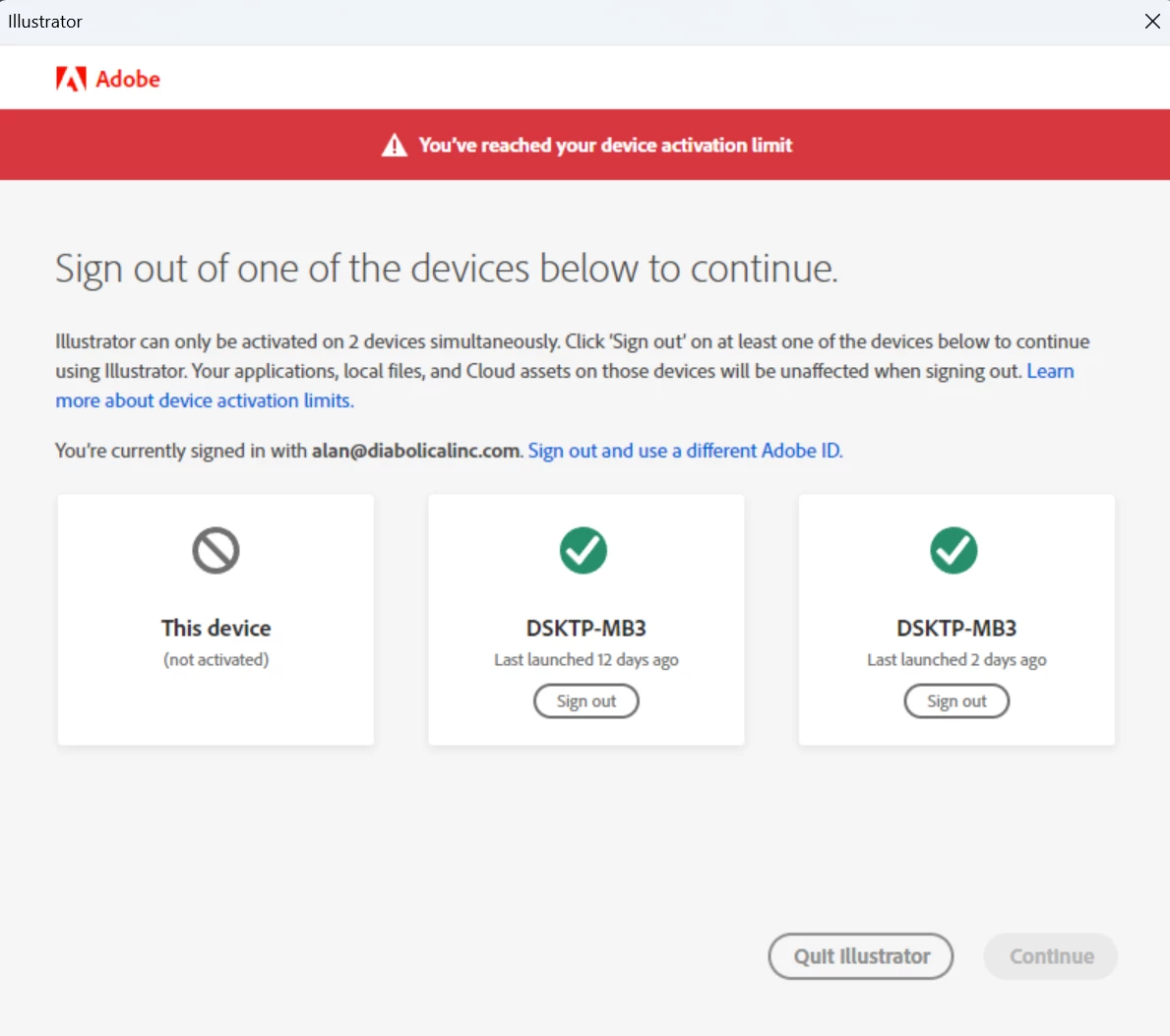
I believe this is the same screen that Adobe PC is trying to show, but again, its all white.
As you can see, there are multiple device logins, but its all the same device. Somewhere I believe Adobe DC is not signing me out when closing, or rebooting, or something. I don't have this CRASHING issue with any other app, but I do get this device activation limit when other apps are opened. Once I sign-out of one or two, I can open Adobe DC without issue.
I'm guessing Adobe DC is trying to show me this "Device Activation Limit" window before the crash, which if it did, the issue would be as bad, as I could just sign out of one and move on, but the bigger issue is why does it just crash? and second, why isn't it logging me out anyway?
 AdChoices