


Participant
September 18, 2017
Answered

Acrobat DC, Invisible Menu Selection Points

  • September 18, 2017
  • 1 reply
  • 1238 views

Window and menu clickable button icons are not showing up anymore.

The icon button to close a file has disappeared. I can click where it used
to be and the file closes so the functionallity is still there, just no
way to see where to click.
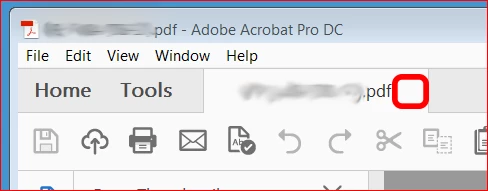
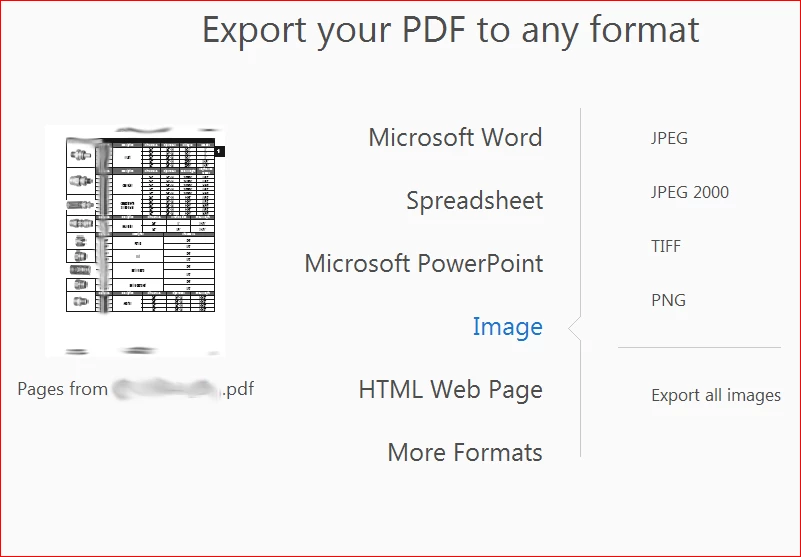
While this is inconvenient to close a file, it was impossible for me to
export all the images from a document until I found a screenshot of the Export
Image window on a help site that showed the various button icons.

Then I just clicked around until I got the options
to pop up and finally export all the images.
I've had my IT support run the "Repair" function which did not
help. Note that I do not have admin rights to my work computer.

Has anyone ever had this happen?

Is there a display related issue that can cause only the

     interactive icon layer to disappear?

Could this be a bug of some type?

If anyone has a suggestion, please reply.

Thank You!
This topic has been closed for replies.
Correct answer C-M 1

AnandSri,

Thank you for the posted suggestions, which I tried, however none were able to resolve the issue.

I did find the function of restoring menus or making them visible/hidden very useful.

The problem was finally resolved by having our IT staff uninstall and reinstall the Acrobat DC application.

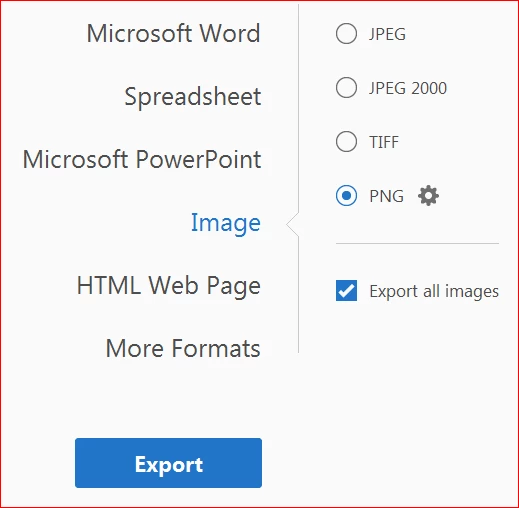
I'm happy to report that now all menu radio buttons and option setting icons are visible as well as the confirmation buttons such as "Export" from the example I provided.

Here is the same menu window with all the items visible again.

Best Regards,

The Mayor of Podunk

1 reply

AnandSri
Community Manager
Community Manager
September 18, 2017

Hi Mayorofpodunk,

As I understand from the description above, the options under Menu bar are not working in Acrobat Pro DC, Is that correct?

Please check for any pending updates of Acrobat Pro DC from Help>Check for updates.

You may also try to repair the installation file of Acrobat Pro DC from Help>Repair Installation

If the issue still persists, please check the troubleshooting steps in the following link:

Adobe  reader DC menu bar keeps disappearing Link: https://forums.adobe.com/thread/2152446

How do I restore the PDF menu bar (File-Edit-View) Link: https://forums.adobe.com/thread/392888

Menu bar disappears in Acrobat Professional DC on Windows 10 Link: https://forums.adobe.com/thread/2209642

** (Copy-paste the link into a new tab of a browser)

Hope this helps, and keep us posted with the results.

Regards,

Anand Sri.

C-M 1AuthorCorrect answer
Participant
September 27, 2017

AnandSri,

Thank you for the posted suggestions, which I tried, however none were able to resolve the issue.

I did find the function of restoring menus or making them visible/hidden very useful.

The problem was finally resolved by having our IT staff uninstall and reinstall the Acrobat DC application.

I'm happy to report that now all menu radio buttons and option setting icons are visible as well as the confirmation buttons such as "Export" from the example I provided.

Here is the same menu window with all the items visible again.

Best Regards,

The Mayor of Podunk