Answered
Acrobat DC opens up to Acrobat Reader DC
I have my PDF's set to open with Adobe Acrobat DC. I don't see Reader installed anywhere. I can access acrobat.adobe.com to edit PDF's but would like the Desktop version.

I have my PDF's set to open with Adobe Acrobat DC. I don't see Reader installed anywhere. I can access acrobat.adobe.com to edit PDF's but would like the Desktop version.
Hello Tod,
I hope you are doing well.
Great to know that your issue has been solved. However, if you face the same problem again, you can try to change the default application for opening PDF files to Acrobat Pro DC. Please follow the image for reference:
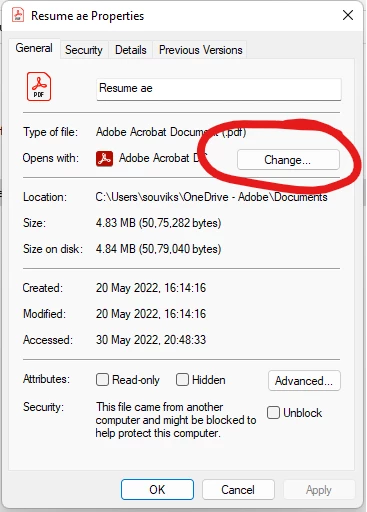
Once you are there, you can select Acrobat Pro DC to set the application as default.
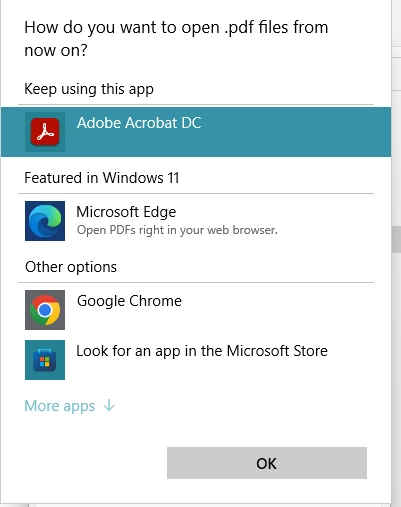
Let me know if this helps.
Thanks,
Souvik.
Already have an account? Login
Enter your E-mail address. We'll send you an e-mail with instructions to reset your password.
 AdChoices