Greener14519
Participating Frequently
November 17, 2016
Answered

Acrobat DC Standard. Can't "Add Text" to many PDFs

  • November 17, 2016
  • 3 replies
  • 71322 views

On about one quarter of the PDFs I need to edit, the "Add Text" button won't assign the cursor to the document.  It appears to work and the cursor will hover over the document with the "A", like it's attempting to work, but clicking on the document doesn't allow the text box to activate.  No keyboard presses result in a character on the document.  I can click anywhere on the document and nothing will work.

My only work-around is to create a text file in another program, save it as a PNG file as a transparency and import it as an image onto my PDF.  This is ridiculously cumbersome.

The documents I'm working with are technical drawings, probably created in AutoCad and converted to PDF.  The most recent one I'm working on is not a scan as Acrobat recognizes the layers, but still cannot add text.  All other features seem to work.  Acrobat doesn't recognize the text so I have to remove letters and words as if they were images which is fine, but I need to add text to replace what I remove and that's a no-go.

Any help would be greatly appreciated!
This topic has been closed for replies.
Correct answer Dave__M

AcrobatDave,

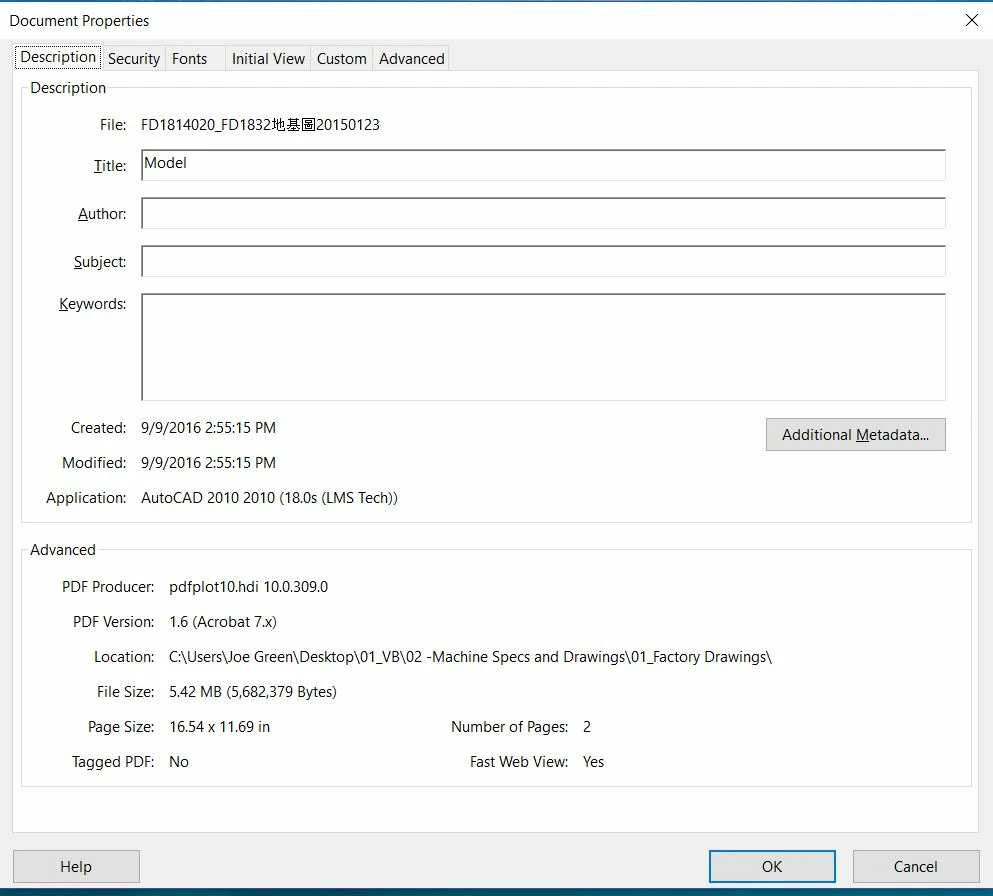
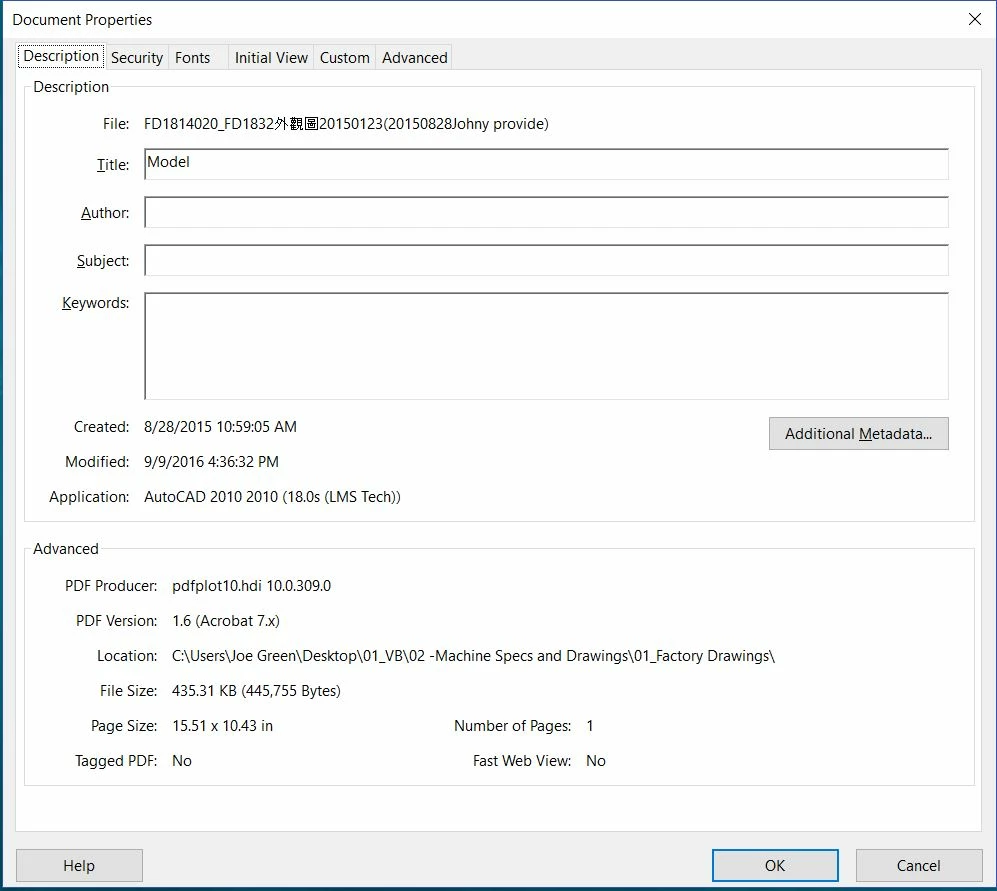
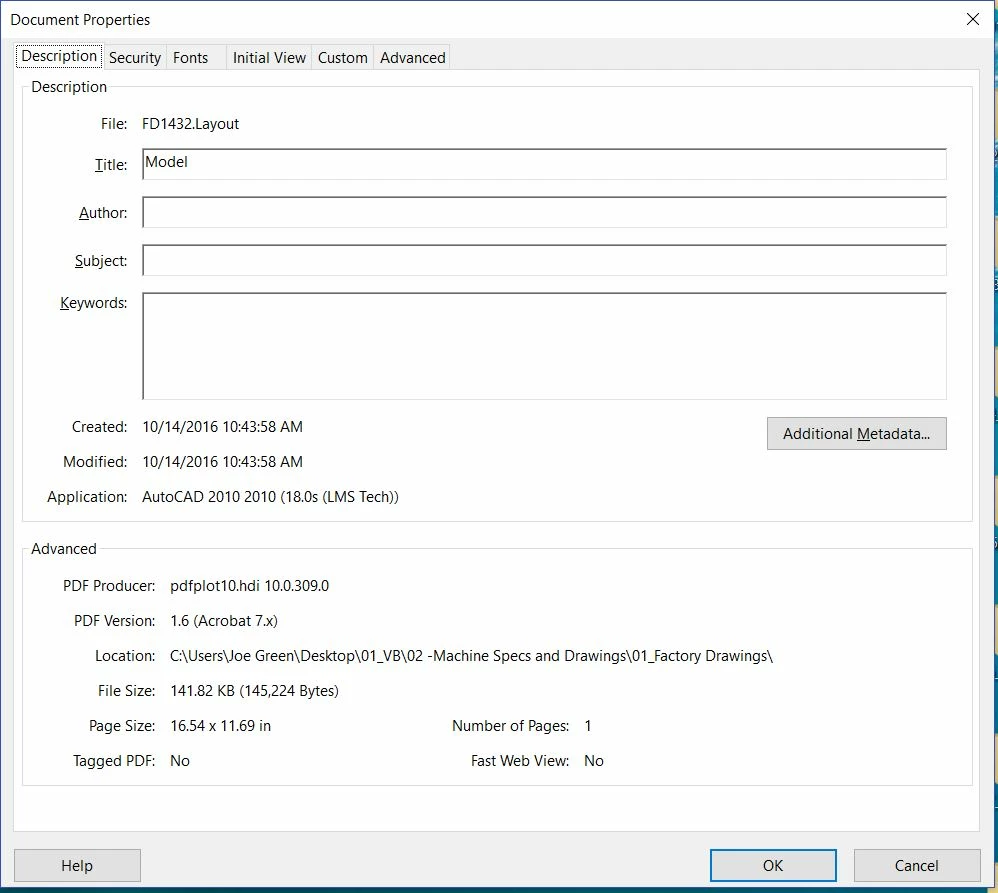
     I have screenshots of the description page of three more documents.  The first one will not let me add text.  The second and third are documents that I can edit fine. They appear to all be created in the same fashion.


OK.  So they are made of the same 'stuff'.  Another avenue to explore might be the layering structure.  AutoCAD will output to a layered PDF.  Some folks would take advantage of the layering to show or hide layers in Acrobat.  Others won't use/need this feature at all.  An experiment I would do (with doing a 'save-as' first to preserve your original) is to open the Layers Panel on the left and try to flatten the file, assuming it is constructed in layers.  Once flattened, try to make an edit to see if you can then add text.  I would be curious if eliminating X amount of layers will affect whether your can make your text additions.

Dave

3 replies

Dave__M
Community Expert
Community Expert
November 18, 2016

My bad... go to File>Document Properties and then the Security tab.  My apologies for typing faster than I could think!

Greener14519
Participating Frequently
November 21, 2016

AcrobatDave,

   Thanks for the correction.  When I opened the most recent document that won't let me add text, I followed your instructions and got to this screen:

It doesn't appear to have any security limitations at all.  And even still, I cannot add text.

Am I missing something?  Thanks for helping!

Joe

Dave__M
Community Expert
Community Expert
November 21, 2016

Agreed - the screenshot shows no permission setting to restrict any editing.

Inspiring
November 18, 2016

You may need to OCR, Optical Character Recognition, on the PDF to establish the text layer. Another option would be to add text box comments and then then flatten the PDF.

Greener14519
Participating Frequently
November 18, 2016

I cannot find this feature.  A Google search revealed that OCR is only available in Acrobat DC Pro.  As mentioned in my OP, I'm running DC Standard.

I would consider upgrading to Pro, but all information I can find from Adobe appears to be a subscription-only option.  I cannot subscribe to a monthly program fee.  I may get my company to approve a one-time expenditure.  Does anyone know if I can purchase an upgrade to Acrobat Pro?

Inspiring
November 18, 2016

Many retailers sell non-subscription Acrobat Pro. You could also use a non-Adobe OCR program. Many of the non-Adobe programs offer many options not available with Acrobat.

Dave__M
Community Expert
Community Expert
November 18, 2016

I would take a look at the Security Tab of your Document Properties dialog (Edit>Preferences on PC, or Acrobat>Preferences on Mac). Make sure the document's security settings are not preventing you from making textual edits.

Greener14519
Participating Frequently
November 18, 2016

I'm not sure how to accomplish this.  I used Edit>Preferences>Security and this is what I see: