Answered
Acrobat DC User Interface: Change theme Light/Dark
How to change the display theme of the Acrobat DC user interface?

How to change the display theme of the Acrobat DC user interface?
Hi!
I hope you are doing well and thanks for reaching out.
From the description, I can understand that you want to change the UI theme in Acrobat? If yes, you can choose the available themes in Acrobat from the View menu of Acrobat > Display Theme > and can choose from the following options:
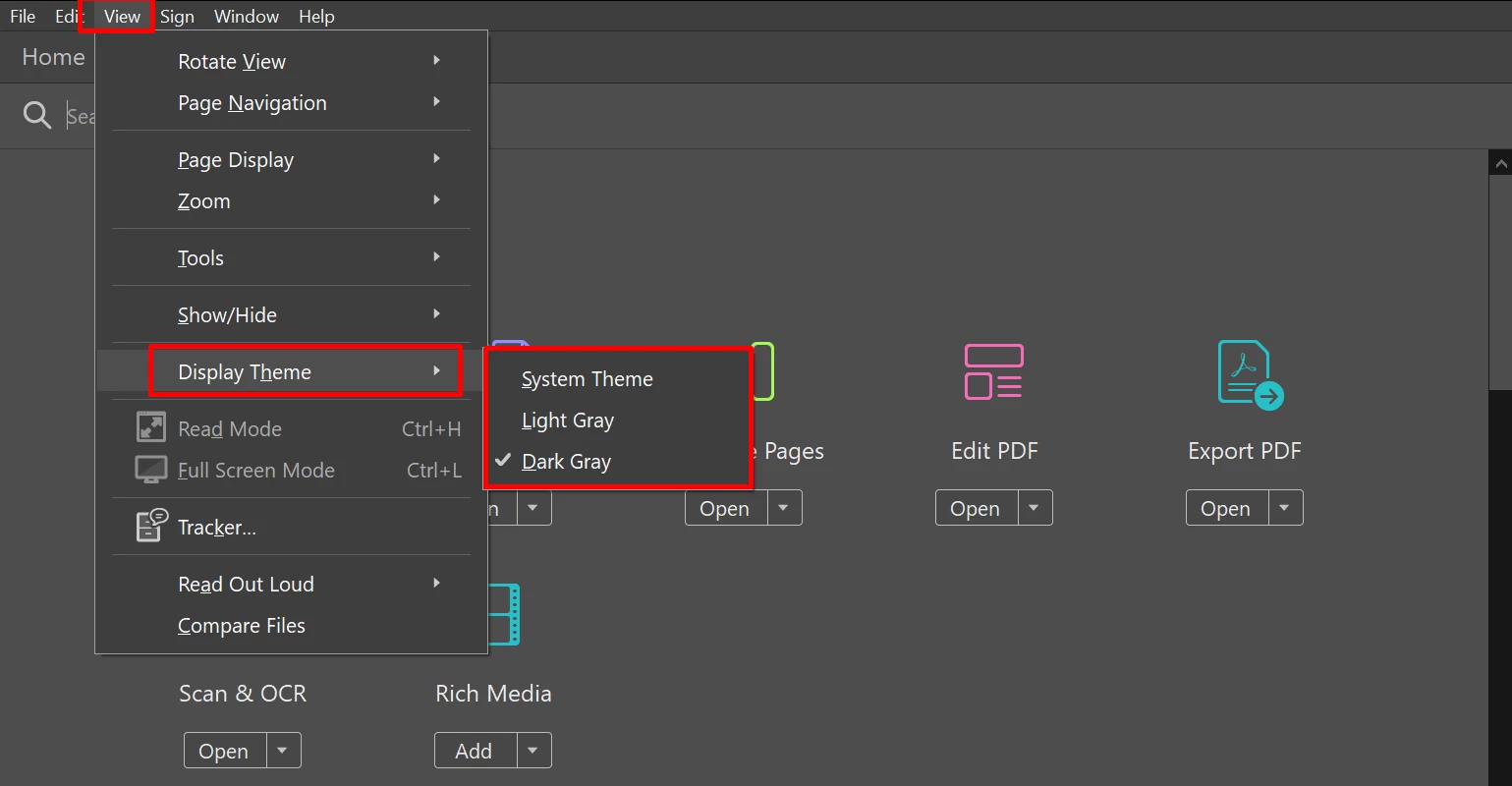
I hope this helps. to know more about What's new in Acrobat, please see this article.
Thanks,
Anand Sri.
Already have an account? Login
Enter your E-mail address. We'll send you an e-mail with instructions to reset your password.
 AdChoices