

unauthorizedrob
Inspiring
January 8, 2020
Answered

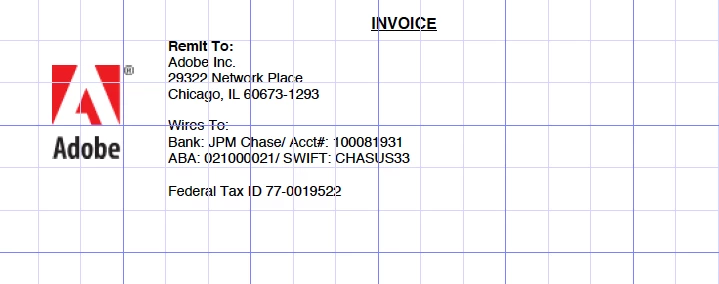
Acrobat is suddenly showing pages as graph paper

  • January 8, 2020
  • 2 replies
  • 10187 views

I seem to have hit the wrong keys by accident and now my Acrobat pages appear like graph paper, laid over the text. It has also changed the edit function, so instead of being able to select text, copy and paste, it surrounds the selection with a think blue box.


What have I done?
Correct answer unauthorizedrob

Found the answer in another thread:


As luck would have it, I found my answer after posting:


Here is the answer:


View*Show/Hide*Rulers&Grids*Grid


Uncheck "Grid"

2 replies

Participant
February 13, 2024

So, is this an Adobe or an Excel thing? Under View in Excel, if I deselect the Gridlines, they do disappear, but when converting to pdf it prints as if it was graph paper. Please help! Thanks

Participant
February 13, 2024

So, is this an Adobe or an Excel thing? Under View in Excel, if I deselect the Gridlines, they do disappear, but when converting to pdf it prints as if it was graph paper. Please help! Thanks

unauthorizedrob
unauthorizedrobAuthorCorrect answer
Inspiring
January 8, 2020

Found the answer in another thread:


As luck would have it, I found my answer after posting:


Here is the answer:


View*Show/Hide*Rulers&Grids*Grid


Uncheck "Grid"

Participant
July 7, 2020

I had the same problem, and this worked for me--Thanks!