
Participating Frequently
August 30, 2025
Answered

Acrobat opening all inserted images as PDFs - and the images are terrible

  • August 30, 2025
  • 3 replies
  • 641 views

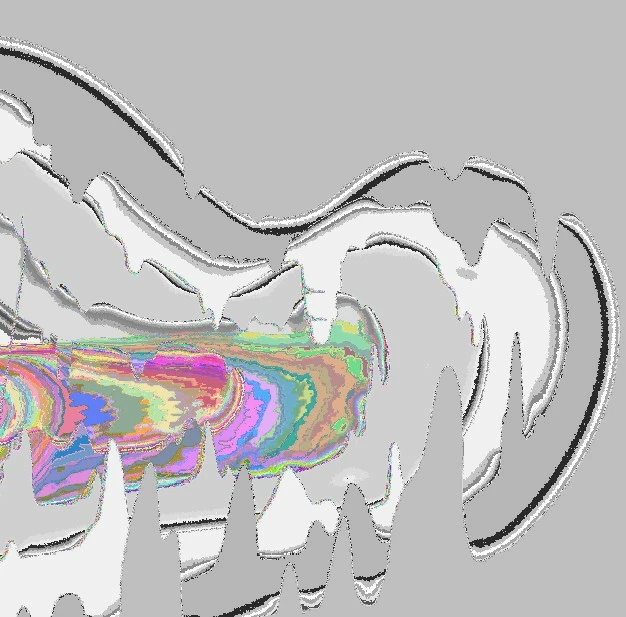
What setting do I need to go to in order to make Acrobat STOP automatically converting all inserted jpg,jpeg, png files to PDFs? The conversion ruins the image - changing all the colors to gray/neon - like a negative image of the original, but with lots of pixelation and lines so you can no longer tell what the original image was. (See image below.  I just want Acrobat to open inserted jpegs, etc. as IMAGE files, not PDFs.) I have already tried ctrl K and cannot find an appropriate setting to change.  I already have Photos as the default app to open these types of files on my windows pc.
Correct answer JR Boulay

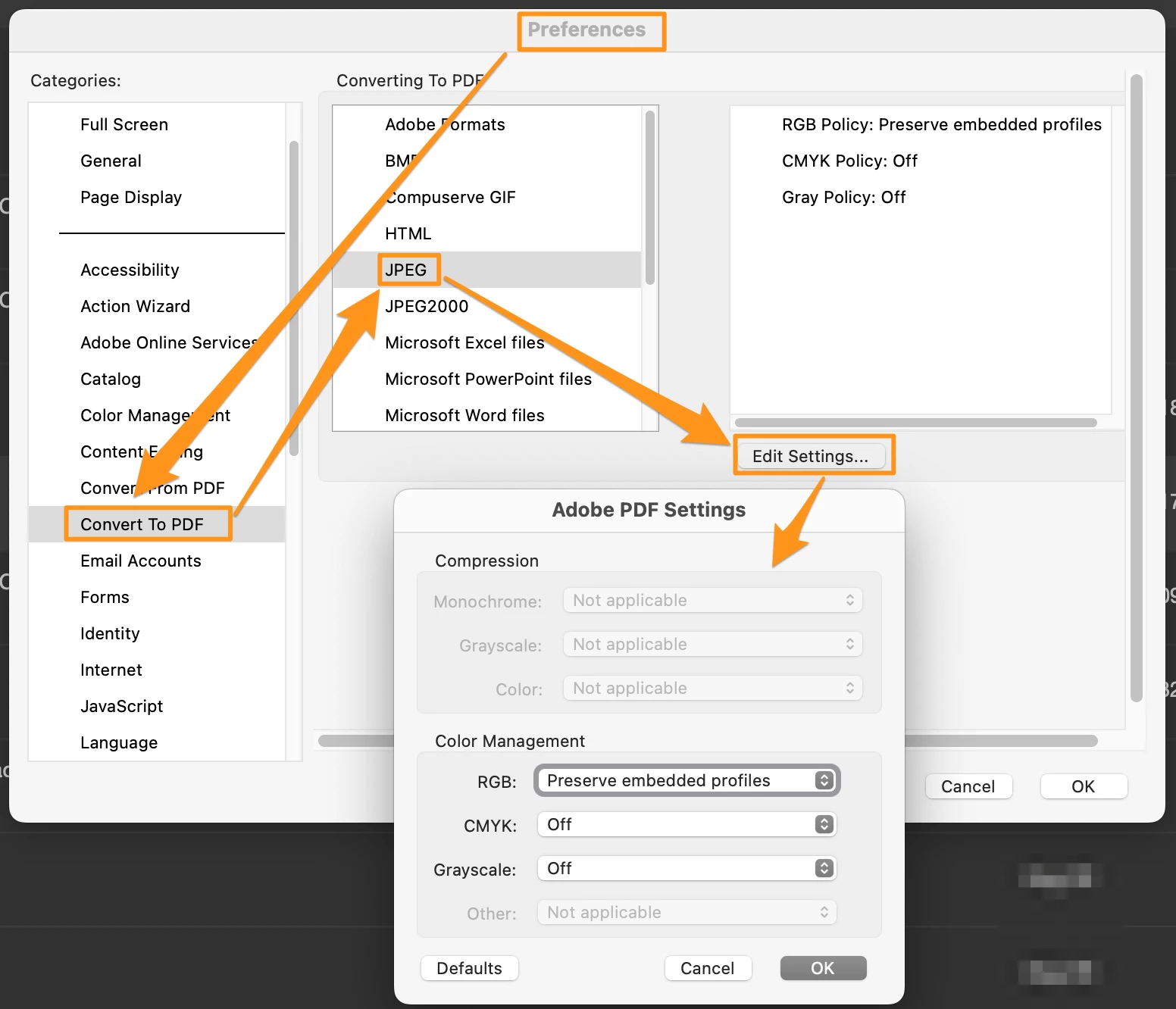
You should check the settings in your Acrobat Preferences : Convert to PDF


3 replies

JR Boulay
Community Expert
JR BoulayCommunity ExpertCorrect answer
Community Expert
September 1, 2025

You should check the settings in your Acrobat Preferences : Convert to PDF


Acrobate du PDF, InDesigner et Photoshopographe
Participating Frequently
September 1, 2025

Thank you so much! I will adjust those because my settings don't match what you've shown me, so I will update them to the above. 

Participant
September 1, 2025
quote

What setting do I need to go to in order to make Acrobat STOP automatically converting all inserted jpg,jpeg, png files to PDFs? The conversion ruins the image - changing all the colors to gray/neon - like a negative image of the original, but with lots of pixelation and lines so you can no longer tell what the original image was. (See image below.  I just want Acrobat to open inserted jpegs, etc. as IMAGE files, not PDFs.) I have already tried ctrl K and cannot find an appropriate setting to change.  I already have Photos as the default app to open these types of files on my windows pc. AES Success

By @Rachael27089964dqc6

Acrobat is not designed as an image viewer; it automatically converts image files to a new, often-corrupted PDF document. The key to stopping this is to manage your PC's file associations, not a setting within Acrobat itself. You need to go to **Windows Settings > Apps > Default apps** and manually ensure that file types like `.jpg` and `.png` are set to open with the **Photos** app or another dedicated image viewer, preventing Acrobat from ever being the default program for these files.

Participating Frequently
September 1, 2025

I already do have photos set up as the default app to view jpg, png, etc. I think it is a corruption issue, because I stumbled onto the fact that when I open a brand new PDF doc in Acrobat and insert an image, it works fine - but the pre-existing PDF docs that I try to insert images into all have this issue. So I've just been re-creating the corrupted PDFs.

Bernd Alheit
Community Expert
Community Expert
August 30, 2025

Where have you inserted the files?

Participating Frequently
August 30, 2025

In adobe Acrobat - screenshots attached. When I select "Add Image," then choose a jpg/jpeg and select "Open," it pulls the file over but a pop up appears stating "Opening Image File as PDF" and I am unable to stop it.  Then the image appears as shown below in acrobat.


Participating Frequently
August 30, 2025

Original image (and what I WANT to show up in Acrobat) looks like this: (but isn't ONLY this image - it's happening all jpegs and I have no idea why.)