
February 1, 2019
Answered

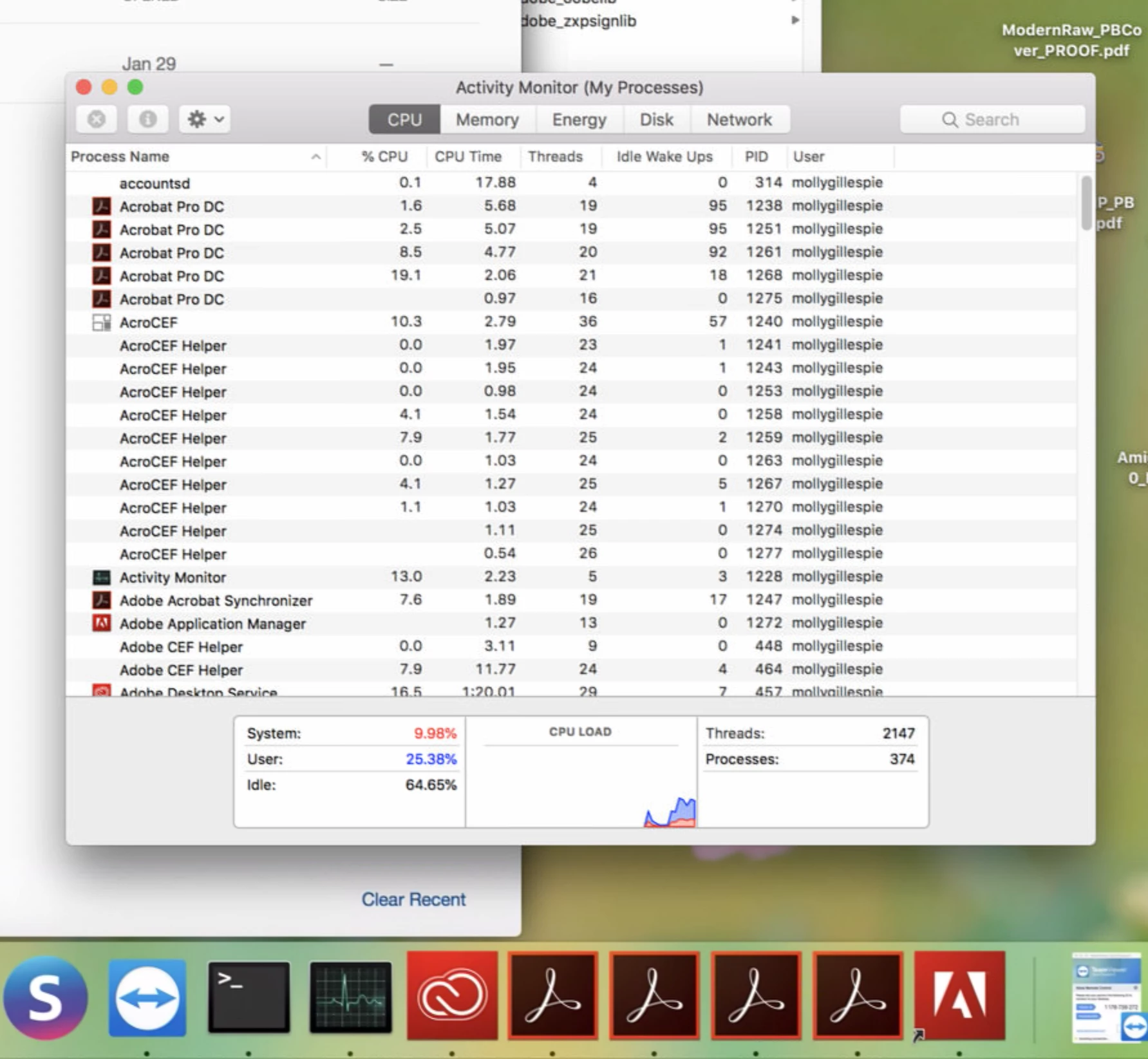
Acrobat Pro DC launches multiple times on Mac

  • February 1, 2019
  • 1 reply
  • 1075 views

I'm working with a system that has Adobe Acrobat Pro DC 19.010.20069 installed, on a Mac running High Sierra 10.13.6. When Acrobat is launched it proceeds to open multiple copies of itself, repeatedly, until the system has to be force rebooted. Other Adobe apps run fine, including the free Acrobat DC Reader and the entire Creative Cloud suite.

To troubleshoot, I first tried removing all Acrobat preferences and support files in the following locations:

     ~/Library/Application Support/Adobe/Acrobat/

     ~/Library/Preferences/Adobe/

     /Library/Application Support/Adobe/Acrobat/

     /Library/Application Support/Adobe/Acrobat DC AMT/

     /Library/Application Support/Adobe/Acrobat DC Helper Frameworks/

     /Library/Preferences

This had no effect. We then completely uninstalled and reinstalled Acrobat, also to no effect. Does anybody have any suggestions as to what to try next?
This topic has been closed for replies.
Correct answer

Update: I was able to reach Adobe tech support by phone (this is not easy), and we managed to solve the problem using the Adobe Acrobat Removal Tool. Available here:

https://labs.adobe.com/downloads/acrobatcleaner.html

After removal a reinstallation was successful and worked normally.

1 reply

Correct answer
February 6, 2019

Update: I was able to reach Adobe tech support by phone (this is not easy), and we managed to solve the problem using the Adobe Acrobat Removal Tool. Available here:

https://labs.adobe.com/downloads/acrobatcleaner.html

After removal a reinstallation was successful and worked normally.

edycm-asu12202332
Participant
June 10, 2019

I am having the same problem, and I have tried the solutions you posted above. (But using the cleanup tool for Creative Cloud.) And after reinstalling THREE times, I am still having the same problem. Anyone else having this problem, or anyone else have additional suggestions? Thank you.