
Participant
August 8, 2017
Answered

Acrobat Pro DC will not install.

  • August 8, 2017
  • 1 reply
  • 4338 views

I am trying to install Acrobat Pro DC on my Windows 8 laptop.  The install file downloads successfully, but when I try to run it, I get the following error message:
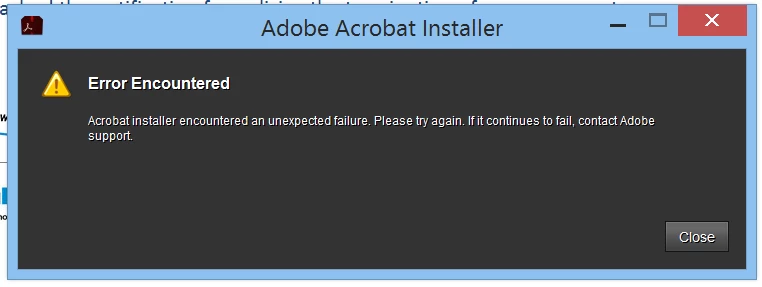
This has happened repeatedly.  I have rebooted the computer, tried different browsers (Firefox and IE), attempted both from home and work and always get the same result.  Help would be greatly appreciated - thanks.

This topic has been closed for replies.
Correct answer kglad

I forgot to mention, that I also have Foxit Reader installed on my computer, and currently have it set as my default reader for PDFs.


uninstall adobe reader

clean per Download Adobe Reader and Acrobat Cleaner Tool - Adobe Labs

and install acrobat dc from the link below

Downloadable installation files available:

Download and installation help for Adobe links

Download and installation help for Prodesigntools links are listed on most linked pages.  They are critical; especially steps 1, 2 and 3.  If you click a link that does not have those steps listed, open a second window using the Lightroom 3 link to see those 'Important Instructions'.

1 reply

kglad
Community Expert
Community Expert
August 8, 2017

what file (name and extension) did you download and what's the size shown on your hd?

do you have any other acrobat or reader programs installed?

Participant
August 8, 2017

The file is acrobatproDC_00000000000000000000000409.exe and is 2,046 KB.  I have Acrobat Reader installed on my computer, and also use Adobe Connect on a regular basis.

Participant
August 8, 2017

I forgot to mention, that I also have Foxit Reader installed on my computer, and currently have it set as my default reader for PDFs.