


Inspiring
November 4, 2025
Question

acrobat pro does not work anymore with photoshop

  • November 4, 2025
  • 2 replies
  • 140 views

Hello,

I have scanned a musical score with Acrobat pro interface, and now I am in the "edit" mode.

I right click on the image and choose "modify the image by using / Photoshop" :
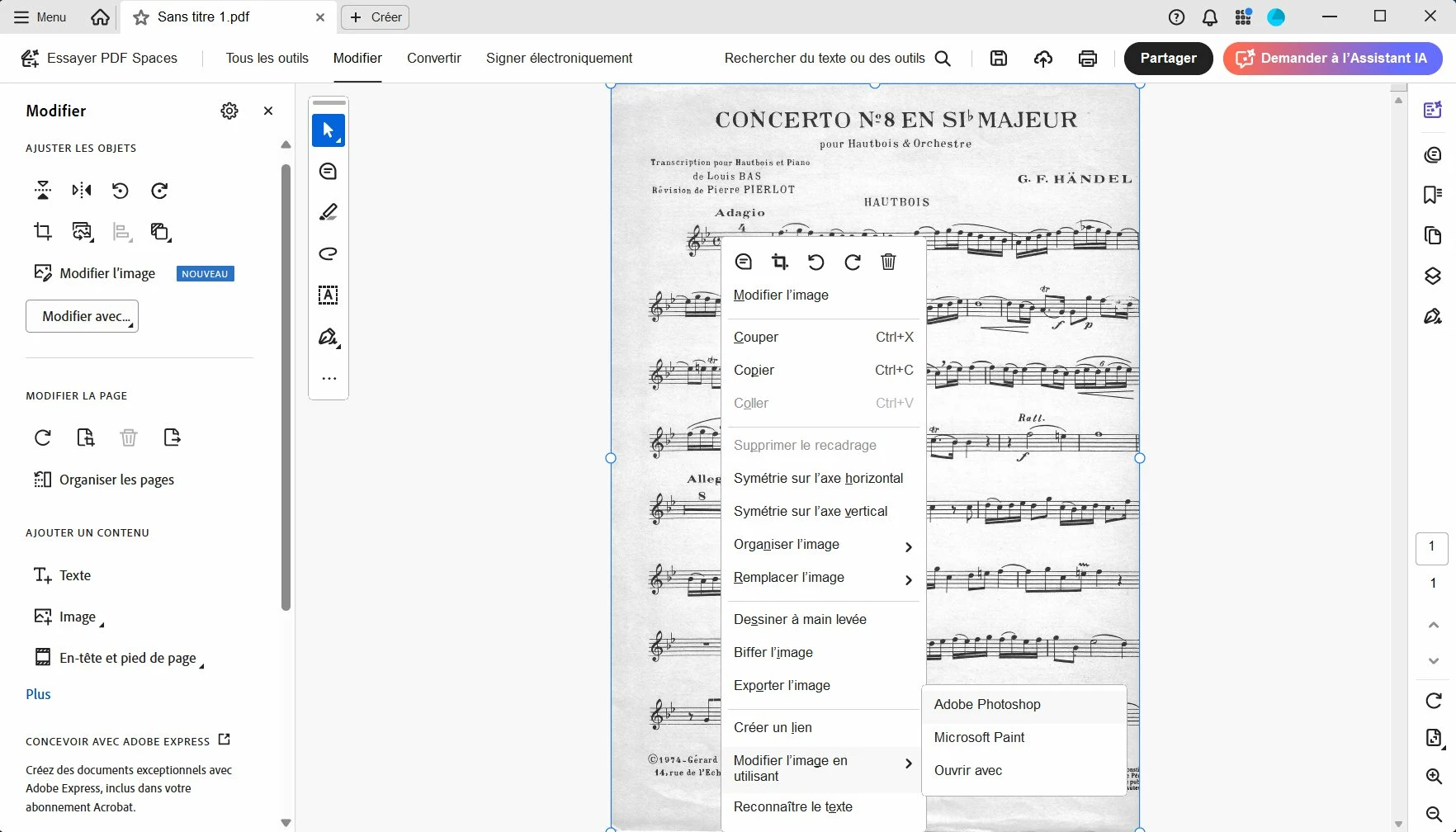


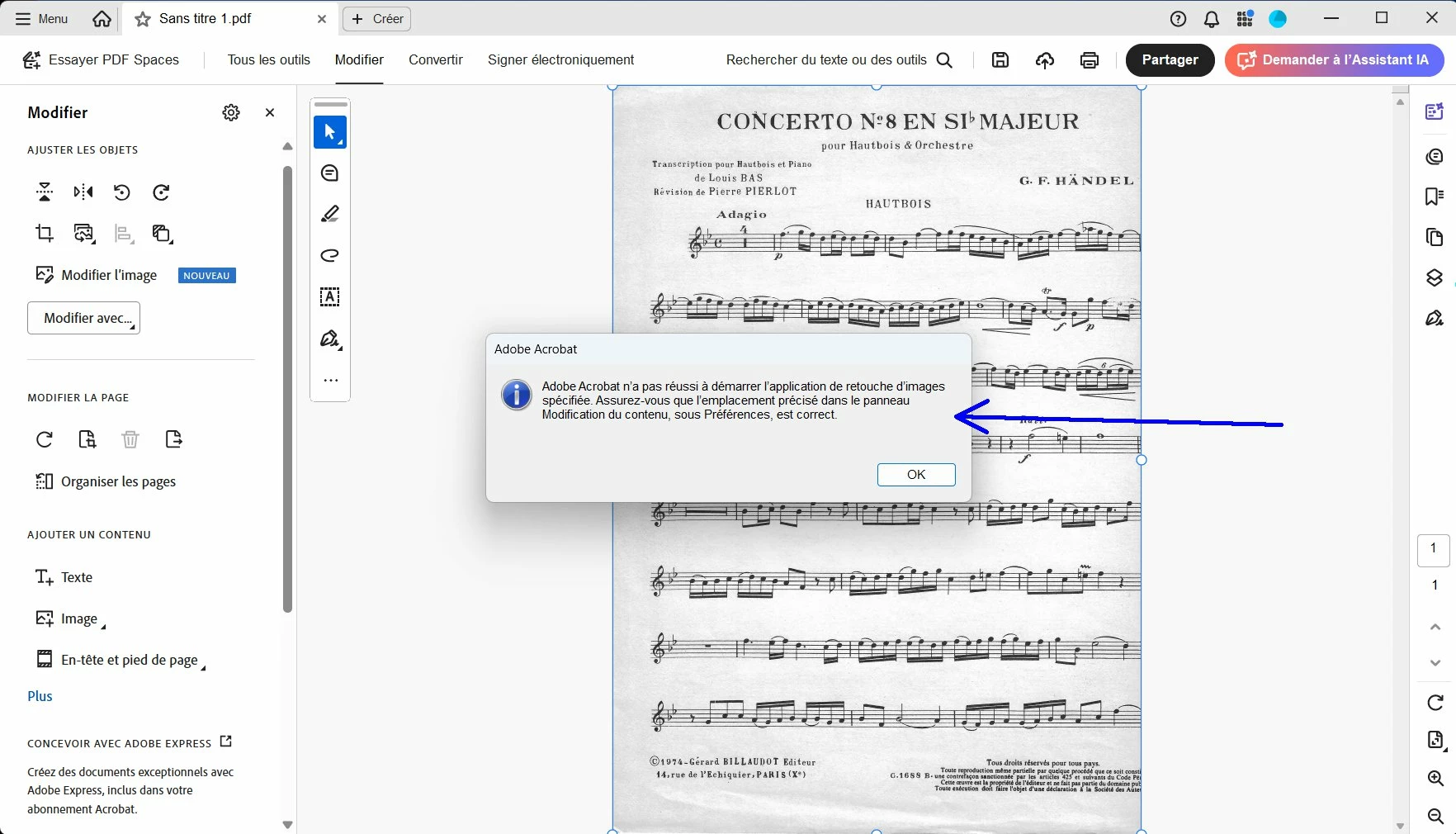
Result : I have an error message saying me "adobe acrobat did not succeeded to start the specified image editing application".  Then Photoshop finally start itself but when I make a change in photoshop for this image and click save (in photoshop), the image is not modified in acrobat.

So there is no communication between Acrobat and Photoshop.
 

2 replies

Community Manager
November 7, 2025

Hi @pierret18811376


Thanks for reaching out. 
Could you check your Acrobat preferences to ensure that Photoshop is set as the Image Editor application? 


To check: 
- Launch Acrobat.
- Edit > Preferences(Windows), Acrobat > Preferences(Mac)  

- Preferences > Content Editing. 


Best regards,
Tariq | Adobe Community Team

Inspiring
November 7, 2025

Hi @Tariq Ahmad 


Here is the actual setting in preference :


So, I have added a new setting (see blue arrow). So now, all is set to use Photoshop :


Then here are the steps :

1) With Acrobat I click on  "create a PDF" / Scanner,  and scan a musical score by using the "scanner user interface".

So, it created a PDF page.


2) Edit tab


3) Right click on the image and selected "edit the image by using adobe Photoshop" :


But the result is : always the error message with ""adobe acrobat did not succeeded to start the specified image editing application" :


That is strange is Photoshop finally launched with the image inside, but when I modify something in Photoshop on this image and click "save" in photoshop, the modified things in photoshop are not modified in acrobat.

Community Manager
November 10, 2025

Hi @pierret18811376,


The product team has currently identified this issue as a bug, and a report has been filed. 
This issue will be further triaged to identify the root cause. Should we require any additional information or logs, we will be in touch with you. 


Thank you for your patience and assistance with this matter. 


Best regards,
Tariq | Adobe Community Team

Karl Heinz  Kremer
Community Expert
Community Expert
November 4, 2025

There was a very similar question yesterday (https://community.adobe.com/t5/acrobat-discussions/inhaltsbearbeitung-amp-bildbearbeitunsprogramm-bild-%C3%A4nderungen-werden-nicht-gespeichert/td-p/15574682), so I assume that Adobe broke something in the latest Adobe Acrobat build. You may want to file a bug report: https://www.adobe.com/products/wishform.html