Hi,
I have/had this issue too, so I thought I'd share my experience with it.
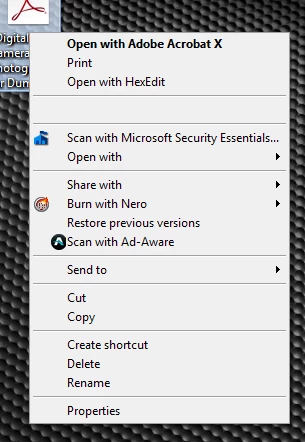
In my case, it seemed to be related to the Google Drive client for Windows. The issue showed up after I installed it and would go away if I uninstalled it. However, with Google Drive installed, the issue wasn't always present.
So I've still got Google Drive installed and seemed to have rid myself of the problem. Well, it's been fine for a about a week so far since I took the following steps below.
- I used CCleaner to view the context menu dlls (In CCleaner, go to Tools>Startup>Context Menu).
- I disabled the two Google Drive context menu items and my Acrobat items were back as normal (for me at least, no reboot was necessary to see the change).
- If you don't have Google Drive installed, try disabling other entries to see if it helps identify another possible conflict.
- After re-enabling the Google Drive items, my context menu is now back to normal with all entries displaying and functioning correctly (even after multiple reboots).
- NOTE: I may have disabled and re-enabled the Acrobat items as well but I'm not sure. I just mention this in case it did have something to do with alleviating the problem.
As I said, it's only been about a week since I did this so I don't know if the issue will return, or if it will work for everyone.

 AdChoices