
Participant
September 11, 2025
Answered

Acrobat Unable to Delete Odd/Even Pages on Windows 11

  • September 11, 2025
  • 1 reply
  • 178 views

We have just upgraded a number of PC's to Windows 11. We have installed Acrobat DC Vers 2025.001.20693.
The users are reporting that if they combine a number of PDF pages and then try and delete the Odd Pages through the Organize PDF function, the pages don't delete. Nothing happens. The odd pages become highlighted when Odd Pages is selected but don't delete.
They have to manually select each page and then delete.
I have tried doing the same thing on a Mac running Acrobat DC Vers 2025.001.20693 and it works as intended.
I have looked around on the Web but can't find anything.
Has anybody else experienced this?
Correct answer creative explorer

@SBM CC174 you summed it up quite well... This is a specific issue that has been reported by other users as well with that version of Acrobat DC on Windows 11 especially it doesn't happen on your Mac or mine too! 

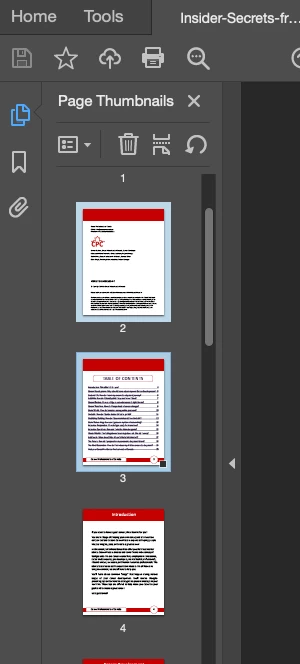
Since I don't have a PC to test if it gives you a similar issue as 'organize pages' tool (I know it works on a MAC), can you try this instead and delete through page thumbnails. Select the pages you want to delete using the same Shift or Ctrl/Command click method as described above. Right-click on any of the selected pages (or select the trash-can) and choose Delete Pages from the context menu. 


1 reply

creative explorer
Community Expert
creative explorerCommunity ExpertCorrect answer
Community Expert
September 11, 2025

@SBM CC174 you summed it up quite well... This is a specific issue that has been reported by other users as well with that version of Acrobat DC on Windows 11 especially it doesn't happen on your Mac or mine too! 

Since I don't have a PC to test if it gives you a similar issue as 'organize pages' tool (I know it works on a MAC), can you try this instead and delete through page thumbnails. Select the pages you want to delete using the same Shift or Ctrl/Command click method as described above. Right-click on any of the selected pages (or select the trash-can) and choose Delete Pages from the context menu. 


m
SBM CC174Author
Participant
September 11, 2025

@619_explorer Thank you for your reply. Yes The users are manually selecting the required PDF's using the Shift or Ctrl. The problem is that they might PDF's with up to 100 pages.
If other users have experienced this issue then hopefully there will be an updated to fix.
Thanks again