
Participating Frequently
January 18, 2024
Question

AcrobatPro tools disappear

  • January 18, 2024
  • 2 replies
  • 1369 views

I am in desperate need of some help. I purchased a new laptop, A Dell Latitude 5540 using Windows 10 Enterprise Version 21H2. I installed Acrobat Pro 64bit. Acrobrat Pro Tool are missing from the desktop App though they are available in the web version. I am 100% using Acronbaat Pro and not reader so the tools should be available. Here is what I have done so far:

*Repair install. - Did not work

*uninstall and reinsatlled - Did not work 

*Called support and was told that I should install 32bit version. - Did not work

*Called support again - this time was given a cleaner tool to remove ALL Adobe products and reinstall 64bit version - Did not Work

* Called support again. This tile they told me to got to regedit: Computer\HKEY_CURRENT_USER\SOFTWARE\Adobe and delete al folder containing the word "Acrobat".

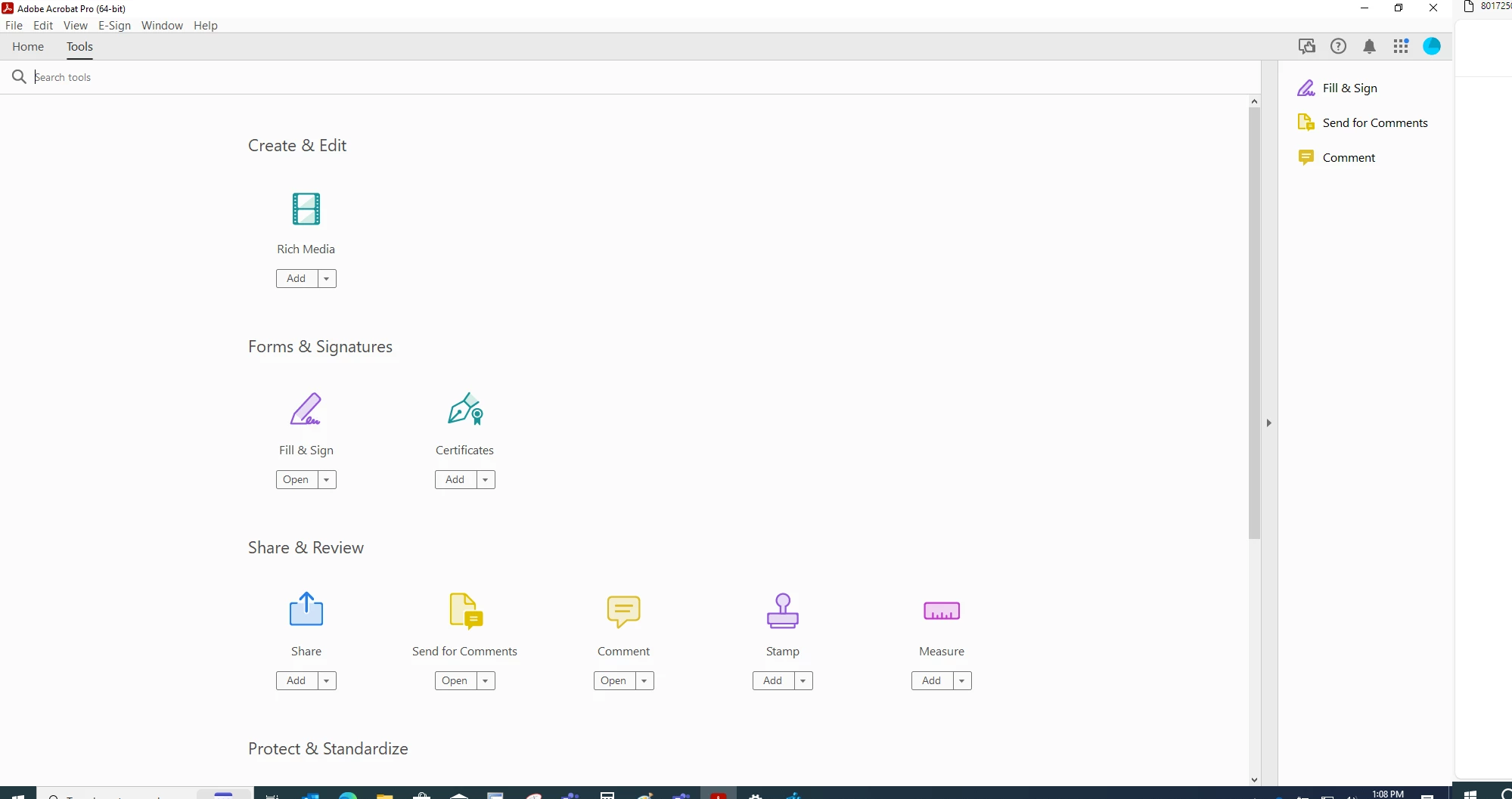
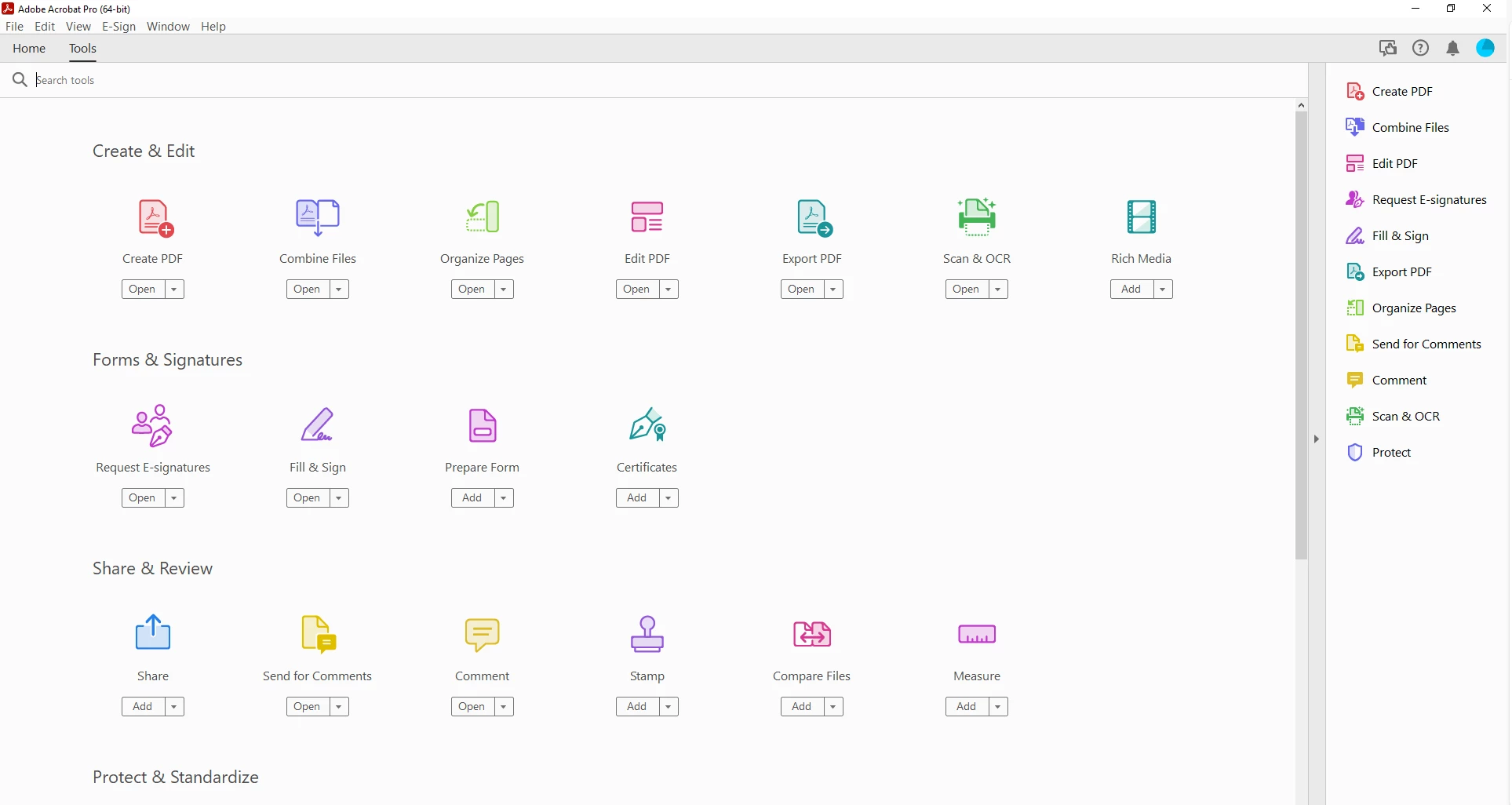
Surpirisngly this worked, however, when I close Adobe and reopen, tool disappears again. I have to go to regedit everytime I open Adobe and I have to delete the folders created under acrobat. Only then I can see the tools. See before and after screenshots below. How can I Fix this? I should not have to delete folders in the registry every time I need to use Adobe. HELP PLEASE!!!!!


BEFORE REGEDIT: 
 

After I to go Computer\HKEY_CURRENT_USER\SOFTWARE\Adobe and delete adobe folders: 


2 replies

Participating Frequently
January 23, 2024

Greetings,


I am still looking for a fix. Anyone? 

Participating Frequently
February 27, 2024

I am still looking for a fix.

Participating Frequently
August 21, 2024

Thanks for your reply. May be useful to others experiencing the same issue you did. In my case, the issue is not a display issue. I can re-instate the missing tools by deleting everything that says Acrobat in my register. After the deletion, I open Adobe, and the tools reappear, until I close Adobe. Then I have to repeat the process everytime. Still no fix 😞 !


Greeting,

I am still looking for a fix. I have to go to REGEDIT and delete all Acrobat related entries and re open the app so my tool are available again. This is really frustrating. Are there anymore recommendations?

Abambo
Community Expert
Community Expert
January 19, 2024

Post a screenshot with your version. (Help→About)


What I would do:

Uninstall — Run AcroCleaner AcroCleaner — Acrobat Desktop Tools and Utilities — Download Acrobat again Download Acrobat installer for Enterprise term or VIP license — Install

ABAMBO | Hard- and Software Engineer | Photographer
Participating Frequently
January 19, 2024

VERSION 2023.008.20470 | 64bit