
Answered
Actobat Reader on RDS 2022 Server module keeps crashing
This problem started monday 15-01-2024
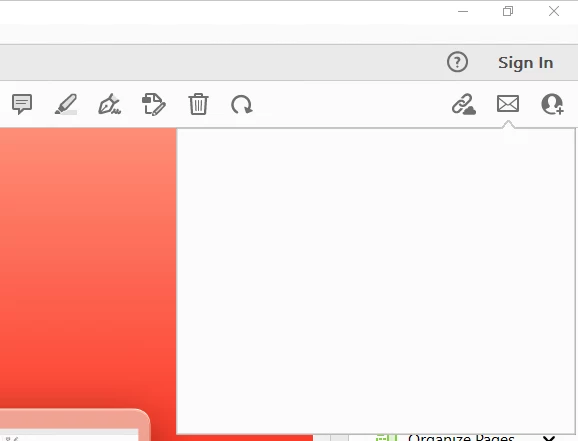
The main problem is that the mail option is giving a blank screen.
Impact, all RDS 2022 Servers (4x)
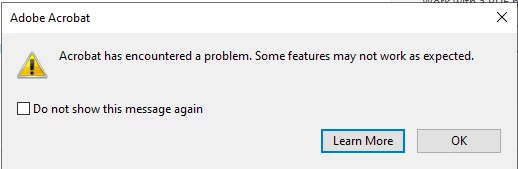
Evenlog info:
Naam van toepassing met fout: AcroCEF.exe, versie: 23.8.20458.0, tijdstempel: 0x65940d3e
Naam van module met fout: libcef.dll, versie: 112.5.0.0, tijdstempel: 0x631bae2d
Uitzonderingscode: 0x80000003
Foutmarge: 0x00000000034b4fd3
Id van proces met fout: 0x27b8
Starttijd van toepassing met fout: 0x01da4922d063ca4b
Pad naar toepassing met fout: C:\Program Files\Adobe\Acrobat DC\Acrobat\acrocef_1\AcroCEF.exe
Pad naar module met fout: C:\Program Files\Adobe\Acrobat DC\Acrobat\acrocef_1\libcef.dll
Rapport-id: 736a3ebe-b9f6-4163-89dd-09818a7c132b
Volledige pakketnaam met fout:
Relatieve toepassings-id van pakket met fout:
Foutbucket 1664047982647765080, type 4
Naam van gebeurtenis: APPCRASH
Antwoord: Niet beschikbaar
Id van CAB-bestand: 0

Handtekening van probleem:
P1: AcroCEF.exe
P2: 23.8.20458.0
P3: 65940d3e
P4: libcef.dll
P5: 112.5.0.0
P6: 631bae2d
P7: 80000003
P8: 00000000034b4fd3
P9:
P10:

Toegevoegde bestanden:
\\?\C:\ProgramData\Microsoft\Windows\WER\Temp\WER.9ca0fc6e-9f6e-4e01-973d-21ebb387959f.tmp.dmp
\\?\C:\ProgramData\Microsoft\Windows\WER\Temp\WER.332365a5-8ae7-4471-b1cd-8a614fb04618.tmp.WERInternalMetadata.xml
\\?\C:\ProgramData\Microsoft\Windows\WER\Temp\WER.cd8d7f34-b0b5-41ce-b83b-4a37dfb8e898.tmp.xml
\\?\C:\ProgramData\Microsoft\Windows\WER\Temp\WER.5fe97b47-7d21-4fb4-9d70-4c8ebd4f4758.tmp.csv
\\?\C:\ProgramData\Microsoft\Windows\WER\Temp\WER.e7b296a0-d9d2-40c1-b28c-3f56bdbe8c7e.tmp.txt

Deze bestanden zijn mogelijk hier beschikbaar:
\\?\C:\ProgramData\Microsoft\Windows\WER\ReportArchive\AppCrash_AcroCEF.exe_8ff35c70d9f4d68a3a7202390caf38d462e9387_6a59562d_07135b48-71ec-4e41-8a48-e6f3e849aa43

Analysesymbool:
Opnieuw zoeken naar oplossing: 0
Rapport-id: 736a3ebe-b9f6-4163-89dd-09818a7c132b
Rapportstatus: 268435456
Opgedeelde bucket: 2917171b81d872002717e2d2deece858
GUID van CAB-bestand: 0
I have tried the fallowing:
- Updated Windows and Office (365)
- Checked Acrobat and Outlook as default app
- Closed all preocesses
- Repair Acrobat Reader
- Uninstalled > reboot > installed Acrobat > reboot (tried at least 10 times combinding with other solutions written here)
- deleted / recreated normal dotm files
- Antivirus exclusion
- Antivirtus uninstall
- Installed English version (1 version higher then the Dutch version)
- Disabled protected mode and advanced security
- Set Outlook in Adobe as default mail client.
We are getting allot of pressure to install an alternative PDF reader since the process of sending bulk PDF file through the mail feature is now stuck and has impact to the company process.
 AdChoices