Participating Frequently
June 4, 2024
Answered
Add Comment and Delete Popup
- June 4, 2024
- 1 reply
- 643 views

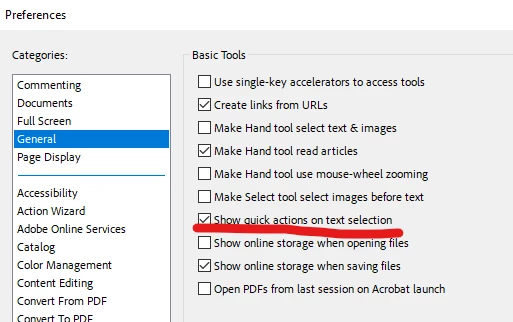
If you go to preferences under the Menu tab, You should be able to turn those off by selecting the General Category, and uncheck "Show Quick actions on text selection". Let us know if that helps.
Already have an account? Login
Enter your E-mail address. We'll send you an e-mail with instructions to reset your password.
 AdChoices