
Question
Adobe Acrobat 9 Pro - Menu Missing - Mac - Nothing Works
Hello tribe,
I have an old version of Adobe Creative Suite 5 that includes Acrobat 9 Pro. I recently purchased a new Mac, installed the software, and what used to work fine on my previous laptop, now doesn't so on new one, re: just Adobe Acrobat 9 Pro.
The problem:
- ALL the menu bars are ghosted (File, Edit, View, etc. I can't do anything. I use the program a lot to "combine PDF files into 1 doc, can't do it now)
- I try to open PDF documents by selecting "open with Adobe Acrobat Pro - nothing happens
Solutions tried, no luck:
- Pressing “Shift,” “Command” and “M” keys at the same time to bring up menu - nothing happens
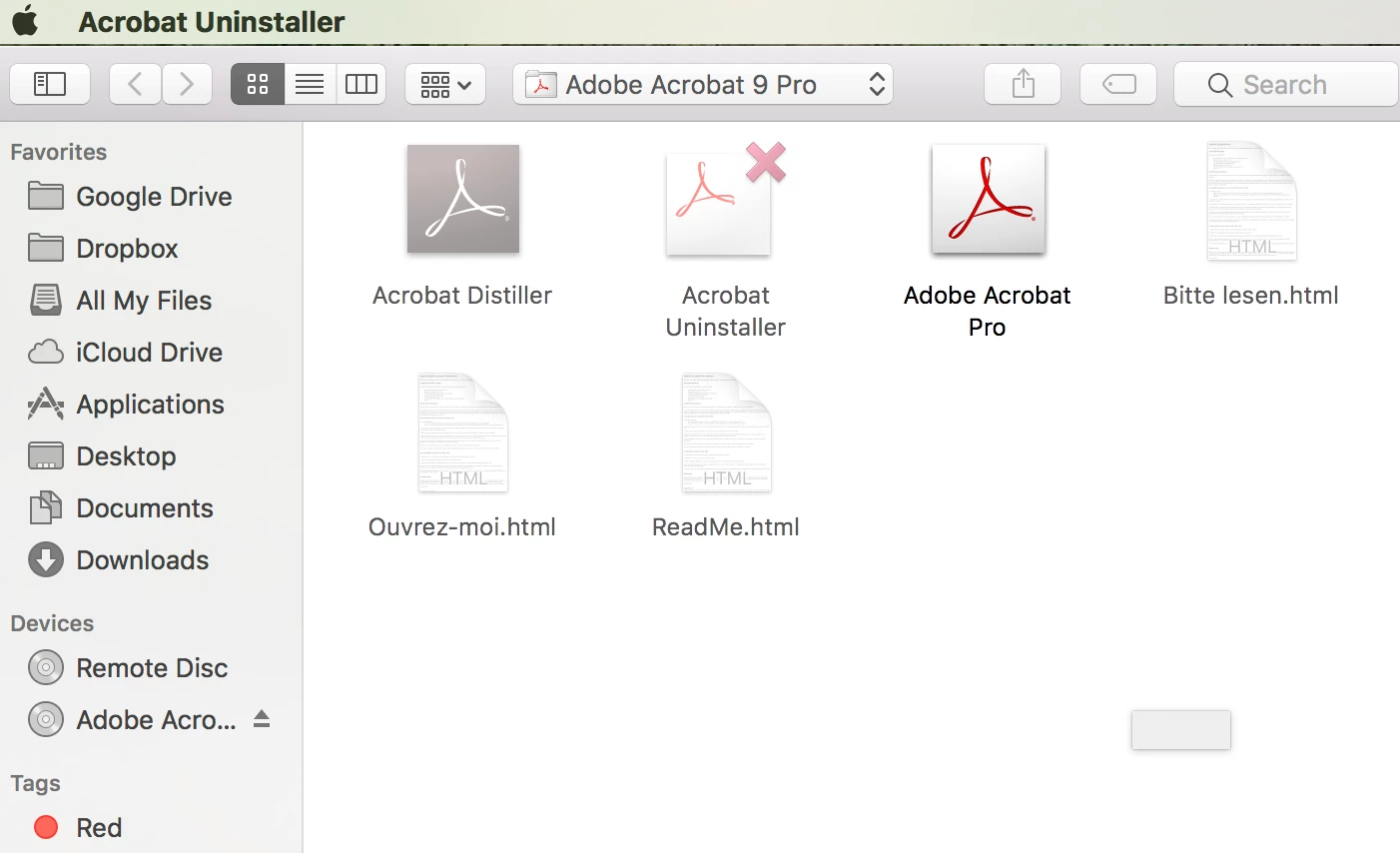
- Uninstalling and re-installing - seems like it doesn't allow me to uninstall using the folder "uninstall command
Mac Specs if it helps:
- macOS Sierra
I attached a screenshot of what I see on the menu bar - just the "acrobat" name (It also shows the contents of the Acrobat folder)
What gives? HELP! Thanks.
 AdChoices