

Answered
Adobe Acrobat 9 Pro - Text Fields, spacing letters
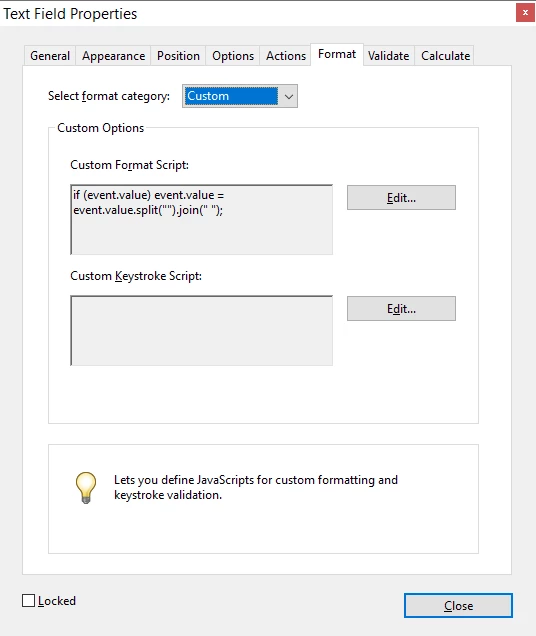
Besides using 'Comb of Characters' is there any other way that the letters entered into an Adobe Acrobat Text Field could be spaced out?
So instead of having a user's input as 'JOHN' for instance as they type it could appear as 'J O H N'.
The reason I do not want to use 'Comb of Characters' is that the text fields will not work for me when viewed on a mobile device.
Thanks for any help 😉
 AdChoices