
Question
Adobe Acrobat adding a ton of white space to 40x46" print job.
I have a pdf that is exactly 40" x 46" and for some reason when I try and print it out in adobe, it is changing the seize to 40.55" x 57.32", resulting in a ton of white space on one side. See the preview window below:
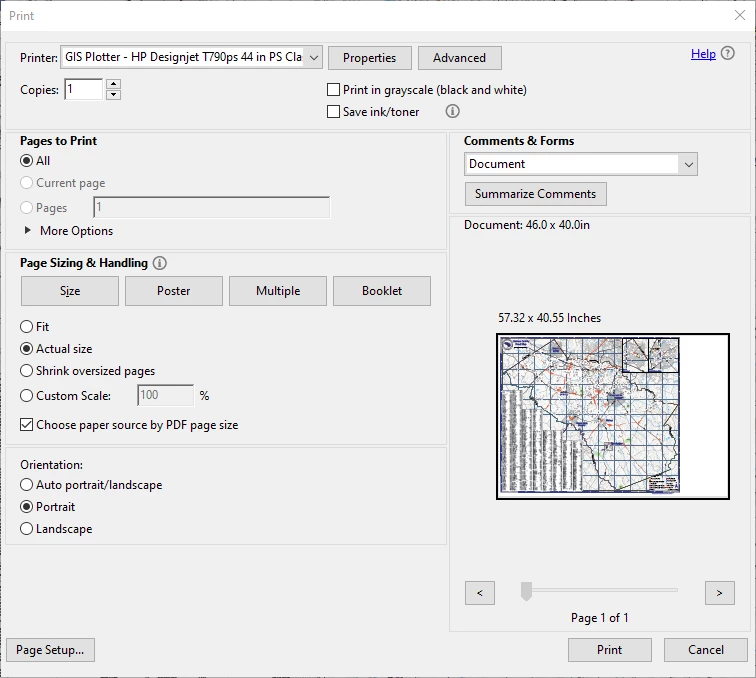
What can I do to fix this? I'd like to not waste all of that paper for no reason.
 AdChoices