
Adobe Acrobat Auto Scaling Down My Print File
Hey guys need a little help here.
So whenever I try to print a file through Adobe Acrobat it has been scaling down the file 25% automatically.
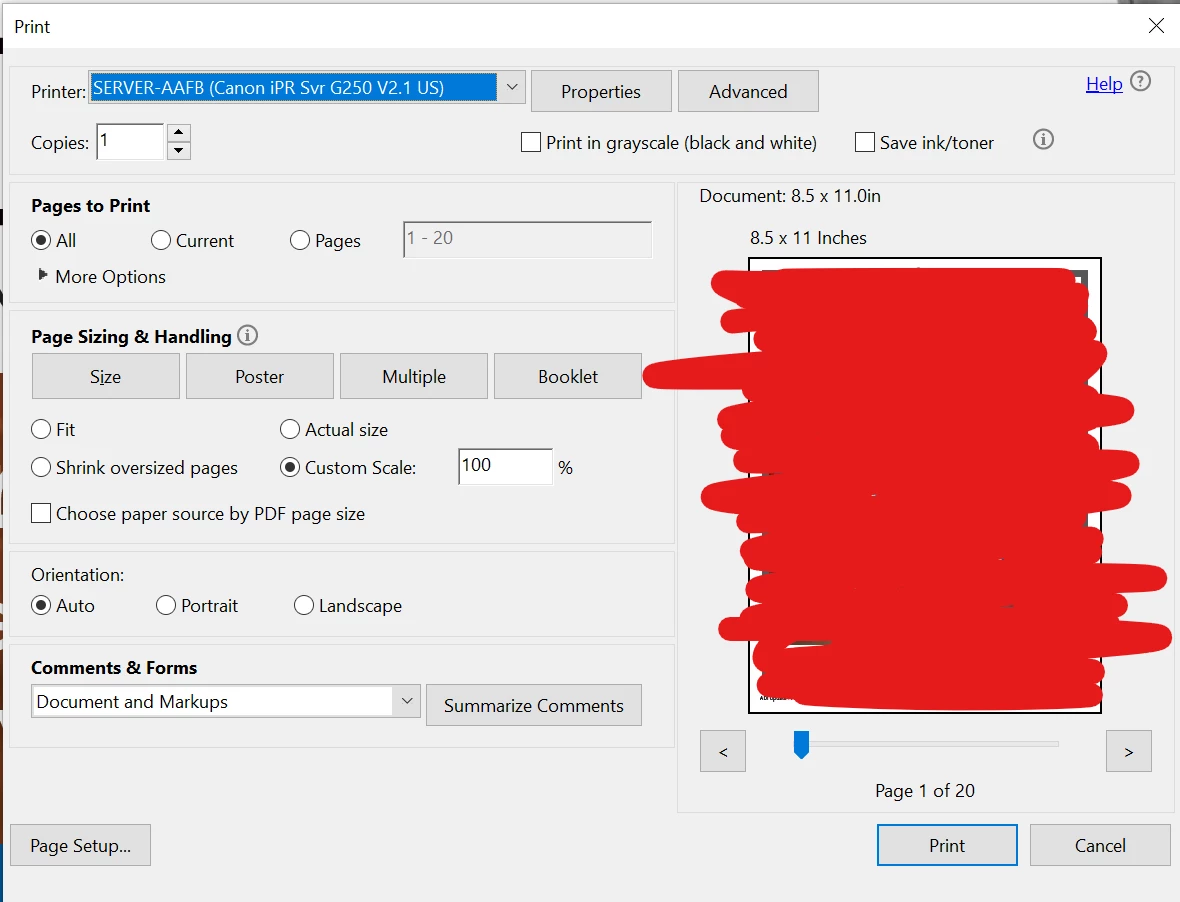
Even though I having printing out at 100% when I go into printer properties it is scaled down.
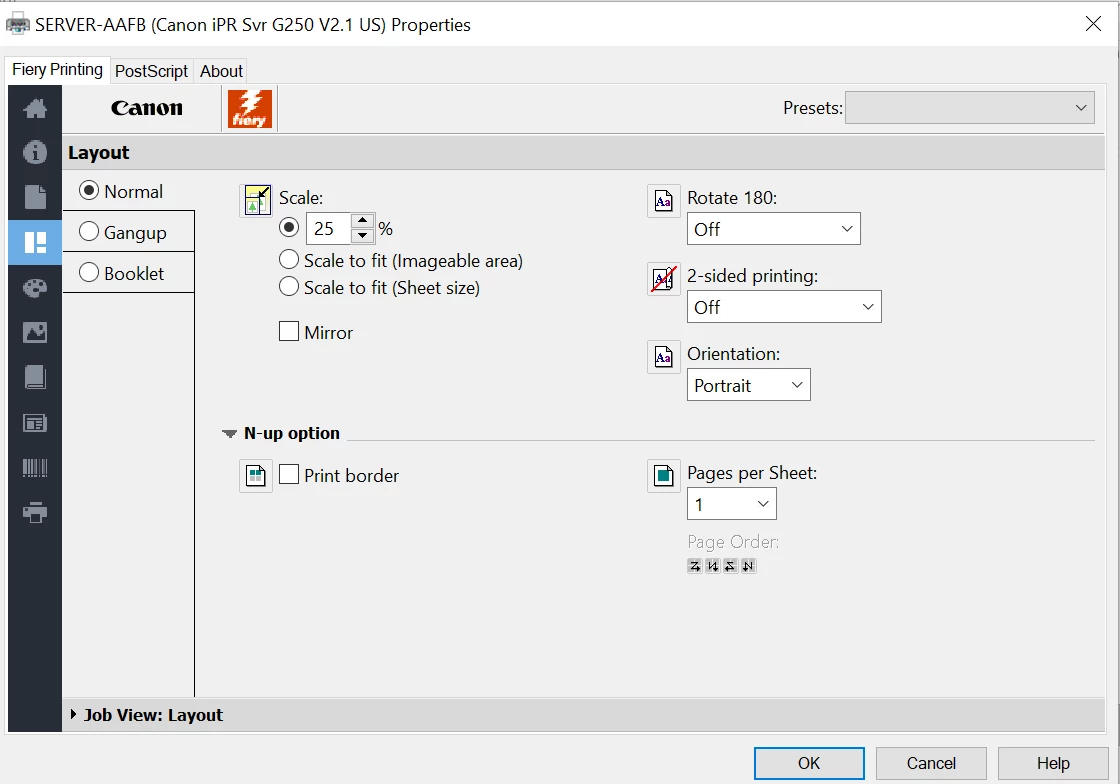
Originally I was thinking that it was a default setting in Fiery that was over-riding the settings in Acrobat, but when I set the default settings in fiery to a 100% locked scale it still prints out at 25%. And when I drag the same pdf into the Fiery Command Workstation, it will automatically have it printing out at a 100% scale.
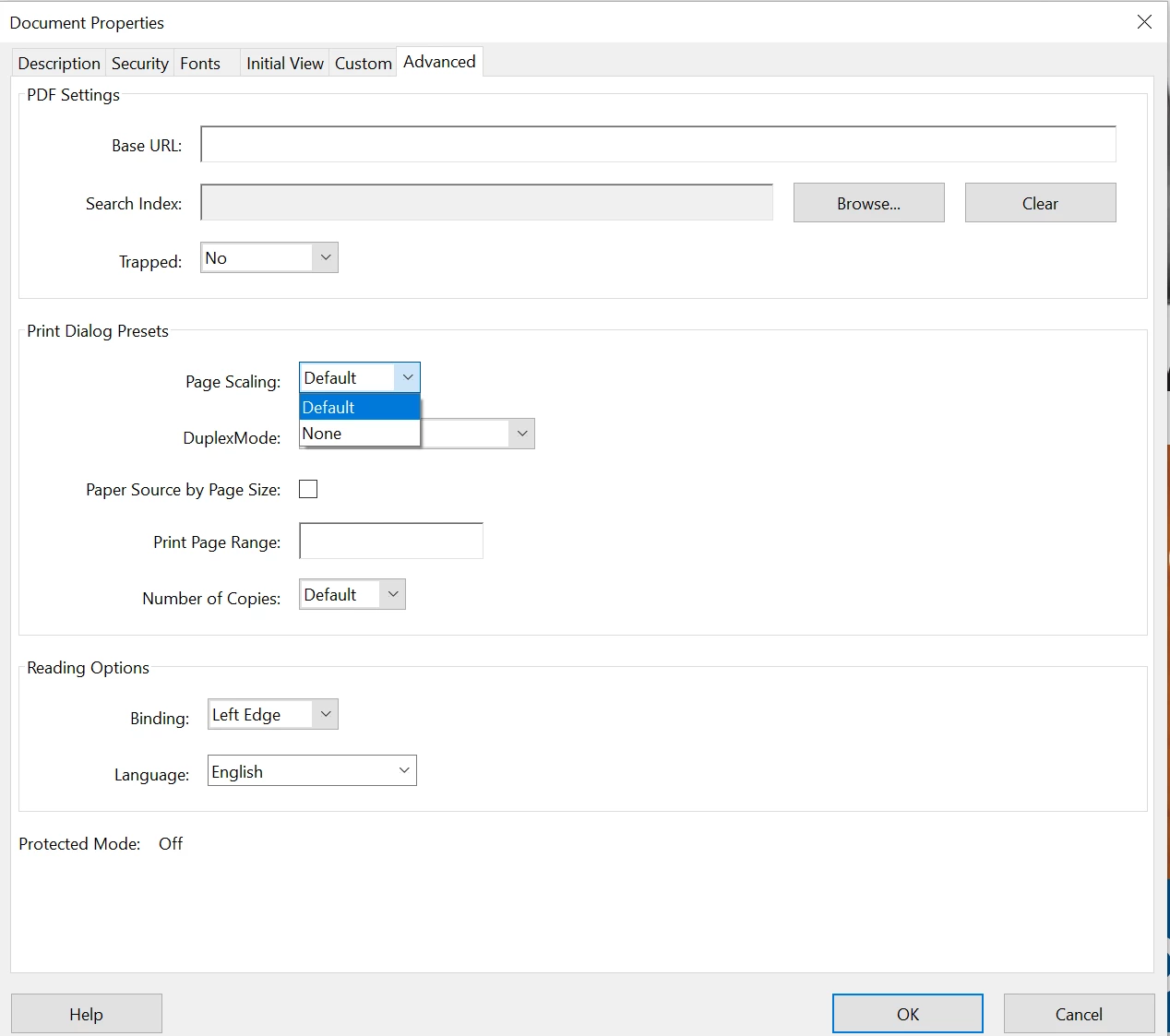
Additional information, this is the first time it's doing this since I started using fiery with Adobe Acrobat, which is about 7 months now. My co-worker is not having the same problem with his Adobe Acrobat account. I have uninstalled and reinstalled Acrobat and have shut down and re-started my computer in general. I have looked for updates in the driver, which there is none and updates in Acrobat, which again, there is none. I have gone to the document properties in Acrobat and gone to the advanced tab have the page scaling set at default, there are no other options besides default in the drop down.
I'm going to go to the Fiery forums as well and ask them the same question, but I would like to know if this is possibly something on Adobe end. Any ideas on what is going on?
 AdChoices