
Participant
January 14, 2021
Question

Adobe Acrobat DC cannot open .doc or .docx files and convert them to .pdf

  • January 14, 2021
  • 1 reply
  • 11623 views

Error message: Adobe Acrobat DC could not open because it is either not a supported file type or because the file has been damaged (for example it was sent as an email attachment and was not decoded)

Also, there is no "Microsoft Office Word" in Supported file formats (excuse me for different language)
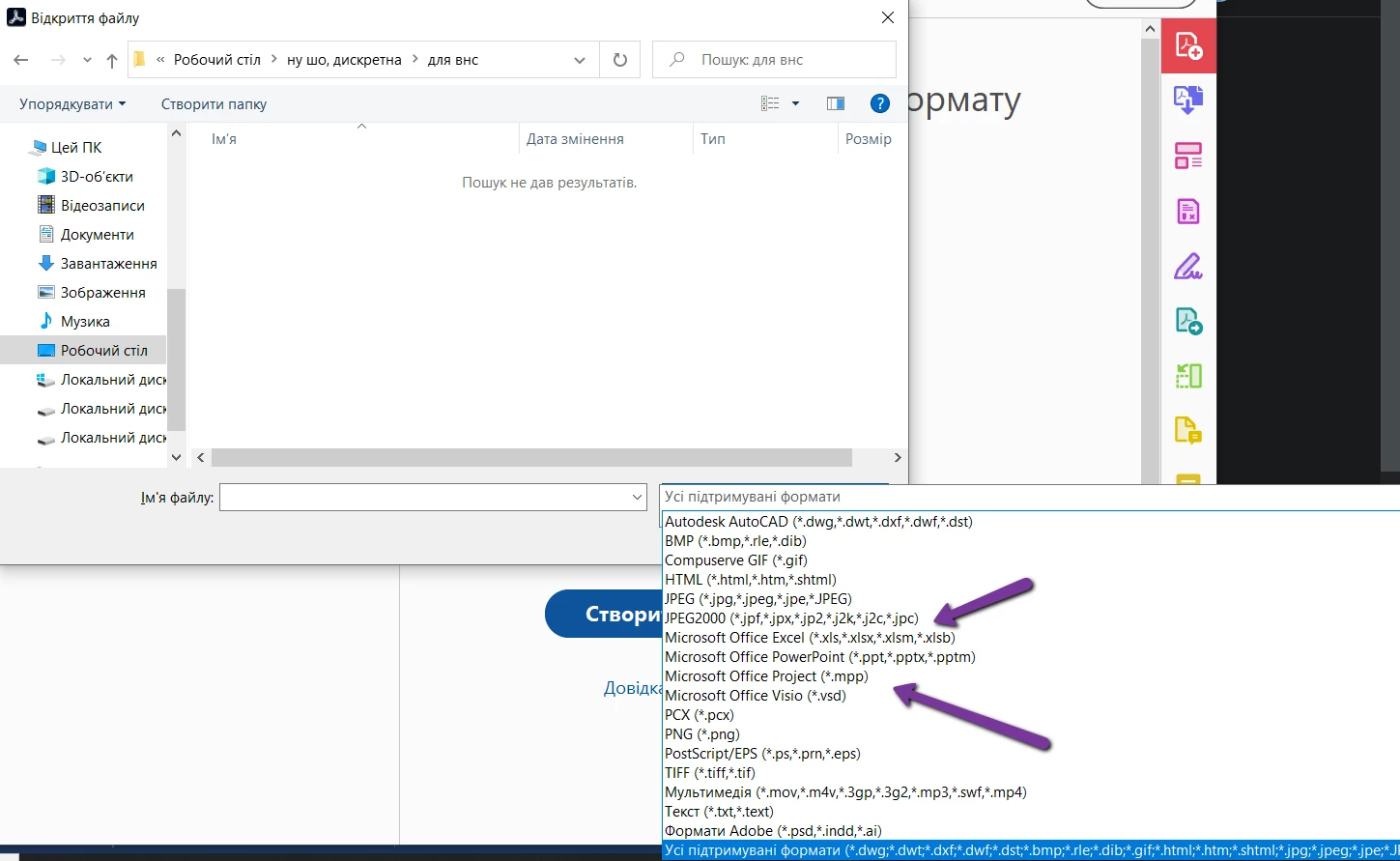
How can I solve it?

1 reply

Meenakshi Negi
Community Manager
Community Manager
January 14, 2021

Hi Sasha,


Thank you for reaching out and sorry for the trouble.


As Microsoft Office Word does not appear under the supported formats, please confirm if the application is installed on the machine or not. 

If that is not the case, please check Acrobat preferences settings. In Acrobat, go to Edit > Preferences > Convert to PDF. Then scroll the list of options provided at right. Check Microsoft word is available as an option in the list or not. Check the screenshot below:


Please share the Acrobat Pro DC and OS version on the machine. You may use the steps suggested in the following help link to check the application version details: https://helpx.adobe.com/acrobat/kb/identify-product-version.html 


Let us know if you need any help.


Thanks,

Meenakshi


Participant
January 18, 2021

Hi Meenakshi,

Unfortunately, there is no Microsoft Word available as an option in the list


However, I can convert word to pdf by right-clicking on the docx file (not doc)

Acrobat Pro DC version: 2020.013.20074

OS version: Windows 10 Pro 19041.746


Meenakshi Negi
Community Manager
Community Manager
February 4, 2021

Hey!


Sorry for the delay in response.


Could you please confirm if you can open the file in Microsoft Word on the machine?

If yes, please try once reinstalling the Acrobat and MS office on the machine.


Let us know if the issue is already resolved.


Thanks,

Meenakshi