
Participant
August 30, 2021
Question

Adobe Acrobat DC OCR Error - Not scanning

  • August 30, 2021
  • 1 reply
  • 468 views

Dear Adobe,


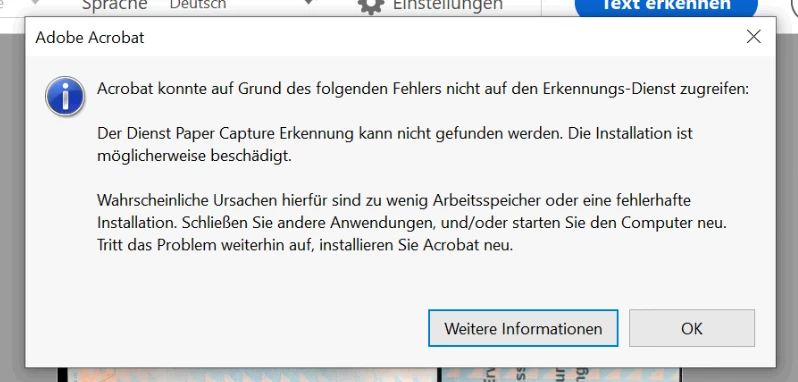
We're running into a problem while scanning a document.
I've already reinstalled the software, but it didn't help.
The screenshot attached is after I press the Search for Text button.


Regards,

Frank
 

This topic has been closed for replies.

1 reply

Amal.
Community Manager
Community Manager
August 30, 2021

Hi Frank


Hope you are doing well and sorry for the trouble. As  you are running into a problem while scanning a document and getting the paper capture error message.


Please try to copy the files from the 'iDRS15' folder to the 'PaperCapture' and 'plug_ins' folders in Acrobat as described in the help page https://helpx.adobe.com/acrobat/kb/acrobat-could-access-recognition-service.html and see if that works.


Regards

Amal

Participant
September 20, 2021

I have tried the solution above, but I don't know how to input the version number in the files. Please let me know the formatting and I'll try again.


I can't believe something so fundamental to Acrobat requires a repair from the outset.

Participant
September 20, 2021

I have installed Microsoft PDF converter.  It converts PDF to MS word perfectly.  I don't see why that was necessary.