
Copy link to clipboard
Copied
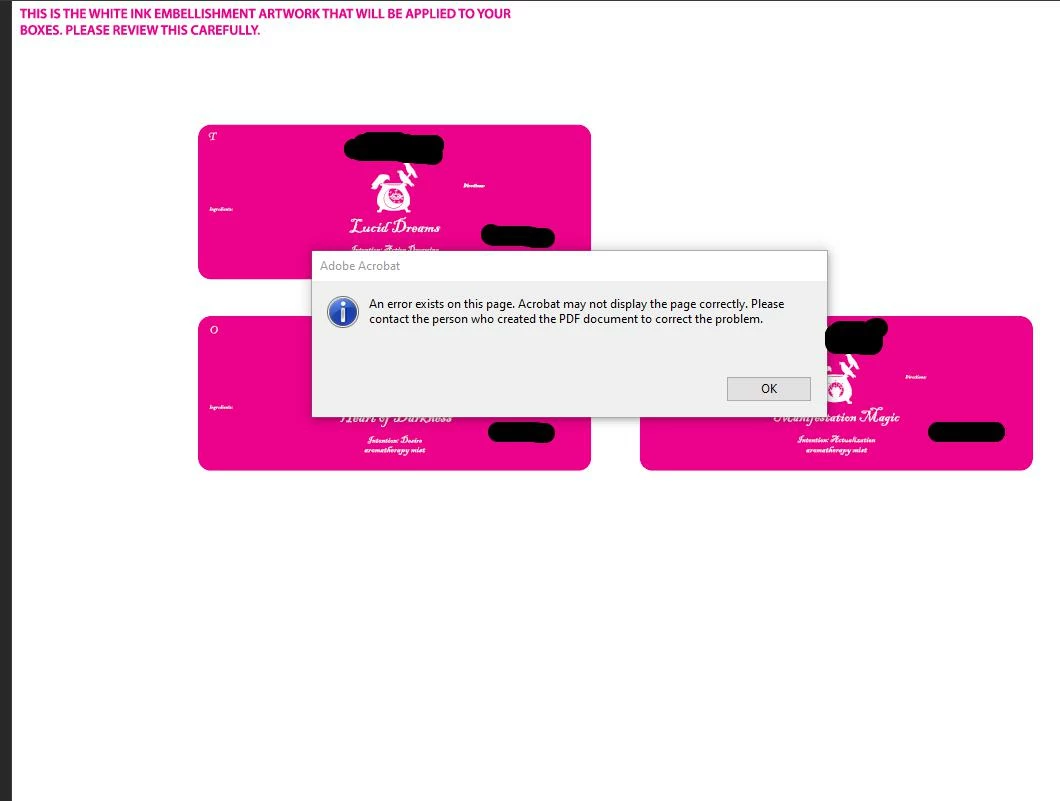
I keep getting this error with the newest update, "an error exists on this page. Acrobat may not display the page correctly. Please contact the person who created the pdf document to correct the problem". I have no clue how to resolve this but it keeps messing up proof files. My coworker is having the same issue.
Issue im having:
This is not a consistant issue either it happens randomly
Here is an image of the issue. the first file of this the top right blank area had a solid black box and then i resaved and now its missing the art completly (added black on others to hide company name)
Copy link to clipboard
Copied
Same EXACT issue here
Copy link to clipboard
Copied
in the future, to find the best place to post your message, use the list here, https://community.adobe.com/
p.s. i don't think the adobe website, and forums in particular, are easy to navigate, so don't spend a lot of time searching that forum list. do your best and we'll move the post (like this one has already been moved) if it helps you get responses.
<"moved from cc desktop bugs">
Copy link to clipboard
Copied
Same issue here and this has been happening the last 6 months or so. It's especially bad after spending hours building a form only for it to pop up with the error when trying to secure & save the file.
Copy link to clipboard
Copied
What I ended up doing is when saving is setting Compatibility to Acrobat 7 which didn't work at first so I turned off all Compresssion and turned off Compress text and line art and it works fine now. also rolled back a version of illustrator becasue it was constaintly crashing and they told me the tipical bs about it being becasue im using a server...
Copy link to clipboard
Copied
This randomly stopped being an issue with 28.0 and any way I would save a pdf didn't get this error, now with 28.2 its an issue again and have to save it a very spicific way. This is getting really annying that we cant update an app without it causing issue and adobe can help resolve it because they are usless
Get ready! An upgraded Adobe Community experience is coming in January.
Learn more