Participant
April 29, 2020
Question

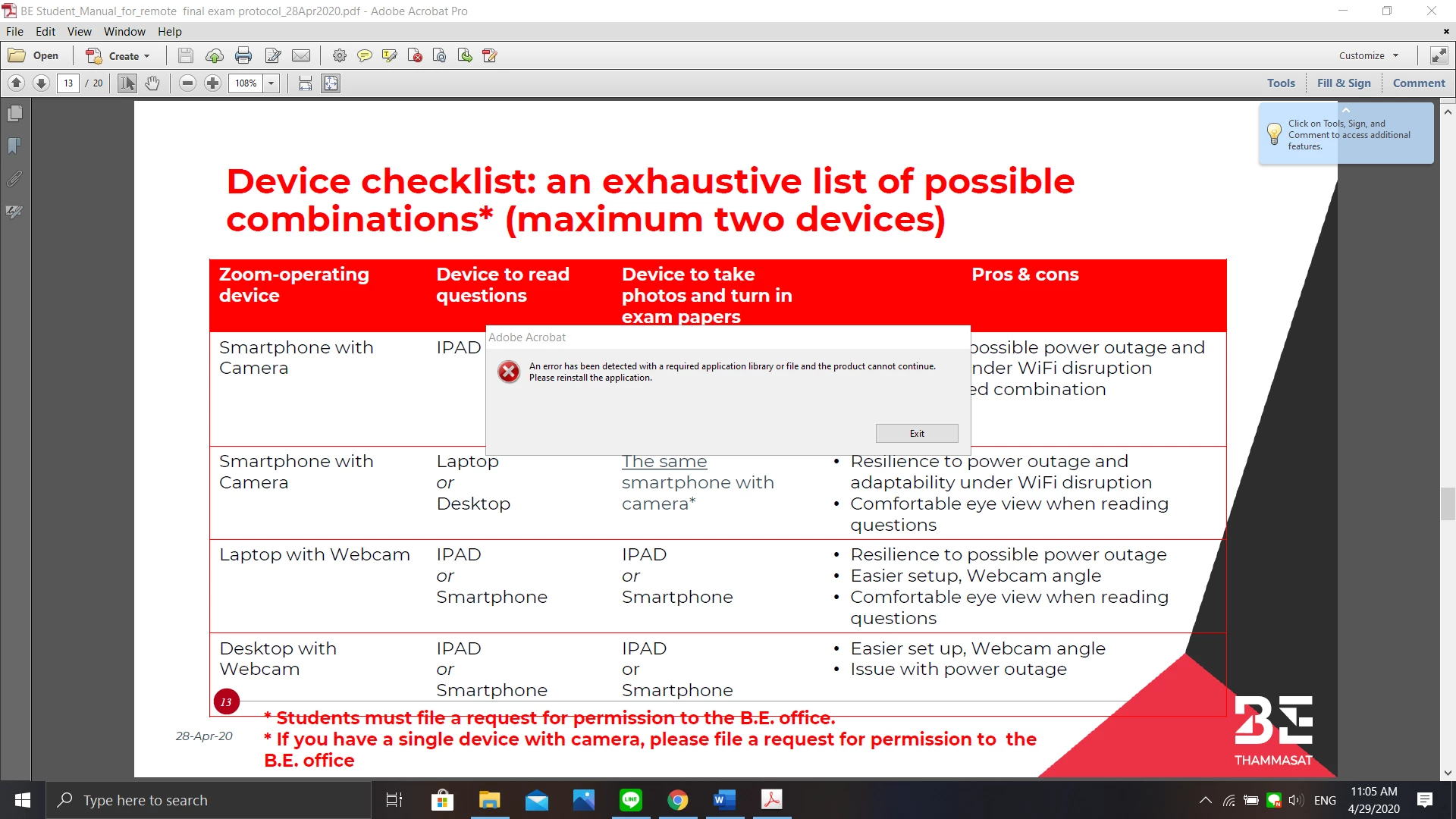
Adobe Acrobat Pro crashes after 50 seconds
  • April 29, 2020
  • 1 reply
  • 369 views

This is what I get every time I try to open a PDF file on my computer, I'm currently using version 11.0.23 on Windows 10. What's going on here?

This topic has been closed for replies.

1 reply

ls_rbls
Community Expert
Community Expert
April 29, 2020

Hi,


Usually it has become a standard to tell users that run Adobe Acrobat XI to get the latest update that was released back in 2017  for that old and unsurpotted version of Acrobat. Here: https://www.adobe.com/devnet-docs/acrobatetk/tools/ReleaseNotes/11/11.0.23.html


It seems like when all fails, the way to go is to click on Help--->>> "Repair Installation" then  manually re-applying this update after the installion is repaired.


But in your case you're saying about MS Windows10. I understad that just recently a few users reported crashes of Acrobat Pro XI that are running on newer versions of Windows.


Seems like a bug was introduced in recent updates could be the main reason (I may be wrong though).


So if the first suggestion above doesn't work, please refer to this discussion:

https://community.adobe.com/t5/acrobat/acrobat-xi-keeps-crashing/m-p/11072610?page=1#M252255

Participant
May 7, 2020

This is what popped up after I tried repairing the update, it told me to insert the CD or something, but I don't have the CD, because the program came with the computer