Exit
  • Global community
    • Language:
      • Deutsch
      • English
      • Español
      • Français
      • Português
  • 日本語コミュニティ
  • 한국 커뮤니티
0

Adobe Acrobat Pro Create PDF

New Here ,
Mar 18, 2020 Mar 18, 2020

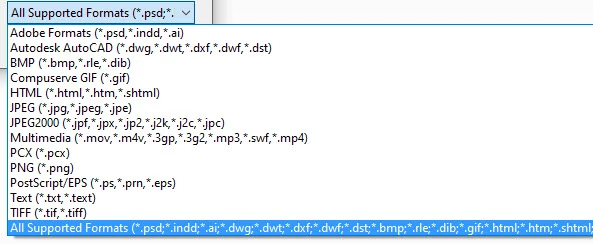
I am trying to creat a PDF, using Acrobat Pro, from a .docx file. Adobe indicates that a .docx conversion is supported (see first screen shot), but when I use the software only graphic or text files (see the second screen shot) can be converted.  What gives? I know I can create a PDF from within MS Word, but....
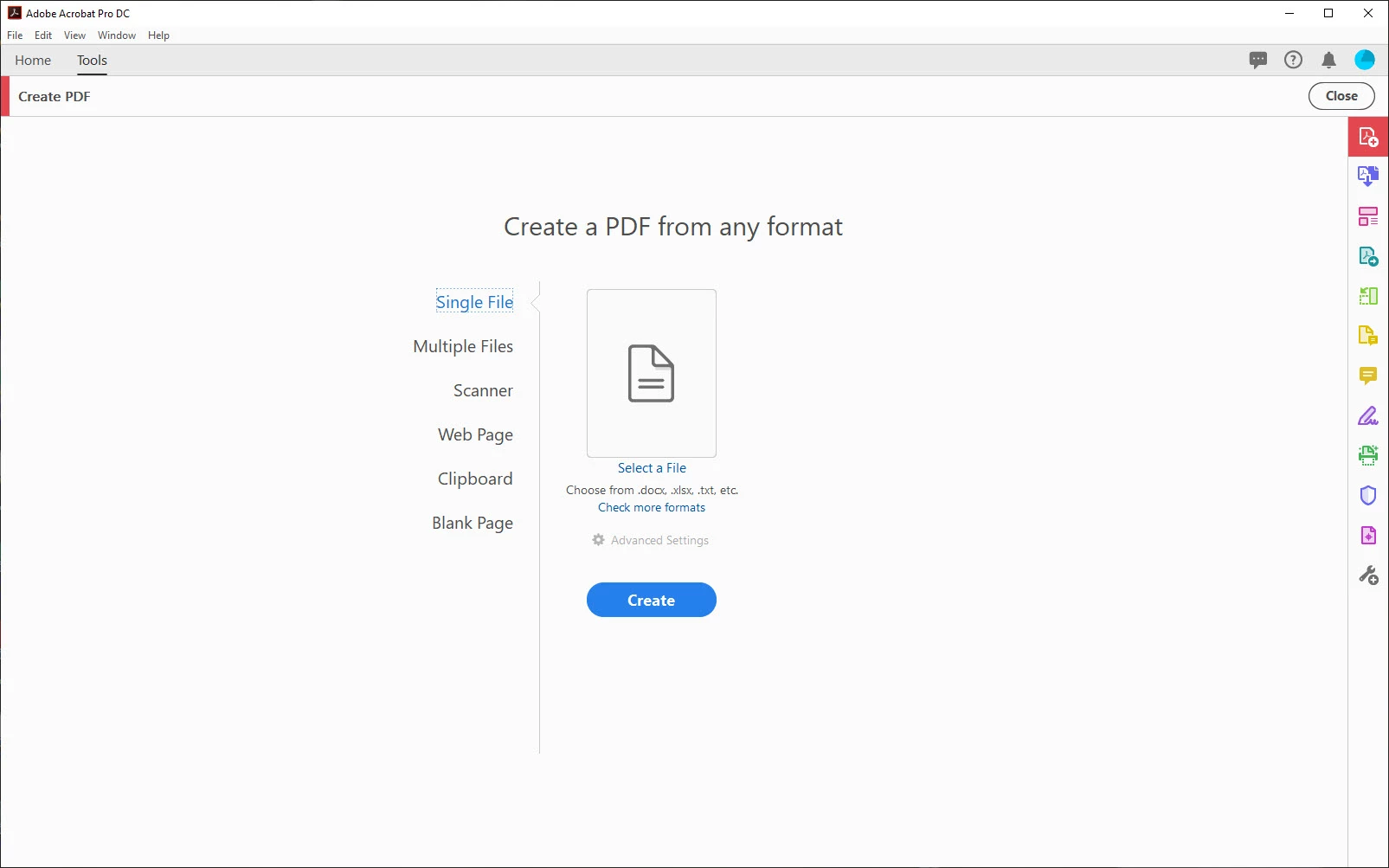
From the appletFrom the appletFrom the dropdown menuFrom the dropdown menu


TOPICS
Create PDFs
973
Translate
Report
Community guidelines
Be kind and respectful, give credit to the original source of content, and search for duplicates before posting. Learn more
community guidelines
New Here ,
Mar 18, 2020 Mar 18, 2020

I just tried to create a pdf from within Acrobat Pro from a .docx file and this is the error message I got the message show below. This contradicts the screen capture for the Create PDF applet shown in my first email message.


Error Message contradicts InterfaceError Message contradicts Interface

Translate
Report
Community guidelines
Be kind and respectful, give credit to the original source of content, and search for duplicates before posting. Learn more
community guidelines
Mar 18, 2020 Mar 18, 2020

Do you have Microsoft Word installed? That's a necessary component for the conversion. Preferably you open the document in Word and use Acrobat's Save as Adobe PDF function.


Alternatively, if you don't have Microsoft Word installed but have an Acrobat Pro DC subscription, go to https://documentcloud.adobe.com/link/tools/?group=group-convert and upload your Word document to Adobe's online PDF conversion service. Note that this feature has many fewer options and some serious restrictions compared to using Acrobat's Save as Adobe PDF function from within Word.


- Dov Isaacs, former Adobe Principal Scientist (April 30, 1990 - May 30, 2021)
Translate
Report
Community guidelines
Be kind and respectful, give credit to the original source of content, and search for duplicates before posting. Learn more
community guidelines
Contributor ,
Mar 18, 2020 Mar 18, 2020
LATEST

If you have Acrobat Pro DC installed, simply right click on the docx file and select Convert to Adobe PDF and save the file when asked. 

Translate
Report
Community guidelines
Be kind and respectful, give credit to the original source of content, and search for duplicates before posting. Learn more
community guidelines