
Participant
July 15, 2021
Answered

Adobe acrobat pro dc 64 bit

  • July 15, 2021
  • 3 replies
  • 1284 views

I downloaded Acrobat Standard DC (64 bit) from here. After I sign in, a pop up appears giving me three options similar to these:

  • Start free trial
  • Buy from adobe.com
  • Quit app

Firstly I quit the app and restarts it, the same pop up apperas. I start the free trial. Now there's a day counter on the bottom left side of screen, which says 7 days left in trial.

Will I not be able to use the app after 7 days?
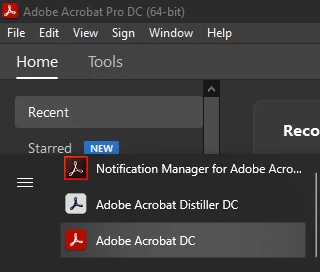
I downloaded the standard version but it says 'Pro' when I open it.


This topic has been closed for replies.
Correct answer Test Screen Name

Are you thinking Acrobat Standard is a free product? It isn't., the free product is Acrobat Reader. 

3 replies

Amal.
Community Manager
Community Manager
July 16, 2021

Hi there


++ Adding to the discussion


For more information about Acrobat Reader DC (Freeware application) please checkout the help page https://helpx.adobe.com/reader/faq.html


Regards

Amal

Test Screen NameCorrect answer
Legend
July 15, 2021

Are you thinking Acrobat Standard is a free product? It isn't., the free product is Acrobat Reader. 

Participant
July 16, 2021

There exists a 64 bit version of Acrobat Reader?

try67
Community Expert
Community Expert
July 16, 2021

Yes, Acrobat Reader DC is 64-bits.

try67
Community Expert
Community Expert
July 15, 2021

The installer for Pro and Standard is the same. Depending on your license it switches the functions you can and can't use. The trial version is only for Pro, which is why you're seeing it as being Pro.

Do you have a license for either version? If not, you'll be able to use it for 7 days for free and then it will most likely switch over automatically to a paid subscription (if you've entered your payment details), unless you cancel it in time.