
Participant
November 1, 2021
Answered

Adobe acrobat pro extract page and keep the page name

  • November 1, 2021
  • 2 replies
  • 3551 views

Hi everyone,


I was wondering if it's possible to extract a page from a pdf and keep the name of the page?
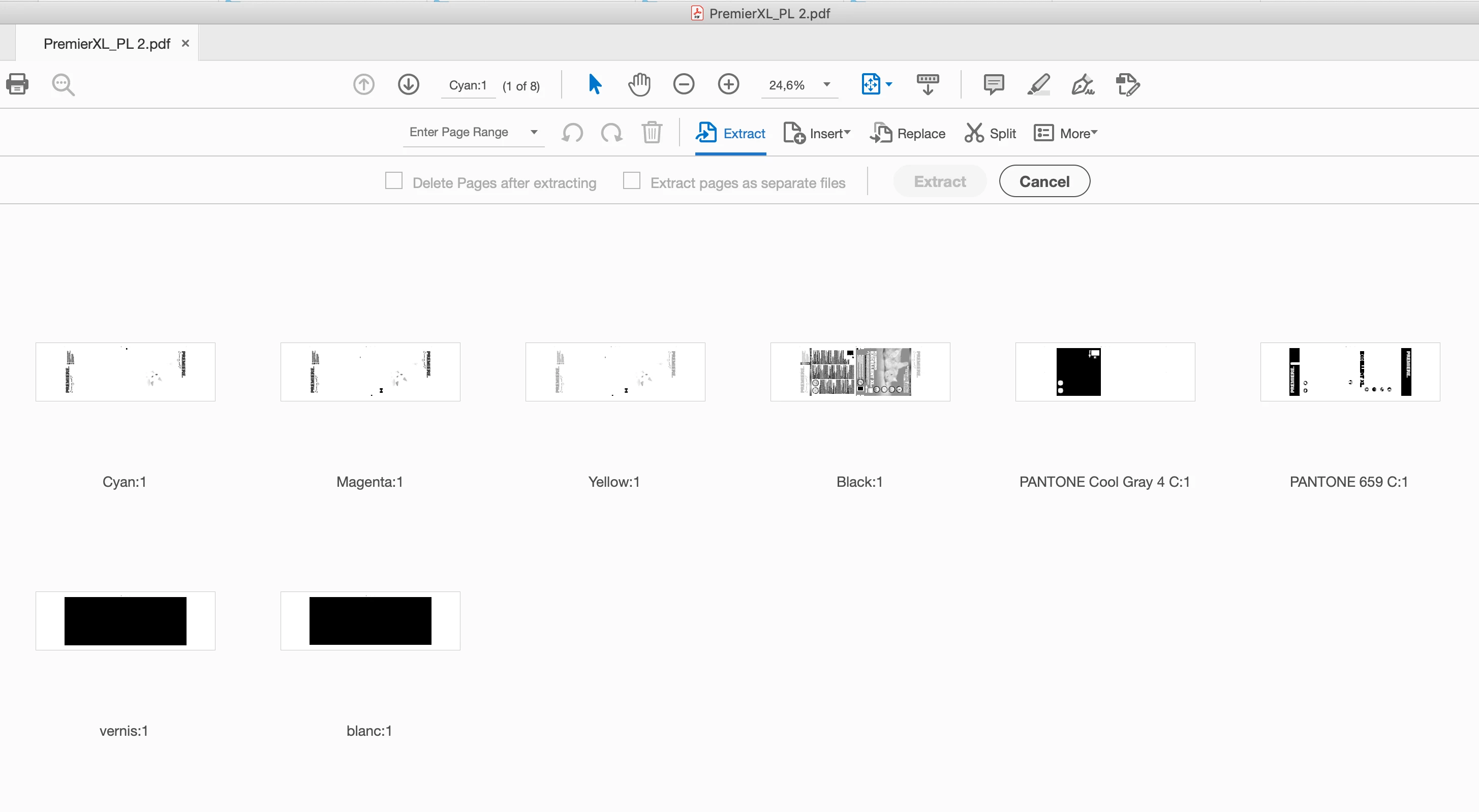
As you can see, below each page I have a name for the color. When I extract the page, acrobat safe them with the pdf file name and add a different number at the end.

 Ideally, I would like the first page to be named  Cyan:1, the second page Magenta:1, and so on just like in the pdf file. Any idea how to do so?

This topic has been closed for replies.
Correct answer Abambo

For the first 4 (CMYK) you could even use a small OS script, renaming the first page to Cyan etc. But as the other plates can convey any spot colour or even "vernis", that part can only be automated if you have always the same colours (in the case of a customer having hundreds of files like this). If you want to have a universal solution, you need to hire @try67.


Before that, however, I suggest you look at this: https://community.adobe.com/t5/acrobat-sdk-discussions/js-to-extract-multiple-pages-and-name-as-page-label/td-p/8128399

2 replies

Abambo
Community Expert
AbamboCommunity ExpertCorrect answer
Community Expert
November 4, 2021

For the first 4 (CMYK) you could even use a small OS script, renaming the first page to Cyan etc. But as the other plates can convey any spot colour or even "vernis", that part can only be automated if you have always the same colours (in the case of a customer having hundreds of files like this). If you want to have a universal solution, you need to hire @try67.


Before that, however, I suggest you look at this: https://community.adobe.com/t5/acrobat-sdk-discussions/js-to-extract-multiple-pages-and-name-as-page-label/td-p/8128399

ABAMBO | Hard- and Software Engineer | Photographer
Participant
November 10, 2021

Thank you I'll look into that!

try67
Community Expert
Community Expert
November 1, 2021

This can be achieved using a script, but not with the built-in Extract Pages command.

Participant
November 2, 2021

Hi,

Thank you for the quick answer. Do you happen to know what kind of script it is?

try67
Community Expert
Community Expert
November 2, 2021

Depends on how you want it to work, but it will need to read the page's label first (using getPageLabel) and then extract that page (using extractPages), using that name as the file-name of the new file.