
Adobe Acrobat Pro Javascript Import Dropdown list items from text file
Good afternoon,
I've been struggling with this all day and can't seem to figure it out. I would like to have a text file that can be relatively easily edited with a list of names to fill into a drop down list as names get removed and added somewhat frequently and updating each individual dropdown is a pain. I have gotten as far as getting the text files attached as annotation file attachments but it is not saving the file name or file contents, it keeps outputting "undefined". Ive tried a few different ways of trying to get the info through arrays and for loops but it still always gets stopped by the undefined error so it kicks out "no file attachment found".
// Function to load text file data and populate the dropdown list
function loadDropdownData() {
    // Get the file attachment (assuming the file is named 'Team Leader Names.txt')
    var fileName = "Team Leader Names.txt";
    var annotations = this.getAnnots({nSubtype: "FileAttachment"});

    // Convert the annotations (array-like object) to a true array using slice()
    annotations = Array.prototype.slice.call(annotations);  // Workaround for Array.from()

    // Variable to hold the found file annotation
    var foundFile = null;

    // Loop through annotations and find the file with the matching name
    annotations.forEach(function(annot) {
        if (annot.fileName === fileName) {
            foundFile = annot;  // Store the matching annotation
        }
    });

    if (foundFile) {
        // Access file contents (make sure it's embedded and not external)
        var fileData = foundFile.fileContents; // Get the file contents from the annotation

        if (fileData) {
            // Split the file data into an array of lines
            var options = fileData.split("\n").map(function(line) {
                return line.trim(); // Remove extra whitespace
            });

            // Get the dropdown field (replace 'dropdownFieldName' with your actual field name)
            var dropdown = this.getField("dropdownFieldName");

            // Clear existing options in the dropdown
            dropdown.clearItems();

            // Add new options from the file data
            options.forEach(function(option) {
                dropdown.addItem(option);
            });

            console.println("Dropdown populated with " + options.length + " options.");
        } else {
            console.println("File contents not available.");
        }
    } else {
        console.println("File attachment not found: " + fileName);
    }
}

// Call the function to load the dropdown data
loadDropdownData();
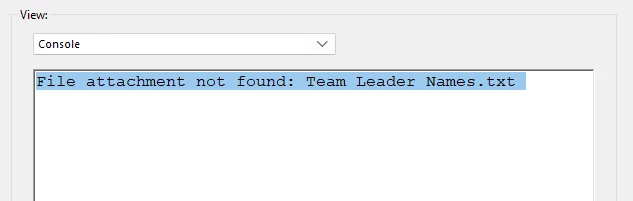
here is when i run a debugger to just output the file attachment info. So it recognizes it as a file attachment but its not getting any of the other info like name or contents, even though the annotation attchment shows in the attachment sidebar and when i open it, it opens to a poputated text file.
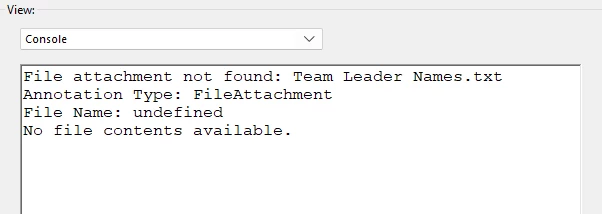
any help would be appreciated! Maybe I'm over complicating things but im trying to avoid hard coding it (i did get that to work by just manually creating the arrays but id rather not to that) as multiple people access this PDF and if I'm not around to update the list then the others will be lost so if I could just have them put the names into the text file then that would be a lot easier than telling them to mess with the code.
Also I am pretty rusty on javascript, i took it back in HS and a little in college so I did use GPT for some guidance so that may be why some of it is not working. ¯\_(ツ)_/¯
Thanks for your time!
Hyrum J
 AdChoices