


Adobe Acrobat Pro PDF's keep crashing
Hi Guys,
Have a very strange issue here:
One of our staff members PDF's keep freezing and crashing, no matter what PDF is open or as we try as a resolution. The laptop that's in use is a HP ProBook 440 G8 with 16GB RAM and a 1TB SSD.
One of the first errors that popped up in one PDF(first screenshot below), occured when creating comments in the 'comments' section(approx 500 at the time). The person who sent the PDF, I believe, was using Apple Pencil for creating the comments.

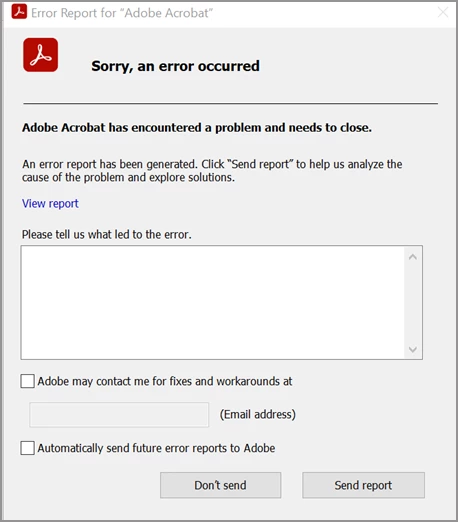
The second error given(see screenshot) was the error report, which occured when working on a completely different PDF or when they try and use any other PDF for that matter. Below is the error code report generated within the view details:
I've tried reinstalling Adobe along with the following: Edit>Preferences>Documents and check marked the option that says 'automatically save document changes' and set the time to 1 minute
We tried a different laptop with a smiilar spec, along with a full reinstall of the above formentioned spec'd HP laptop.
We also tried removing the staff members Adobe Pro licence and readding it back in with a full laptop restart; but to no avail.
If the issue was with the PDF files, which are being recieved from a Windows structured device, then everyone would also be having this same issue. It's jut the one user having this problem I'm afraid.
If anyone could give some sort of guidance with this, as soon as possible,we would really really appreciate it.
Kind Regards,
Des
 AdChoices