Participant
August 21, 2020
Answered

Adobe Acrobat Pro Search Field

  • August 21, 2020
  • 2 replies
  • 1351 views

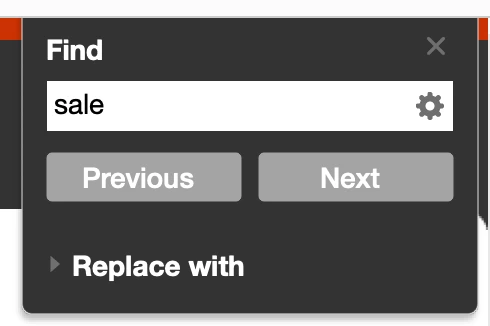
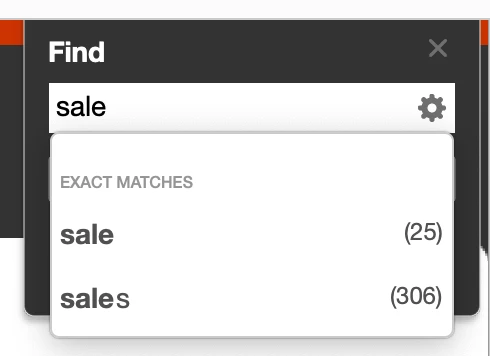
I have Adobe Acrobat Pro 2020 and my friend has Adobe Acrobat Pro DC, we both have it installed on a Mac. Both programs look very similar however, there is one thing I do not understand. When searching a PDF document theirs will show how many times that word comes up and it will even show similar words. I have provided screenshots of the differences. Is this something I can enable in mine? I notice on Adobe Acrobat Pro DC there is an option for "Enable Auto Complete Suggestions", this does not seem to exist in the 2020 Pro version.
 

This topic has been closed for replies.
Correct answer Carl Dockhorn

Hi!
Turning on case sensitivity will not help you in this situation.


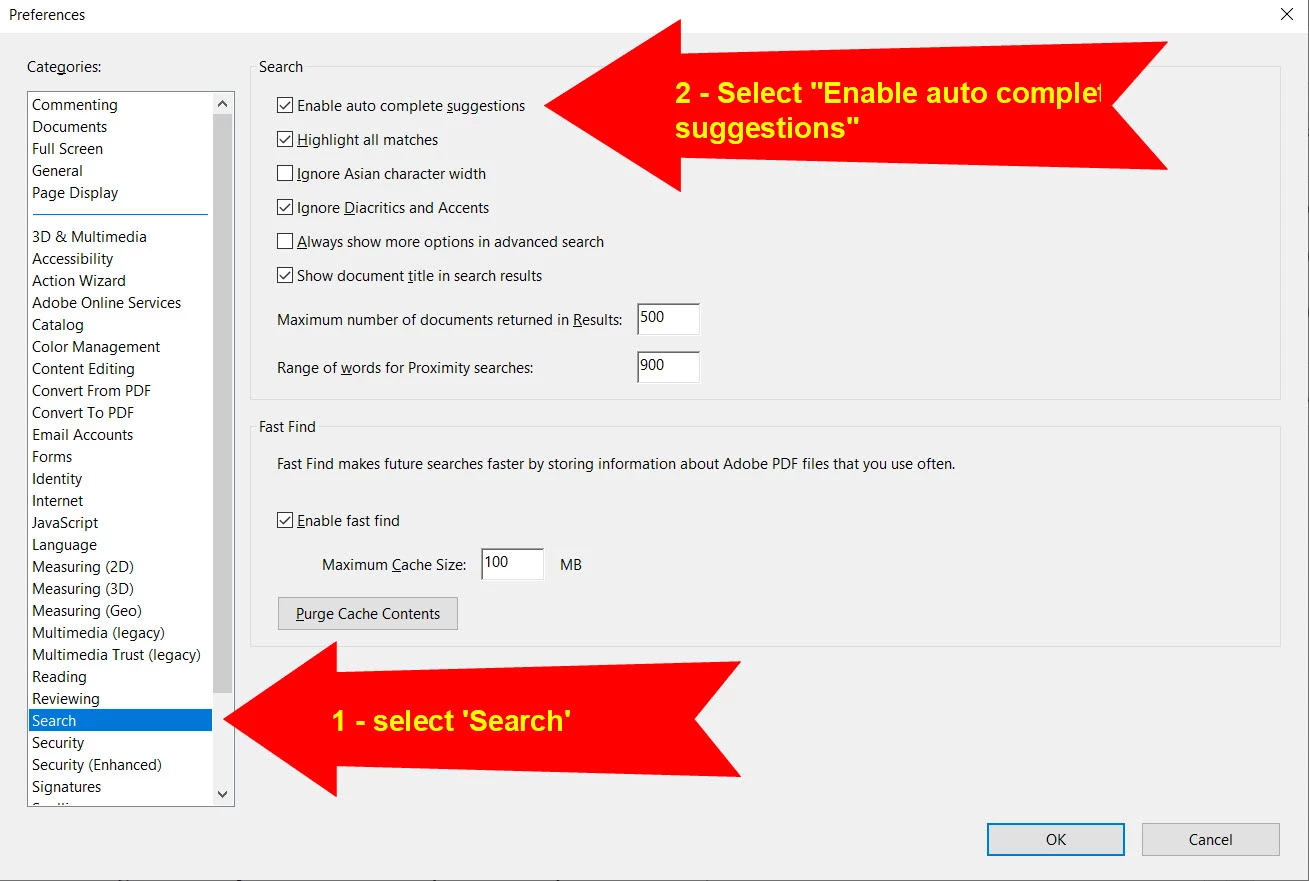
To enable auto-complete suggestions and counts:

  1. Go to Edit/Preferences
  2. In Categories, select 'Search'
  3. Check "Enable auto completion suggestions"


This will enable the counts in most PDF files. For long files (1000+ pages), it can take a minute to build the index after you search.


Some lucky users have also been randomly selected to get early access to Search Suggestions which will also recommend related words: https://helpx.adobe.com/acrobat/using/whats-new/2020-may.html#Cloudpoweredsearchsuggestions 

2 replies

Carl DockhornCorrect answer
Adobe Employee
September 16, 2020

Hi!
Turning on case sensitivity will not help you in this situation.


To enable auto-complete suggestions and counts:

  1. Go to Edit/Preferences
  2. In Categories, select 'Search'
  3. Check "Enable auto completion suggestions"


This will enable the counts in most PDF files. For long files (1000+ pages), it can take a minute to build the index after you search.


Some lucky users have also been randomly selected to get early access to Search Suggestions which will also recommend related words: https://helpx.adobe.com/acrobat/using/whats-new/2020-may.html#Cloudpoweredsearchsuggestions 

Participant
January 31, 2023

My copy of Acrobat Pro 2020 does not have that extensive menu for search options. It has this:

How do I enable this option? I have the standalone version of Acrobat 2020 downloaded from Adobe.com. Four hours of chat help and two unfulfilled promises of phone call help has done nothing.

Legend
January 31, 2023

That's Acrobat DC only, I think. You have a copy of Acrobat frozen around the end of 2019, so it will be missing any newer changes.

ls_rbls
Community Expert
Community Expert
August 21, 2020

Enable "Case sensitive" search


See slide :