
Adobe Acrobat Professional Perpertual force close issue
I installed Adobe Acrobat Professional 2020 on 61 units PC running Windows 10 1809, 1909 and 20H1 & facing force-close issue without any log saved. The solution that I already tried is :
- C:\ProgramData\Adobe – Rename SLStore
- C:\Program Files (x86)\Common Files\Adobe – Rename SLCache and Adobe PCD
- C:\Users\username\AppData\Local\Adobe – Delete OOBE
- Launch Acrobat as an Administrator.
Nothing on above able to solve my issue. I need an assist since currently the software was useless.
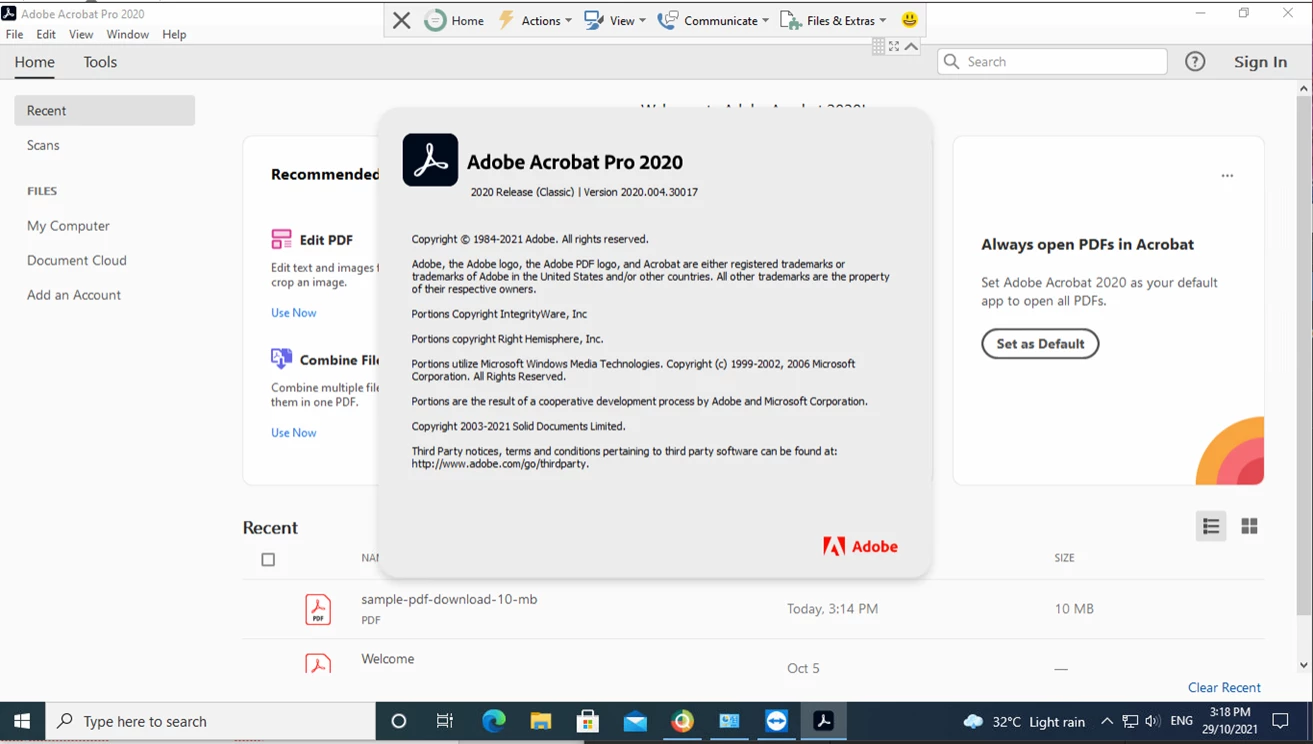
More details
Account Detail:
User Rights: Admin
User Account Control: Limited
Process Integrity: Medium
Profile Type: None
Acrobat Detail:
Sandboxing: Off
Protected View: Off
Captive Reader: No
Multi-Reader on Desktop Support: Off
Applications Installed:
Office Version: Office 2016 64-bit
Outlook Version: Outlook 2016 64-bit
Available Physical Memory: 3306928 KB
Available Virtual Memory: 3845436 KB
BIOS Version: ACRSYS - 11100000
Default Browser:
Default Mail: Microsoft Outlook
mapi32.dll
Version: 1.0.2536.0 (WinBuild.160101.0800)
Display Detail:
Screen Width: 1366
Screen Height: 768
Number of Monitors: 1
Number of Mouse Buttons: 8
Has Mouse Wheel: Yes
Has Pen Windows: No
Double Byte Character Set: No
Has Input Method Editor: Yes
Inside Screen Reader: No
Graphics Card: Intel(R) UHD Graphics 630
Version: 26.20.100.6911
Check: Not Supported
Installed Acrobat: C:\Program Files (x86)\Adobe\Acrobat 2020\Acrobat\Acrobat.exe
Version: 20.4.30017.454980
Creation Date: 2021/10/05
Creation Time: 7:59:52 AM
Installed Acrobat: C:\Program Files (x86)\Adobe\Acrobat Reader DC\Reader\AcroRd32.exe
Version: 21.7.20099.454979
Creation Date: 2021/10/05
Creation Time: 3:44:44 PM
Locale: English (Malaysia)
Monitor:
Name: Intel(R) UHD Graphics 630
Resolution: 1366 x 768 x 60
Bits per pixel: 32
OS Manufacturer: Microsoft Corporation
OS Name: Microsoft Windows 10
OS Version: 10.0.19043
Page File Space: 4194303 KB
Processor: Intel64 Family 6 Model 158 Stepping 10 GenuineIntel ~2904 Mhz
Session Detail:
Boot Type: Normal
Is Shutting Down: No
Network: Available
Inside Citrix: No
Inside VMWare: No
Remote Session: No
Remote Control: No
Using JAWS: No
Using ZoomText: No
Using Windows-Eyes: No
Using NVDA: No
System Name: DESKTOP-QMFFLP5
Temporary Directory: D:\Users\admin.ksm\AppData\Local\Temp\
Time Zone: SE Asia Standard Time
Total Physical Memory: 4194303 KB
Total Virtual Memory: 4194176 KB
User Name: admin.ksm
Windows Detail:
Tablet PC: No
Starter Edition: No
Media Center Edition: No
Slow Machine: No
Windows Directory: C:\WINDOWS
 AdChoices