
Answered
Adobe Acrobat Windows 10 Free Edition BOOKMARK a PDF
Directions on two Help pages don't work. Both Adobe Help pages both two different ways. Is it possible to bookmark a PDF file in Adobe?

Directions on two Help pages don't work. Both Adobe Help pages both two different ways. Is it possible to bookmark a PDF file in Adobe?
@dadybear1234 No, you can't. The free edition of Adobe Acrobat (Adobe Acrobat Reader DC) on Windows 10 does not allow you to create new bookmarks in a PDF. Adobe Acrobat Reader DC is primarily a PDF viewer. While it can display existing bookmarks in a PDF and allow you to navigate using them, the ability to create, edit, or manage bookmarks is a feature reserved for the paid versions of Adobe Acrobat, such as Adobe Acrobat Standard or Adobe Acrobat Pro.
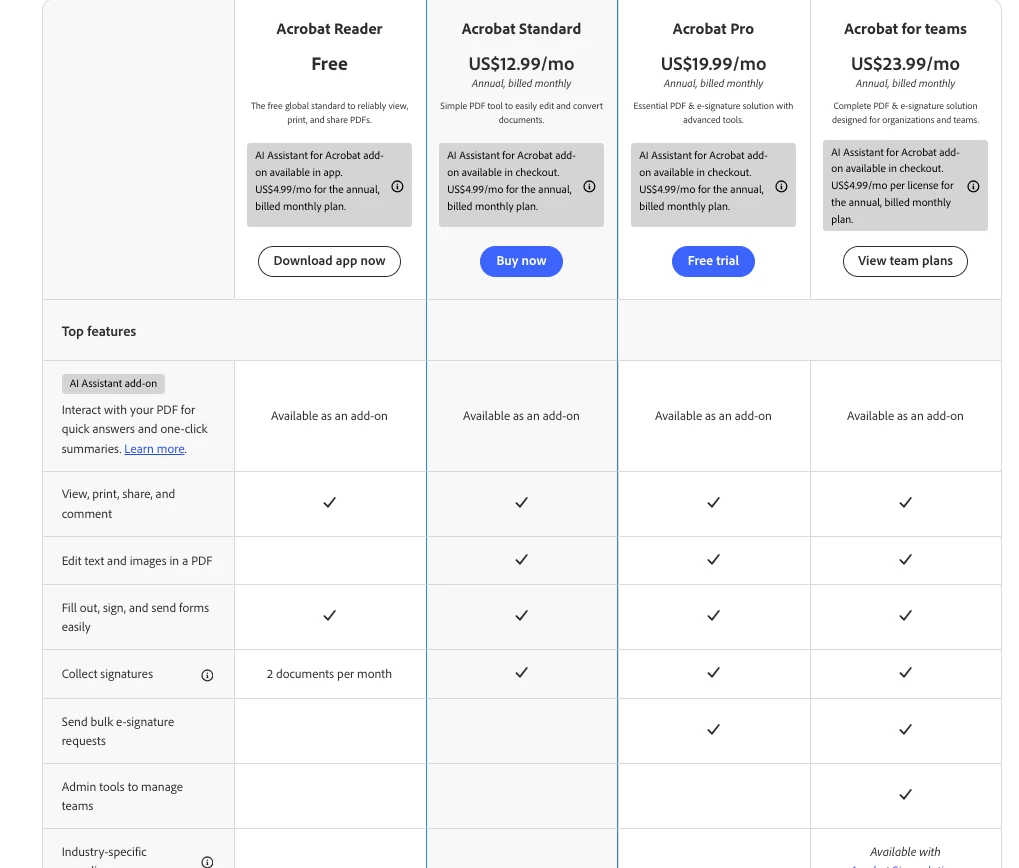
If you need to add bookmarks to a PDF, you would need to either purchase a subscription to Adobe Acrobat Standard or Pro. https://www.adobe.com/acrobat/pricing.html
These are the steps to create a 'Bookmark' if you have subscription to Adobe Acrobat Standard or Pro.
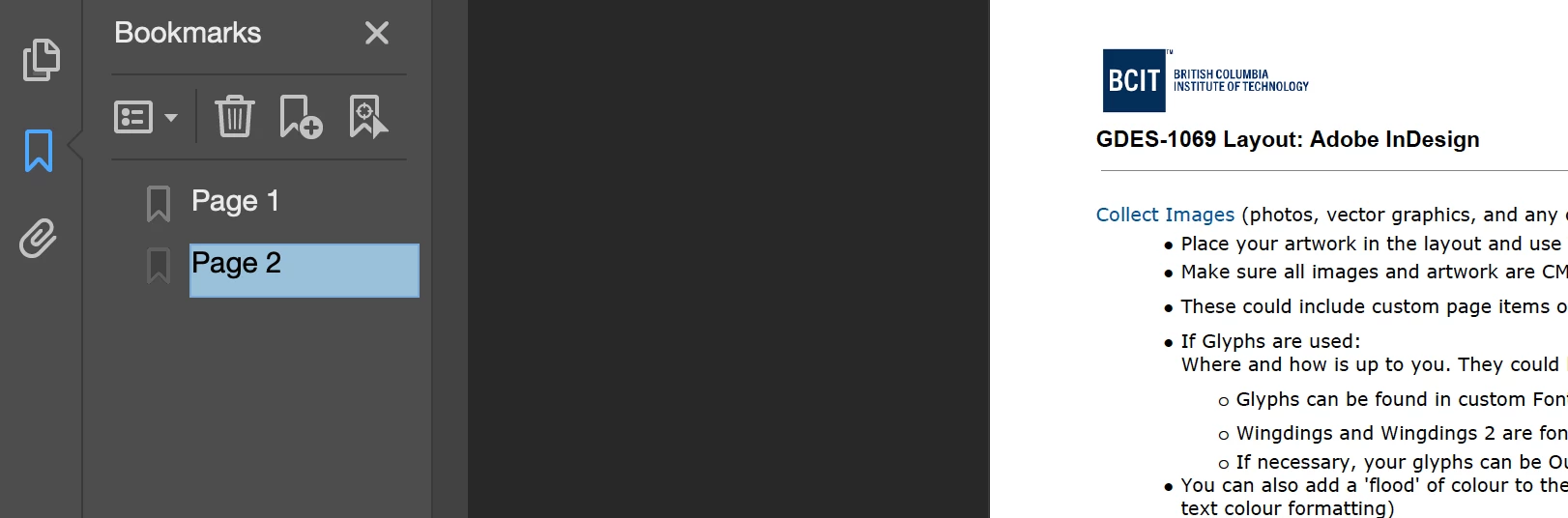
1. Open the Bookmark panel. Mine is on the left side
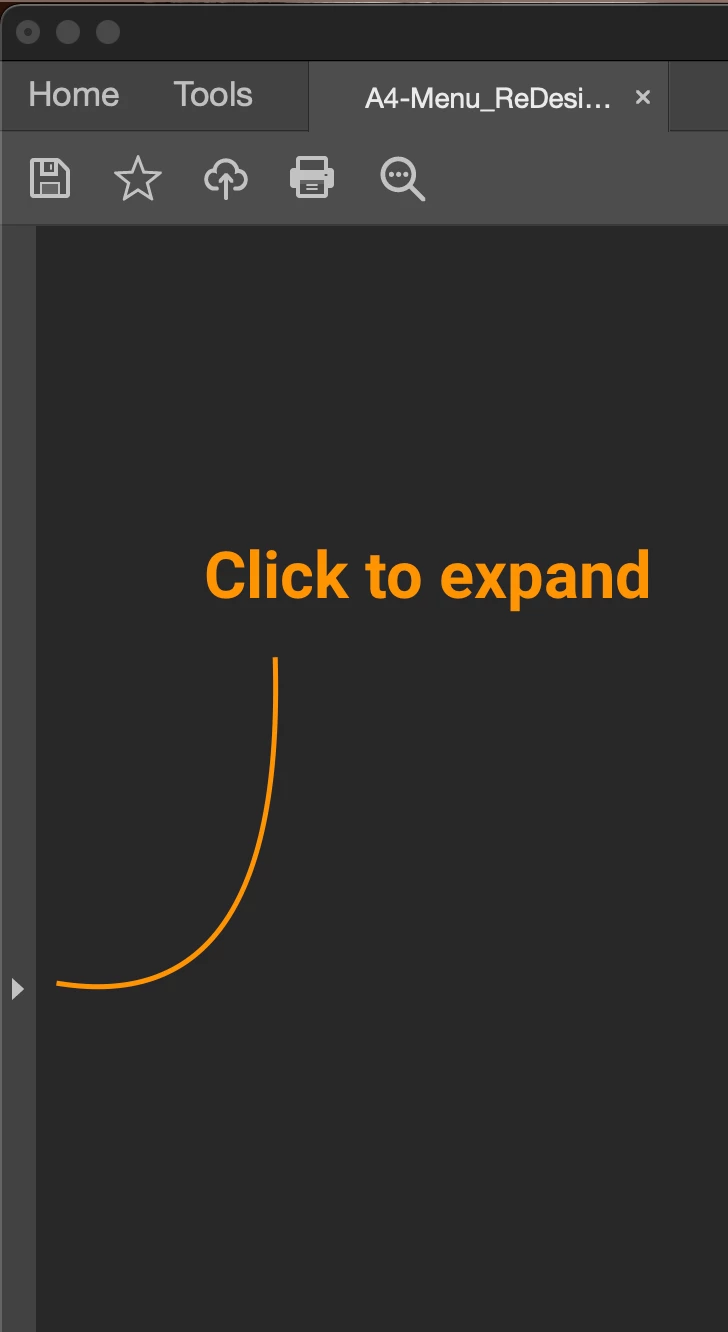
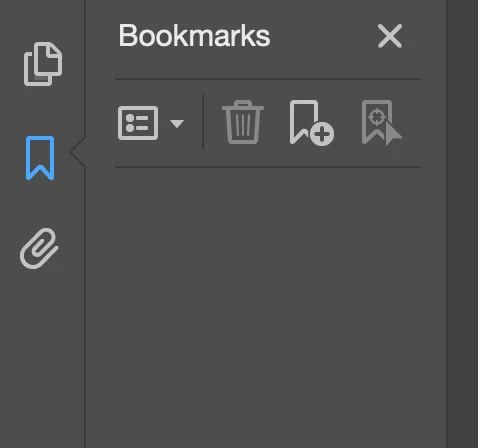
2. Select the second icon (in blue)

3. A 'Bookmark' panel will pop-out
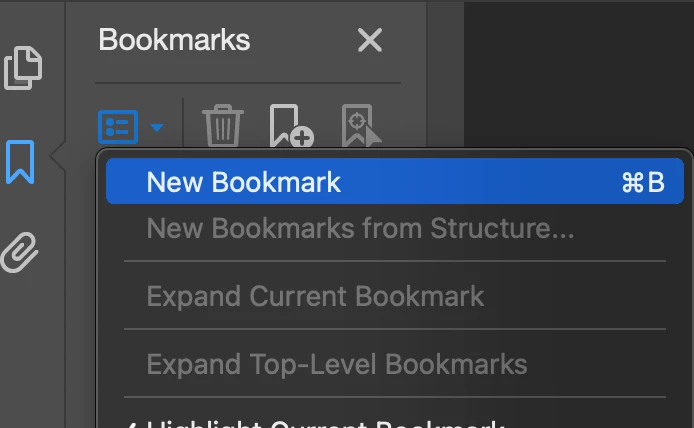
4. Click on the first icon and click on 'New Bookmark,'
5. I am on page 1 of 2 page document. So, to make it simple here, I will enter page 1
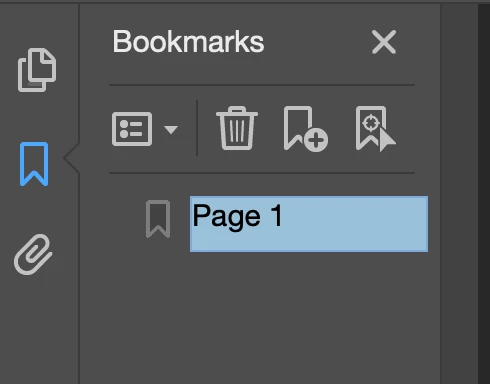
6. Click on the next page. Repeat step #4, 'New Bookmark'
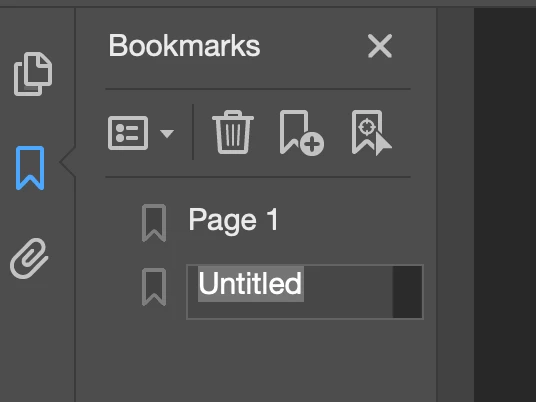
7. Enter Page 2
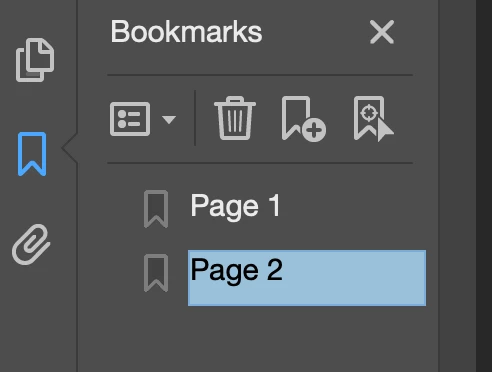
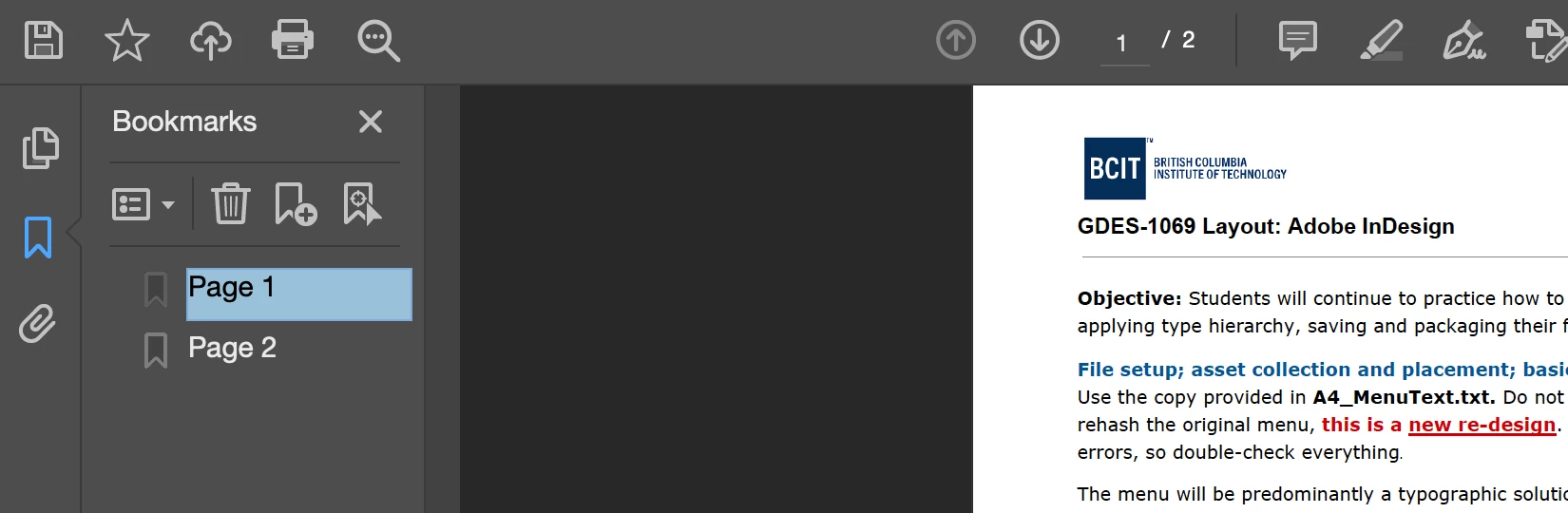
8. Now, you can flip back and forth on the Bookmarks
In my example, is my students assignment...
Page 1
Page 2
Already have an account? Login
Enter your E-mail address. We'll send you an e-mail with instructions to reset your password.
 AdChoices