
Participant
April 15, 2025
Answered

adobe chrome extension and gmail attached PDFs

  • April 15, 2025
  • 1 reply
  • 1029 views

for the chrome extension, how to enable all donwloaded pdfs to open in acrobat EXCEPT the attached files on gmail? If you enable all PDFs open in Acrobat then you click on a PDF attached on your email and will open a new tab to open it, please help. Could that be separated??
Correct answer abhishek_4744

Hello Jessica,


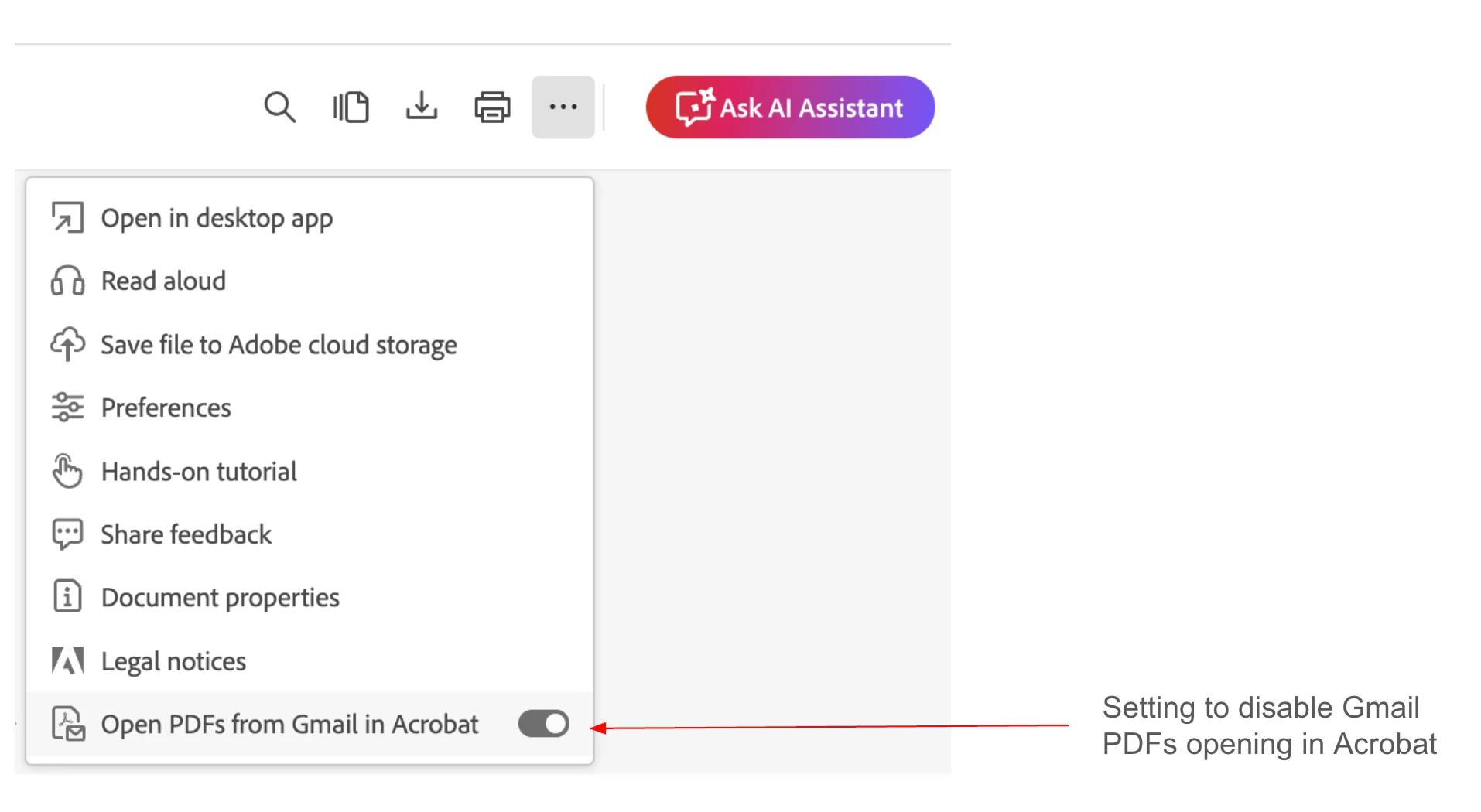
If you wish to stop opening your Gmail PDFs in Acrobat by default, you may switch off the setting from the menu in the top navigation bar in Acrobat. Please let us know if this resolves your concern.


1 reply

Amal.
Legend
April 15, 2025

Hi there

Hope you are doing well and thanks for reaching out.

When you turn on the setting in the Adobe Acrobat Chrome extension to open all PDFs in Acrobat, it works for most downloaded PDFs. But Gmail attachments are a little different.

When you click on a PDF in Gmail, it doesn’t actually download the file, it just opens a preview in a new tab. That’s why it doesn’t open in Acrobat automatically, even with the setting turned on.

If you want to open a Gmail PDF in Acrobat, the best way is to download the file first (click the download icon), and then it should open in Acrobat if that setting is enabled.

At the moment, there’s no way to separate Gmail attachments from other PDFs in the settings, You may also share your feature request with the engineering team here (https://adobe.ly/42CWgKf) for their review and future consideration.


Hope this information will help.


Participant
May 16, 2025

THANK YOU, it still buging my brain and making my job harder

abhishek_4744Correct answer
Adobe Employee
May 16, 2025

Hello Jessica,


If you wish to stop opening your Gmail PDFs in Acrobat by default, you may switch off the setting from the menu in the top navigation bar in Acrobat. Please let us know if this resolves your concern.