
Participant
August 23, 2024
Question

adobe-for-edge extension has large blank white space on some PDF's

  • August 23, 2024
  • 1 reply
  • 923 views

I'm using the adobe-for-edge extension. When I open some PDF's in Edge, almost all of the browser window is a blank white area. 

Here's a screen shot of the issue:
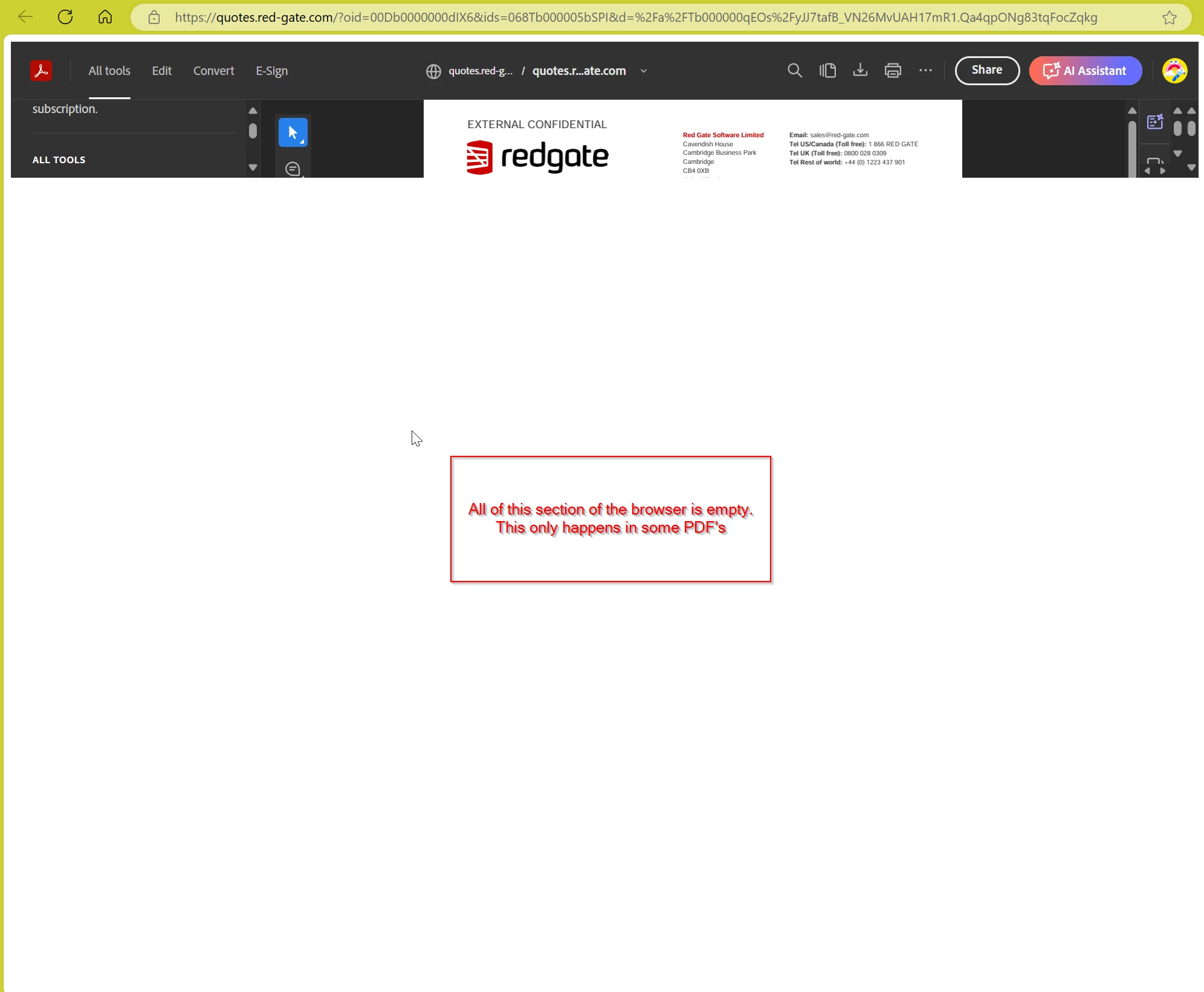
I've been unable to find any element that I can drag to increase the size of the controls and PDF content. This PDF is being sent to me via a link in an email. I can download the PDF using the Download option and open the resulting downloaded PDF file with no issues.
It's just very puzzling why I can't locate any options that allow me to maximize the PDF display when the PDF is opened directly from the email link.


1 reply

Community Manager
October 11, 2024

Hi @Terry258575081z42


Sorry for the delayed response and the troubled experience. 

I'm following up to see if the issue is resolved. If not, please let us know; we'd be happy to assist. 


Was it happening with all the files or just one odd file? Ensure your browser is updated. 

If you’re still encountering this issue, I encourage you to share any additional details or steps that led to the problem. This will assist us in diagnosing and fixing the issue more effectively.


Thank you for your patience and understanding as we work to make things right.


~Tariq


Participant
March 27, 2025

I have the same problem, pdf files from addresses are opened not in full screen, but with all that white space
Could you tell me a way to solve the problem?
thanks for the support

S_S
Community Manager
Community Manager
June 3, 2025

Hi @Marco29126495ybt5,


Hope you are doing well. Sorry for your experience with opening PDFs.


Do you still experience the issue? If so, would you mind sharing the information, as Tariq asked above, for further investigation?


Also, to test, can you try opening the same PDF using incognito mode? Or, downloading the file and opening it in Acrobat desktop.


This would help us understand if the issue is related to Acrobat's inability to render, or with the internet bandwidth, or something else conflicting with the application.


Look forward to hearing from you.


Regards,
Souvik.