Answered
Adobe for windows 10/Installation
Hi everyone, i was having failure to convert my pdfs to ms docs, so i uninstalled adobe from my laptop, But i cant find a link to install it again, can anyone guide me on this.
Thanks !

Hi everyone, i was having failure to convert my pdfs to ms docs, so i uninstalled adobe from my laptop, But i cant find a link to install it again, can anyone guide me on this.
Thanks !
Your screenshot shows that you have a subscription to Adobe Acrobat Export PDF.
https://helpx.adobe.com/document-cloud/faq/adobe-exportpdf-faq.html
"Adobe Acrobat Export PDF is an Adobe Document Cloud service that lets you reuse valuable content stored in PDF files. Instead of retyping the information, use your Export PDF subscription to turn PDF files into editable Microsoft Word, Excel, and RTF (rich text format) documents."
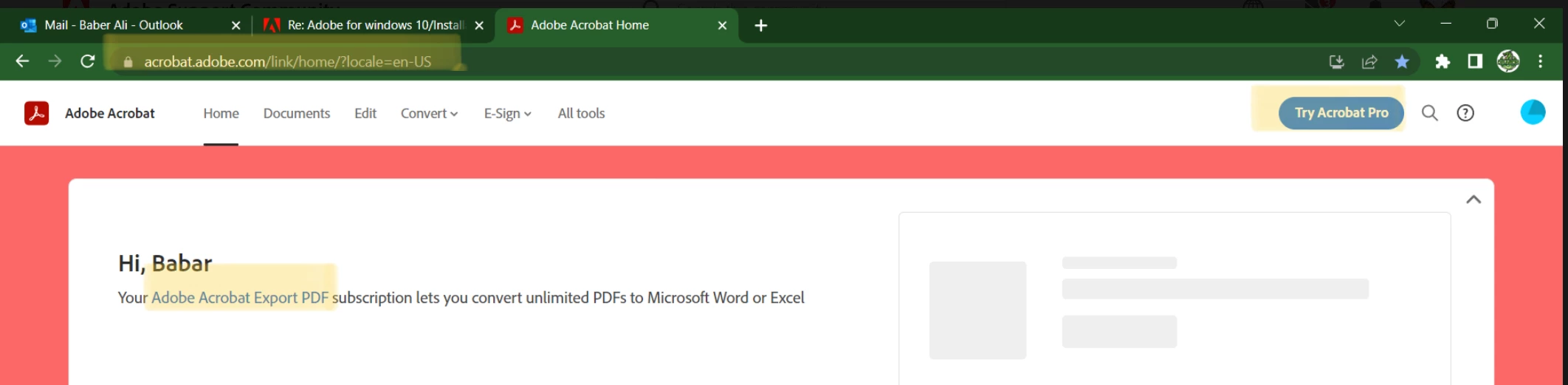
The subscription for Adobe Acrobat Export PDF is $1.99 monthly; Acrobat Pro is $19.99 monthly. Which did you subscribe to?
https://www.adobe.com/acrobat/export-pdf-online-pricing.html
You are on a browser at acrobat.adobe.com. If you subscribed to Acrobat Pro, it's an application on your computer. Try these instructions from Microsoft to launch Acrobat Pro. Select Windows 10 or 11 from the navbar at the top.
I'm a volunteer and cannot see what you actually subscribed to, so I am tagging a staff member who can look that up for us so we can better assist: @S. S
Jane
Thanks, @jane-e, for referring me here.
Thank you for writing in!
I checked the account, and the active subscription is for the Acrobat Export PDF pack. This is an online service package for which you experienced the Subscribe message.
You can install Acrobat Reader from here: Adobe - Adobe Acrobat Reader DC Distribution.
Even post-installation, the application will use cloud services to use the Export features.
Also, we were experiencing server issues last week, which resulted in the cloud services not working as they should.
I suggest checking now, as the servers are back up and running.
In cases where you experience issues related to exporting or conversion, you might want to check the status of the servers as well: https://status.adobe.com/
Hope this helps.
Best!
Souvik
Already have an account? Login
Enter your E-mail address. We'll send you an e-mail with instructions to reset your password.
 AdChoices