
Question
Adobe PDF Printer issue for Windows 11
Hi
I have system updated to Windows 11.
I saw an error when I tried to print a web page to PDF,
[Adobe is not available on this client]
so i go to system setting to check the [Adobe PDF], everthing seem normal, the printer status is idle, but when i open the Adobe PDF printer properties, The Adobe PDF Conversion Settings havnt anything. every line is null.
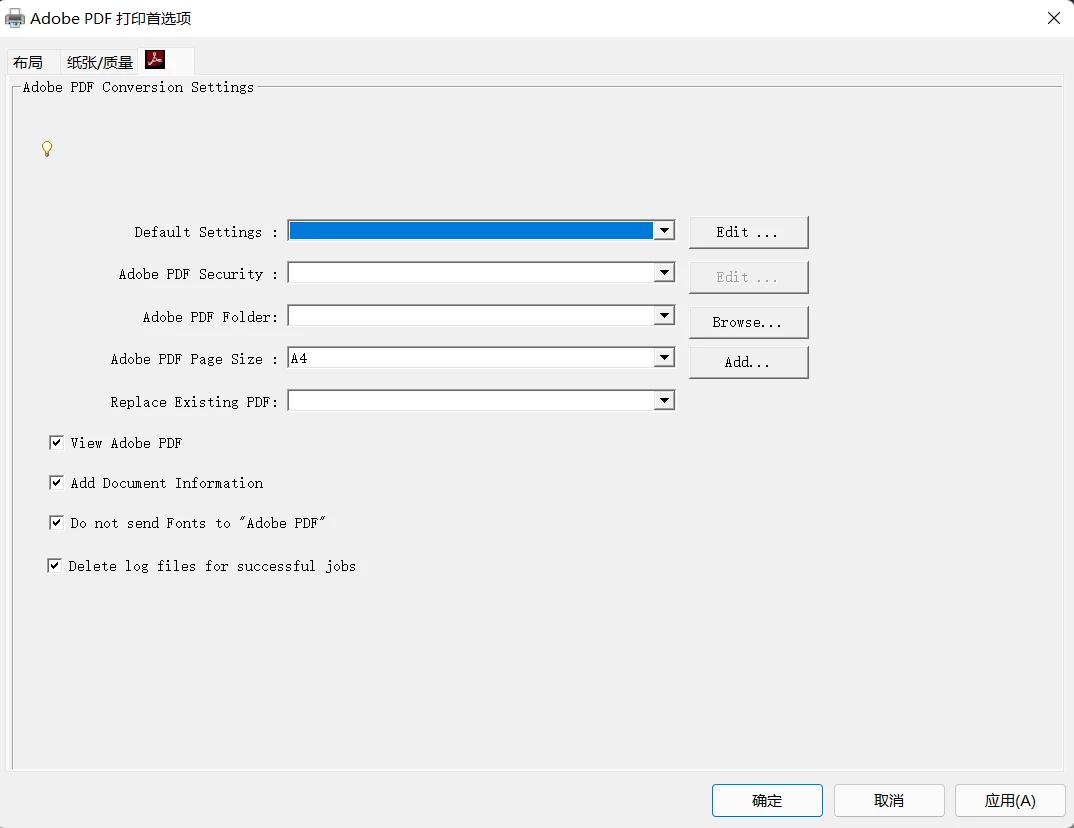
Actually,I been tried to re-install the Adobe PDF printer by following below 2 link, but it did not work.
无法安装 PDF 打印机 | 证书已吊销或端口未知 (adobe.com)
Adobe PDF 打印机缺失 | 手动安装 PDF 打印机
i hope to know any suggtion and is it not work on windows 11. Thanks !!!
 AdChoices