
Exit
  • Global community
    • Language:
      • Deutsch
      • English
      • Español
      • Français
      • Português
  • 日本語コミュニティ
  • 한국 커뮤니티
7

adobe Pro 2020 print to pdf saves with subject information. how do i get rid of that

Explorer ,
Feb 29, 2024 Feb 29, 2024

adobe Pro 2020 "print to pdf" saves with subject information. how do i get it to stop saving in that form. 

I highlighed the blue circle on what i mean. Then i have to click on open document so i can see only the pdf. then i have to save the pdf again so i can get it to look normal. 
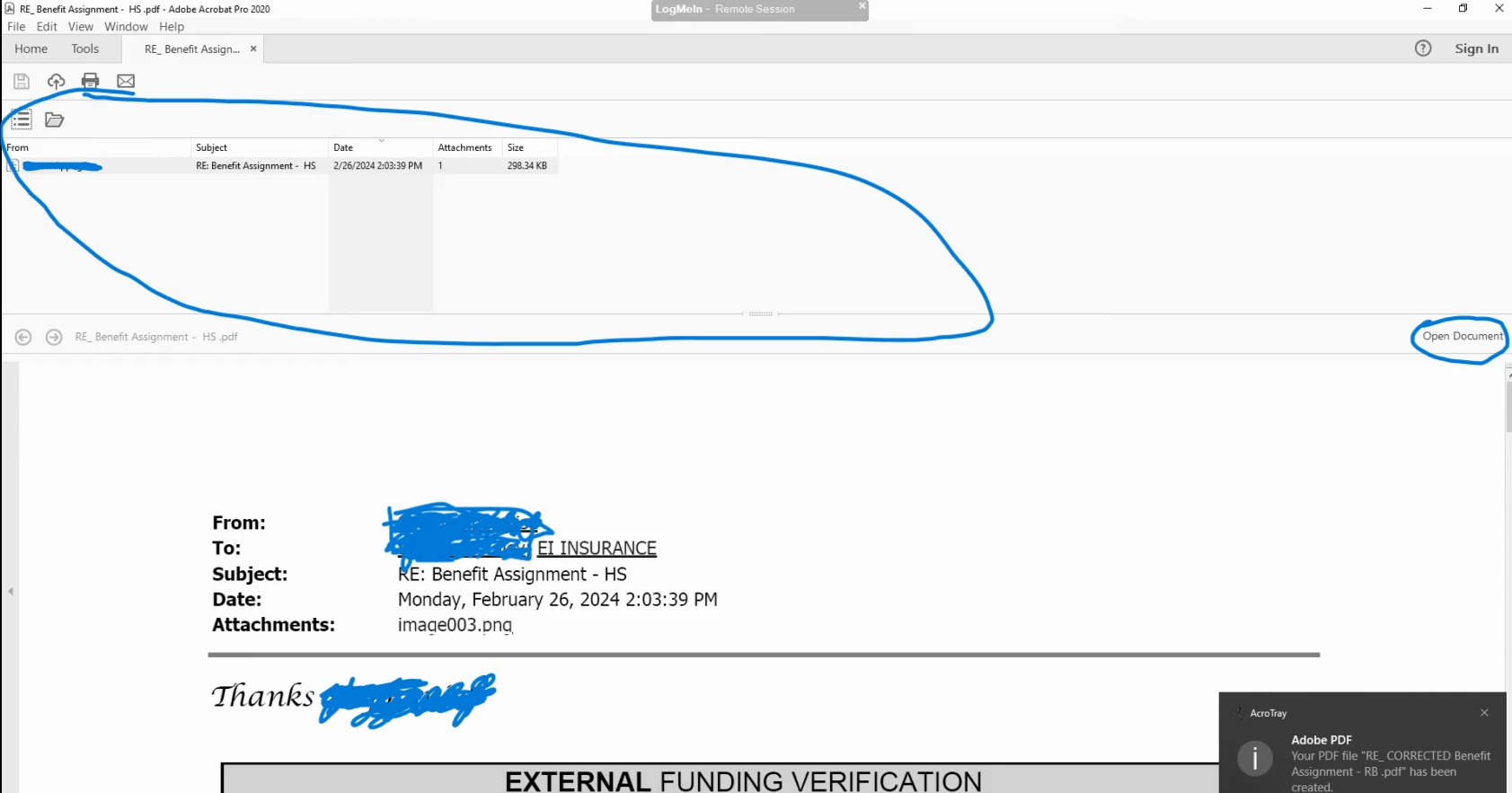
 

Rick27474169bh5i_0-1709229928723.png


any one can help and troubleshoot issue 


TOPICS
General troubleshooting , PDF , PDF forms , Print and prepress
700
Translate
Report
Community guidelines
Be kind and respectful, give credit to the original source of content, and search for duplicates before posting. Learn more
community guidelines
Community Expert ,
Feb 29, 2024 Feb 29, 2024

I do not really understand your problem. If the filename is not acceptable to you, you need to rename it. Acrobat uses initially what it gets from the OS/application.

ABAMBO | Hard- and Software Engineer | Photographer
Translate
Report
Community guidelines
Be kind and respectful, give credit to the original source of content, and search for duplicates before posting. Learn more
community guidelines
Explorer ,
Mar 05, 2024 Mar 05, 2024
LATEST

Hi 

yes when we first open a pdf,  the box shows up and my client does not want the box to appear. like it happens with every pdf. how can we prevent the box from opening. i highliight in red so you know what i mean. 


Rick27474169bh5i_0-1709653055620.png


Translate
Report
Community guidelines
Be kind and respectful, give credit to the original source of content, and search for duplicates before posting. Learn more
community guidelines