
Adobe Pro Create a PDF from any format not working with Office 365
Hello everyone,
I recently encountered an issue with the import function for Adobe Pro to convert Word/Excel documents into a PDF. This is happening with multiple people. We are on Windows 11 Enterprise, Adobe Acrobat Pro 64-bit (checked for updates), and running on Microsoft 365 Apps for Enterprise.
Previosuly we were on Office 2019. Using the import function within Adobe would work flawlessly, allowing to browse and select Word/Excel files and it would convert to PDF. However, ever since we upgraded to 365 Apps, we now encounter an error:
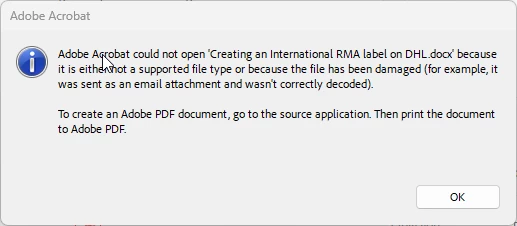
At first, I thought it was just that specific document. It turns out, it happens to all Excel/Word documents. I even tried creating a new document and would encounter the same error. I have tried installing the 32-bit of Adobe and re-installing Adobe, this did not work. The Acrobat PDF Maker add-in for Word/Excel is active. I disabled and re-enabled, this did not help.
Opening the Word/Excel document and using the the "Create and Share Adobe PDF" function works, as well as going to print and saving the files as PDF. It seems it is only when trying to import the documents through Adobe is when this issue occurs. I am not sure if there is a registry that needs to be updated or a trust center setting within the 365 applications. All help/suggestions would be greatly appreciated.
 AdChoices