
Participant
January 9, 2025
Answered

Adobe Scan Error Message

  • January 9, 2025
  • 1 reply
  • 736 views

Hello! I have been using the mobile app Adobe Scan for some time and love it, however as of recently it has stopped working. I scan on the app no problem, and can view the document on the app itself, but when I try to open it on my laptop I get this error message every time:
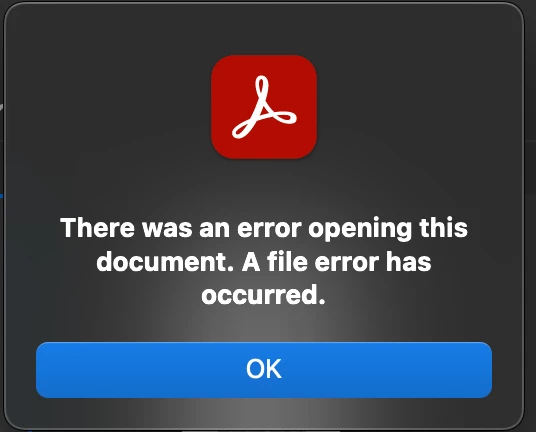
I have tried many things without avail, I am hoping this community can offer me some suggestions.

Thanks in advance.

Correct answer S_S

Hi @kira942,


Hope you are doing well. Sorry for the trouble.


Are you able to access the files on the web portal? To test, log in to https://adobe.ly/4gZNbRO to the Adobe Scan folder, and try launching the file.


Let us know how it goes.


-Souvik

1 reply

S_S
Community Manager
S_SCommunity ManagerCorrect answer
Community Manager
January 15, 2025

Hi @kira942,


Hope you are doing well. Sorry for the trouble.


Are you able to access the files on the web portal? To test, log in to https://adobe.ly/4gZNbRO to the Adobe Scan folder, and try launching the file.


Let us know how it goes.


-Souvik

kira942Author
Participant
January 15, 2025

Yes that works!! Thank you so much for the suggestion, I can just do it that way from now on.

AnandSri
Legend
January 16, 2025

Glad to hear the issue is resolved! Feel free to reach out if you need any further assistance.  


Thanks,
Anand Sri.